# How to Assign Course Descriptions to a Course Set
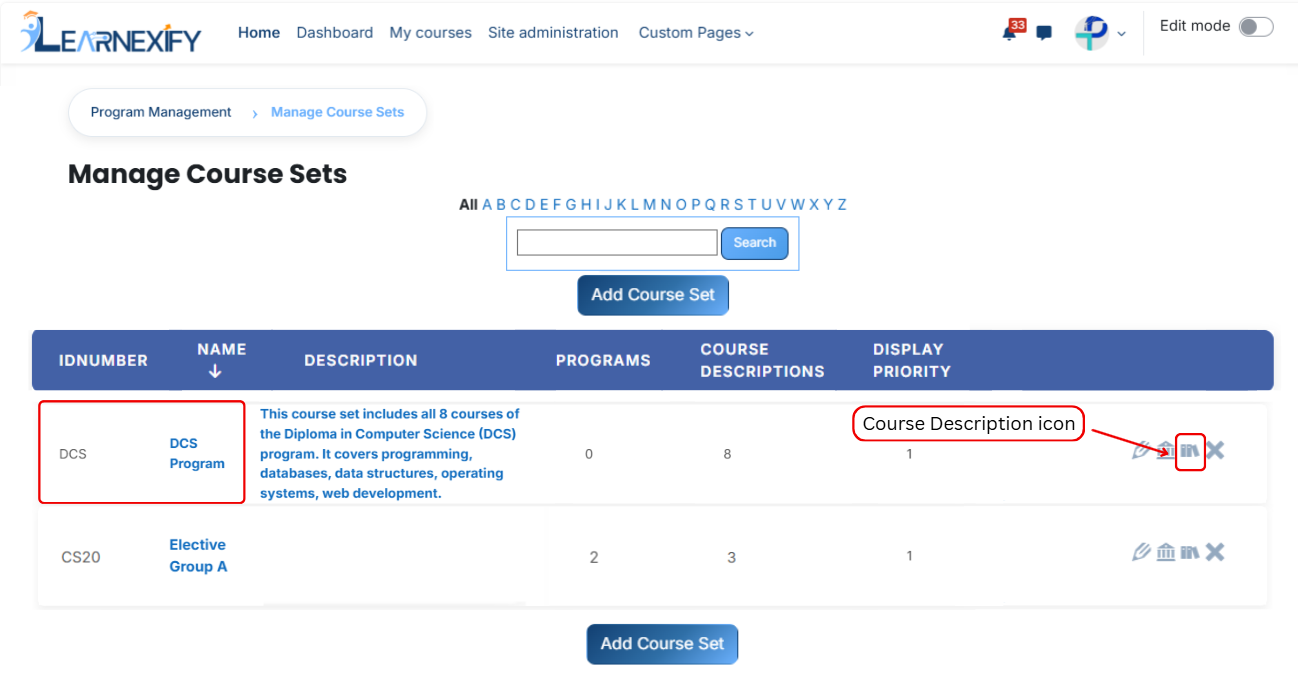
To assign course descriptions, first open the Learnexify dashboard and navigate to the user menu. Click on Programs, then select Manage Course Sets. You will see a list of all available course sets.
Select the course set in which you want to add course descriptions, then click on the Course Description icon.
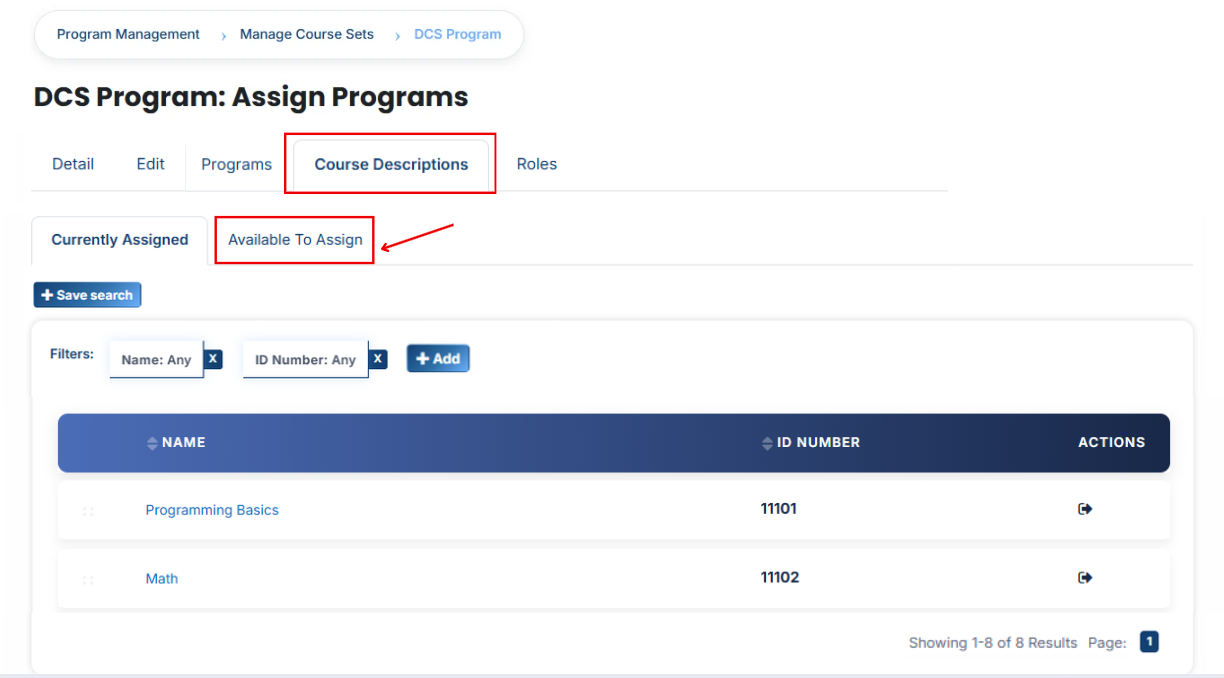
After opening the **Course Description tab,** you will see the **already assigned course descriptions.** To add a new one, click on the **Available to Assign button.**
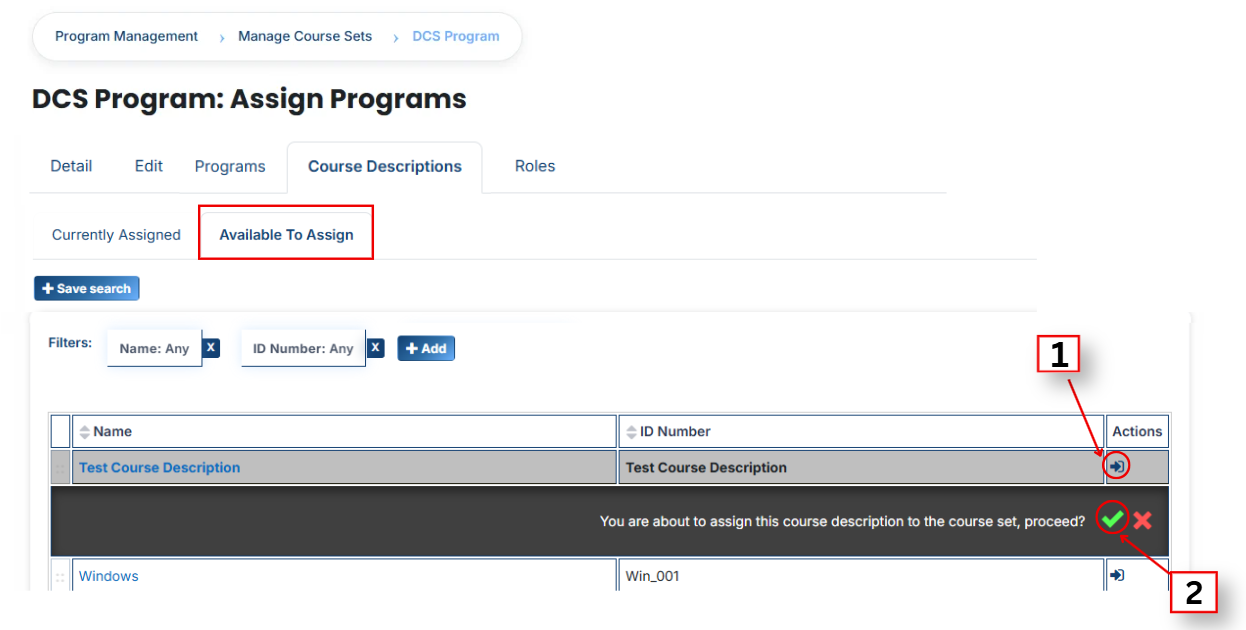
A list of available course descriptions will appear. Click on the arrow icon next to the course description you want to assign, then confirm the selection by clicking the green tick (✔).
**View Assigned Course Descriptions**
Go to the Currently Assigned section to verify that the course description has been successfully assigned to the course set.
#### **Using Filters to Search Course Descriptions**
If the required course description is not available in the list, you can use filters to find it more easily. Click on the Add button and apply the following filters:
- **Name:** Search by course name
- **ID Number:** Search using a unique identifier
- **Credits:** Filter by required or assigned credit hours
- **Completion Grade: F**ilter by the grade required to complete the course
- **Cost:** Filter by course or program fee
- **Creation Time:** Filter by when the course was created
- **Pre-Test:** Displays courses that include a pre-test (used to assess learner knowledge before starting the course)
- **Post-Test:** Displays courses that include a post-test (used to evaluate learner progress after course completion)
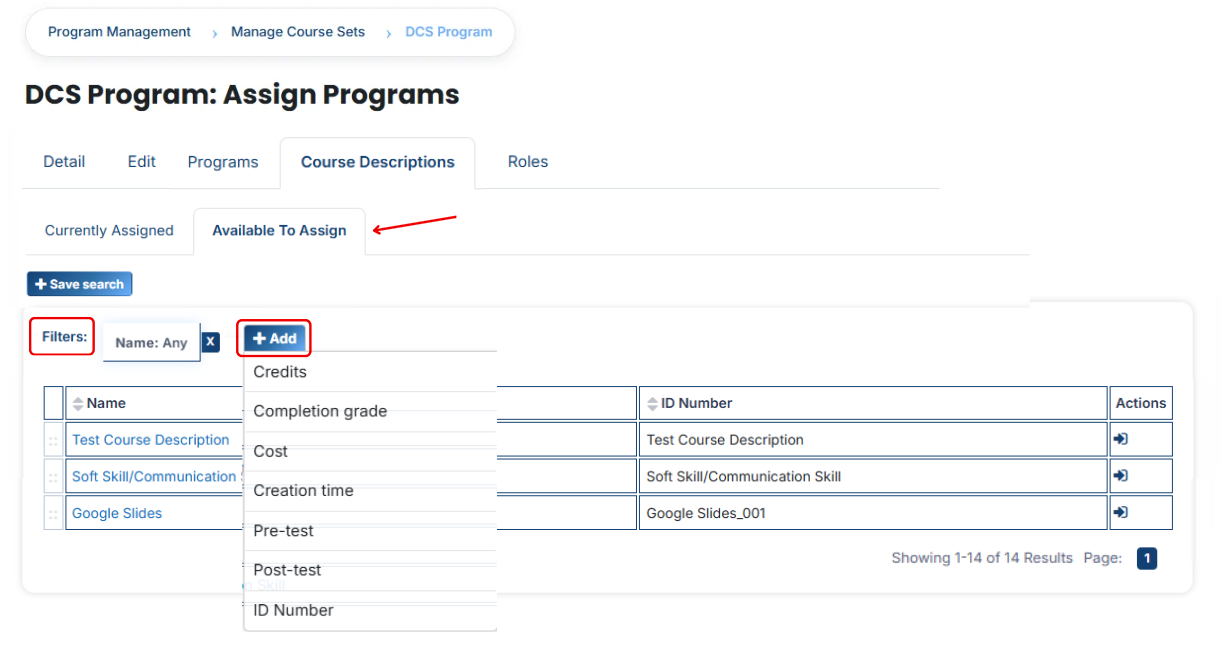
Once the **required course description appears**, click the **arrow icon** and assign it using the **green tick (✔).** It will then be added to the Currently Assigned list.
---