# How to Assign Semesters in a Program
#### **Semesters**
A Semester is a fixed academic period used in universities to divide an academic year into smaller parts. Each semester represents a specific stage of study in which students take a defined set of courses and complete related academic activities such as lectures, assignments, and exams.
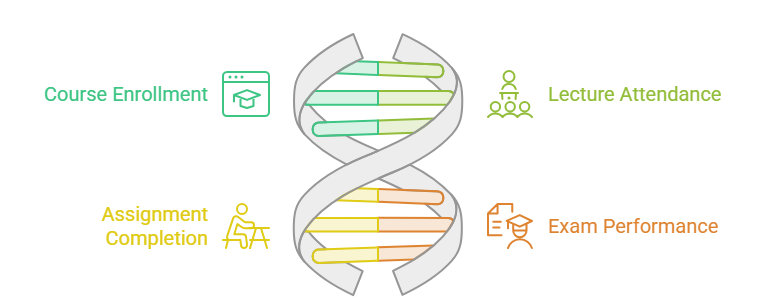
In most universities, a degree program is divided into multiple semesters (for example: Semester 1, Semester 2, Semester 3, etc.), and students progress from one semester to the next as they complete their courses
---
#### **Steps to Assign User Groups to a Program:**
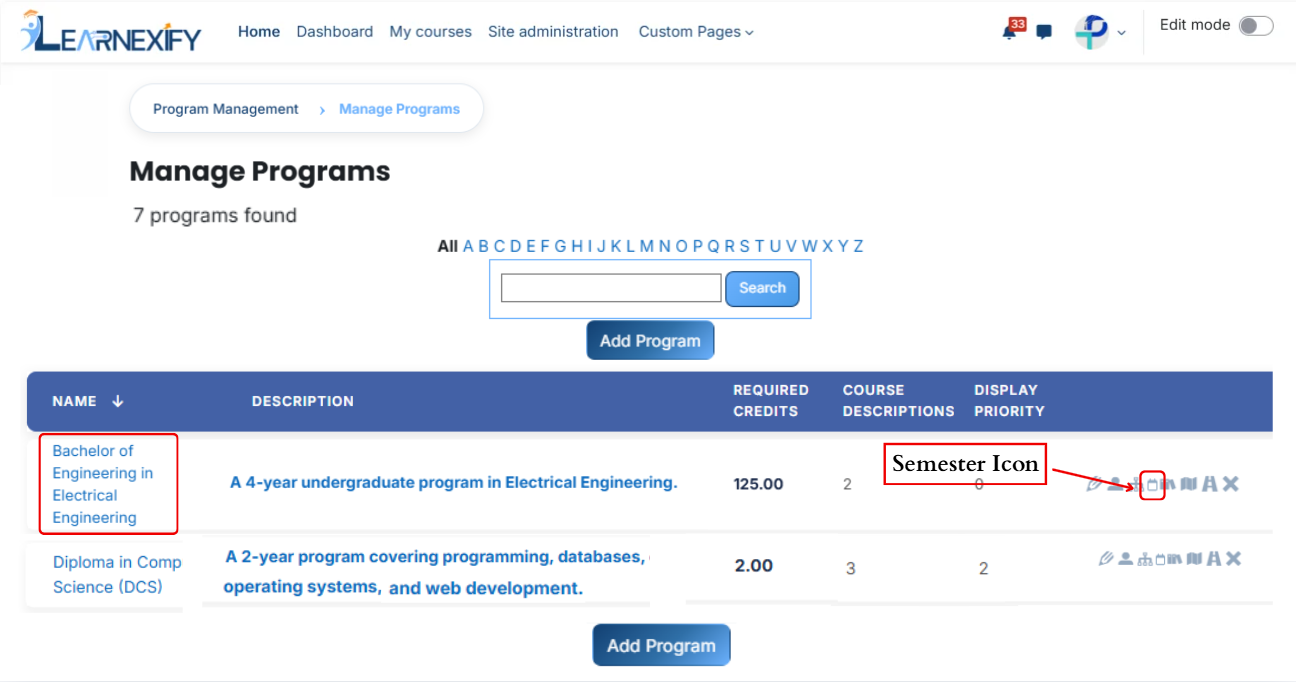
- In the **Program List**, click the **Semesters icon** for the desired program to open the tab and assign semesters.
[](https://wiki.paktaleem.net/uploads/images/gallery/2026-07/yszimage.png)
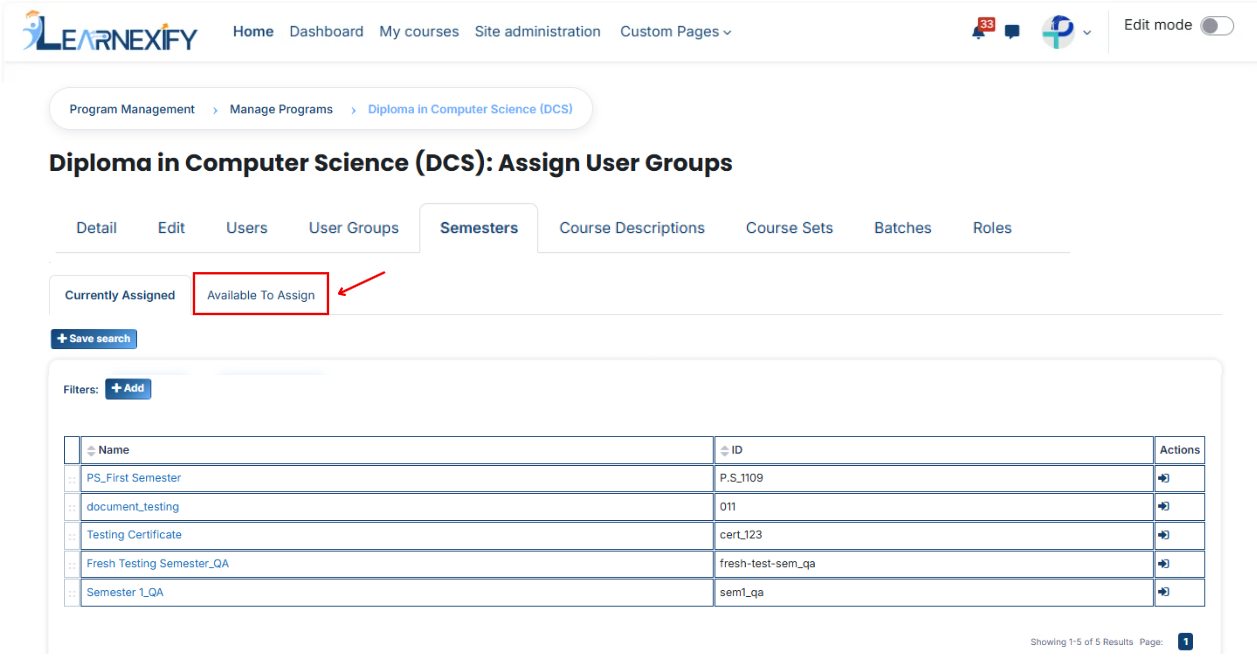
- Here you will see the list of assigned semesters.
- To **assign additional** semesters, click on the **'Available to Assign' button.**
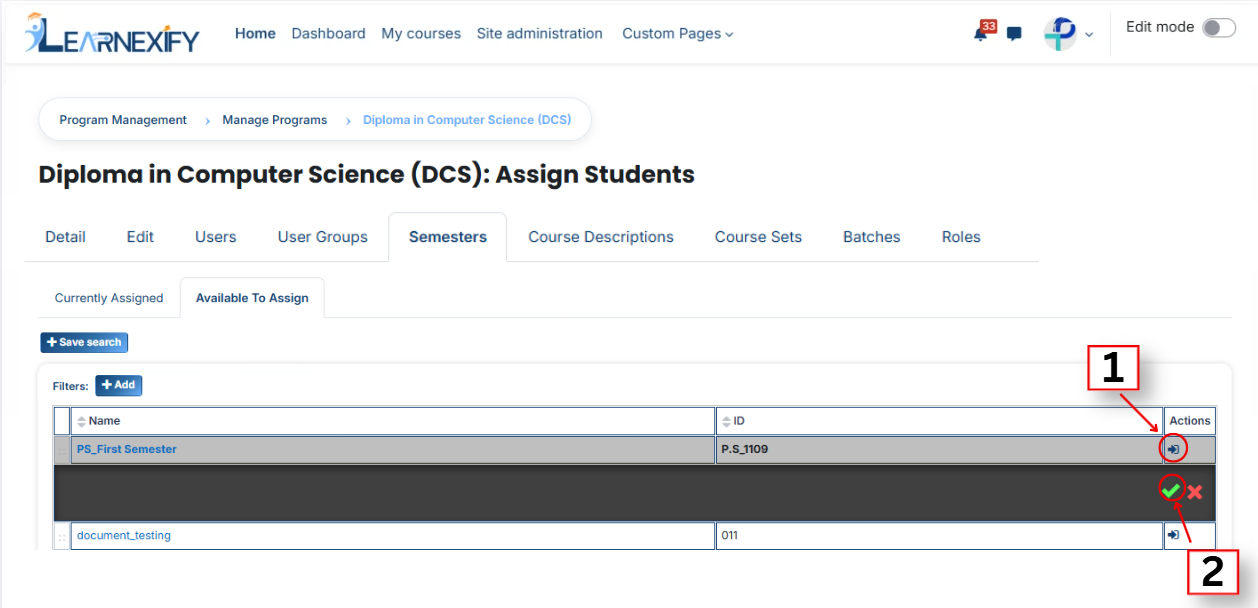
- Select the **semester** you want to assign to the program.
- Click on the arrow button to move the selected semester.
- After clicking the **arrow button**, click on the **green tick** to confirm the assignment.
- Go to the **Currently Assigned** section, where you can see the assigned semester.
- If you don’t find your semester, select the required field and enter the details according to the semester.then assign a semester in the program.
#### **Bulk User Action:**
**Purpose:**
Use this feature to assign multiple Semesters efficiently.
**Method 1:**
- Select those multiple **semesters** you want to assign in the program.
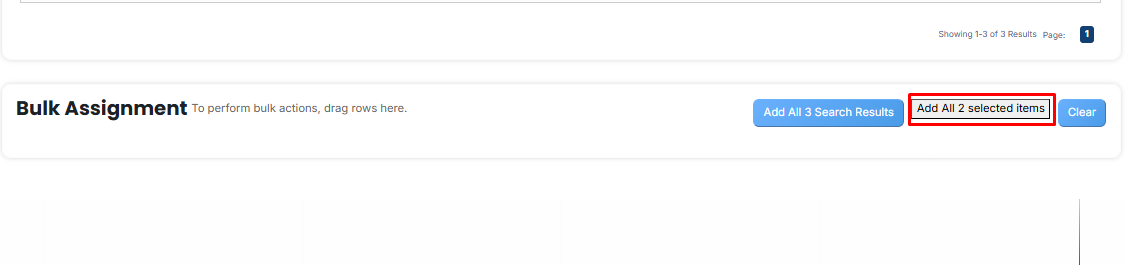
- After making your selections, click the **“Add All 2 Selected Items”** button to add the selected semesters.
The number displayed in the button **(e.g., 2)** represents the number of items currently selected and will change depending on how many items you select.
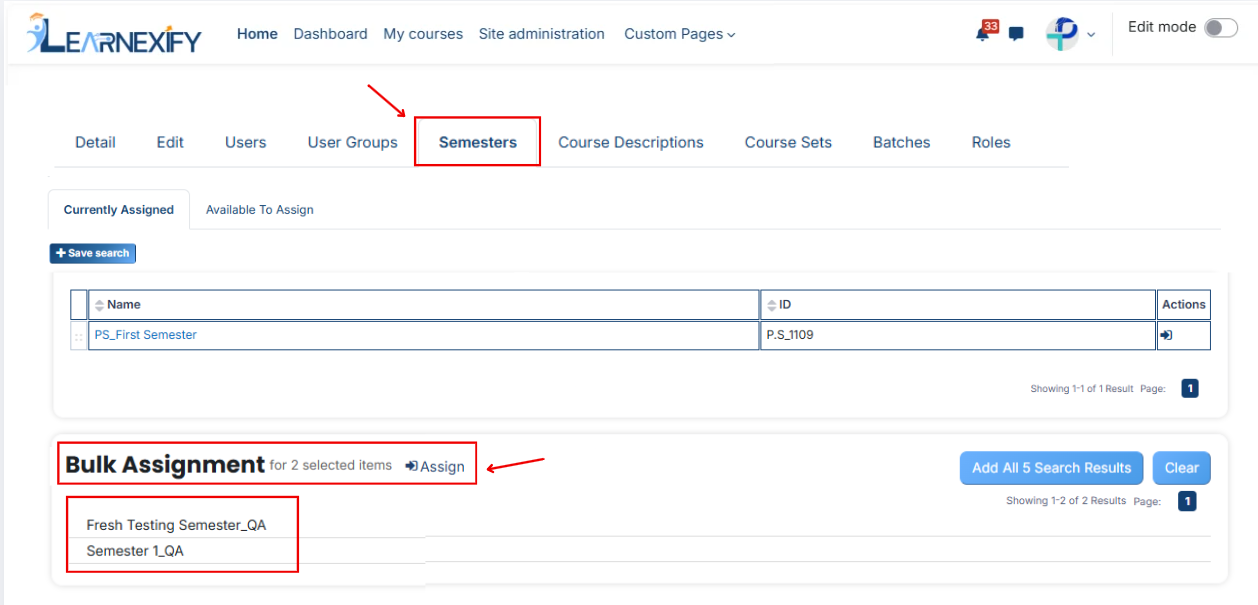
- Then click on the **Assign button** in the **Bulk Assignment** Section to move the semesters to the **assigned list.**
**Method 2:**
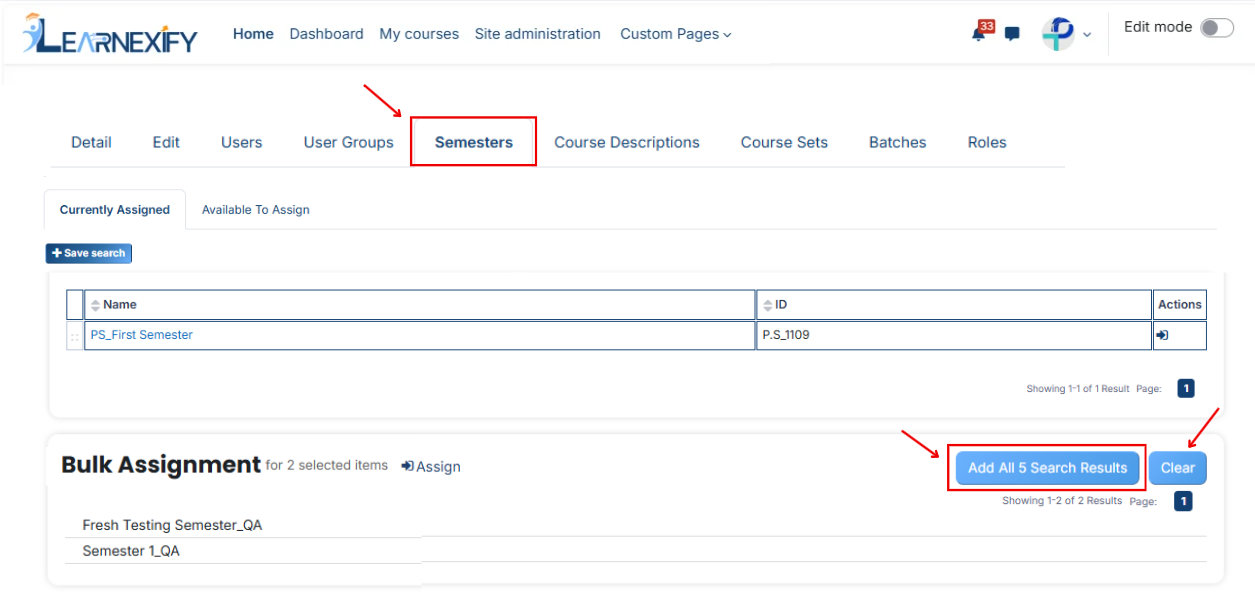
- Click the **“Add All 3 Search Results”** button to **add all semesters** with a single click. The number displayed in the button (e.g., 3) may vary depending on the number of semesters available in the search results.
- If you want to clear everything, click the **Clear button.**
---