1.2 Semester Report
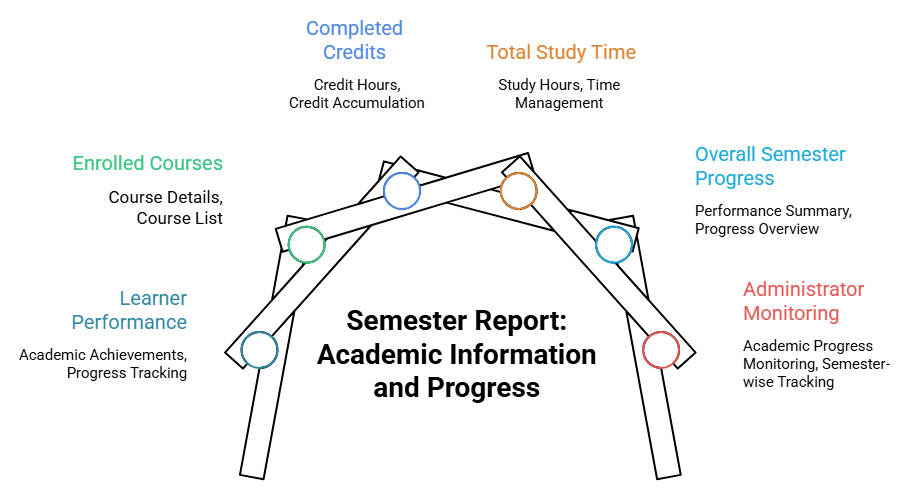
The Semester Report displays semester-related academic information and progress for a selected user. The main purpose of this report is to summarize learner performance, enrolled courses, completed credits, total study time, and overall semester progress in a single report.
This report helps administrators to monitor semester-level learner performance and Batch academic progress.
Accessing the Report:
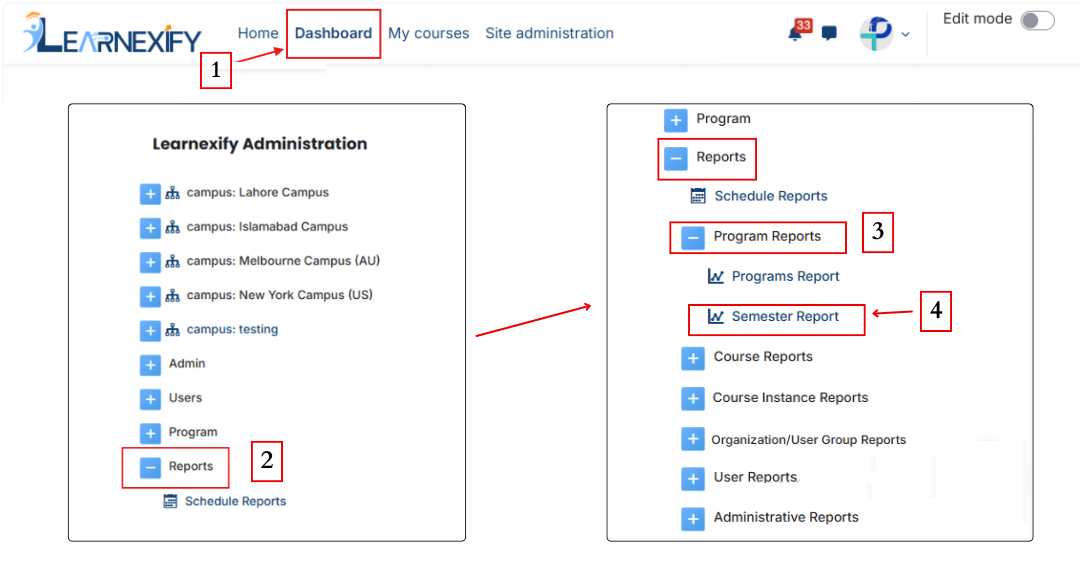
From the side drawer, click on Reports, then select Program Reports and open Semester Report.
Report Requirements:
The following requirements are needed to generate Semester report:

Report Filters:
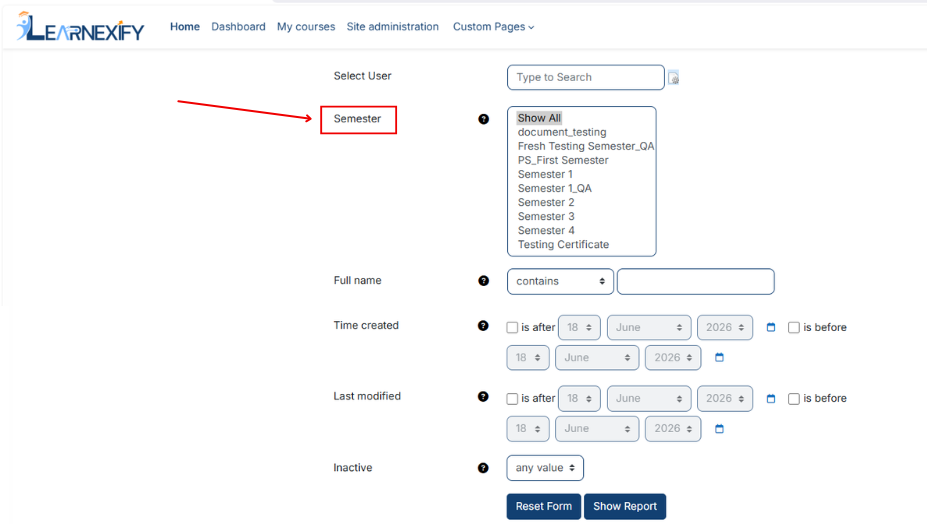
This report includes the following fields and filters:
- Select User → Used to select a specific learner
- Semester Selection → Used to select a specific semester.
Additional User Filtering Options:
The report also includes multiple filters for searching and refining user data, such as:
- Name fields (Full Name, First Name, Last Name, Middle Initial)
- User identification details (ID Number, Username)
- Contact information (Email Address, Phone, Fax, Address, City, State, Country, Zip Code)
- Account-related fields (Preferred Language, Time Created, Last Modified, Inactive Status)
Most text-based fields use the “contains” option, while date fields include:
- “Is after”
- “Is before”
These filters are used to customize and narrow down report data according to specific users or semesters.
After completing all the configuration, click on the Show Report button to display the report.
Report Output:
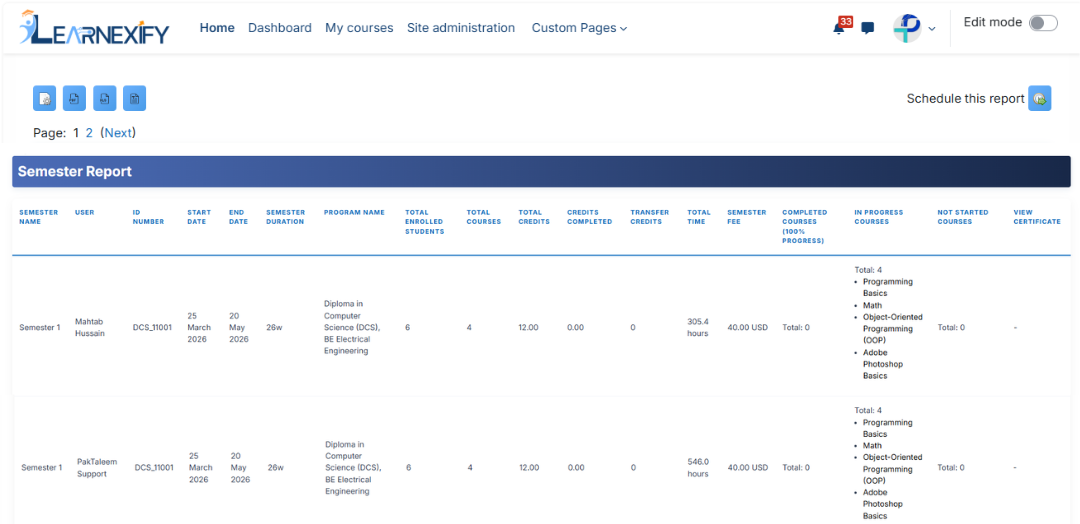
The report displays the following information:
- Semester Name → Name of the selected semester
- User → Name of the learner
- ID Number → User’s unique ID number
- Start Date → Start date of Semester
- End Date → End date of Semester
- Semester Duration → Total semester duration
- Program Name → Name of the related program
- Total Enrolled Students → Total students enrolled in the semester
- Total Courses → Total number of semester courses
- Total Credits → Total semester credits
- Credits Completed → Credits completed by the learner
- Transfer Credits → Details of transferred credits
- Total Time → Total learning/study time
- Semester Fee → Semester fee details
- Completed Courses (100% Progress) → Fully completed courses
- In Progress Courses → Courses currently in progress
- Not Started Courses → Courses not yet started
- View Certificate → Option to view certificates

Report Actions:
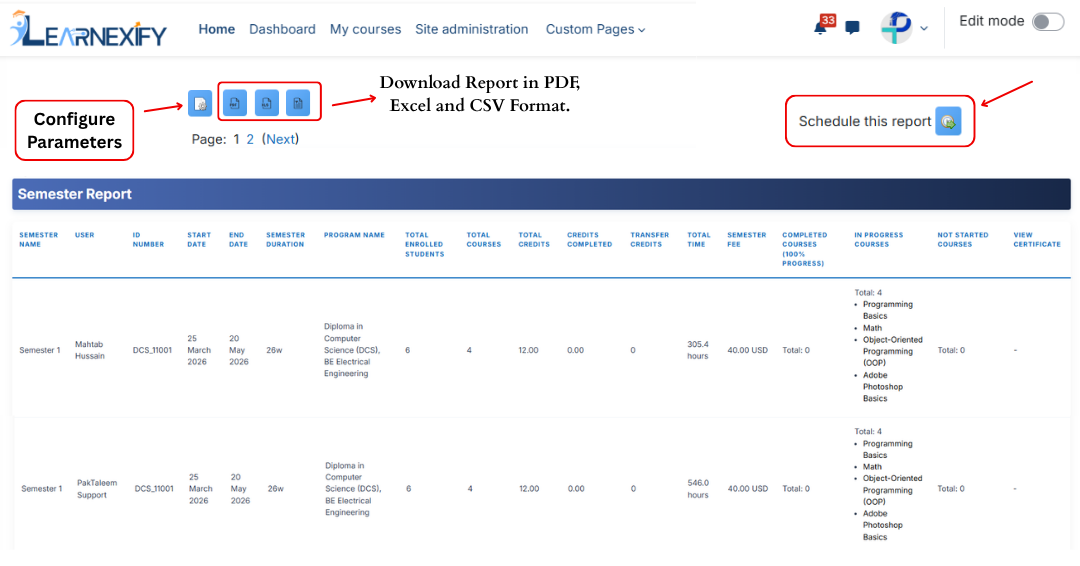
- Report settings and filters can be modified using Configure Parameters.
- The report can be exported in PDF, Excel and CSV formats.
- The report can be scheduled using the Schedule Reports option to be generated at a specified date and time.
These options allow the report to be saved locally on the system.