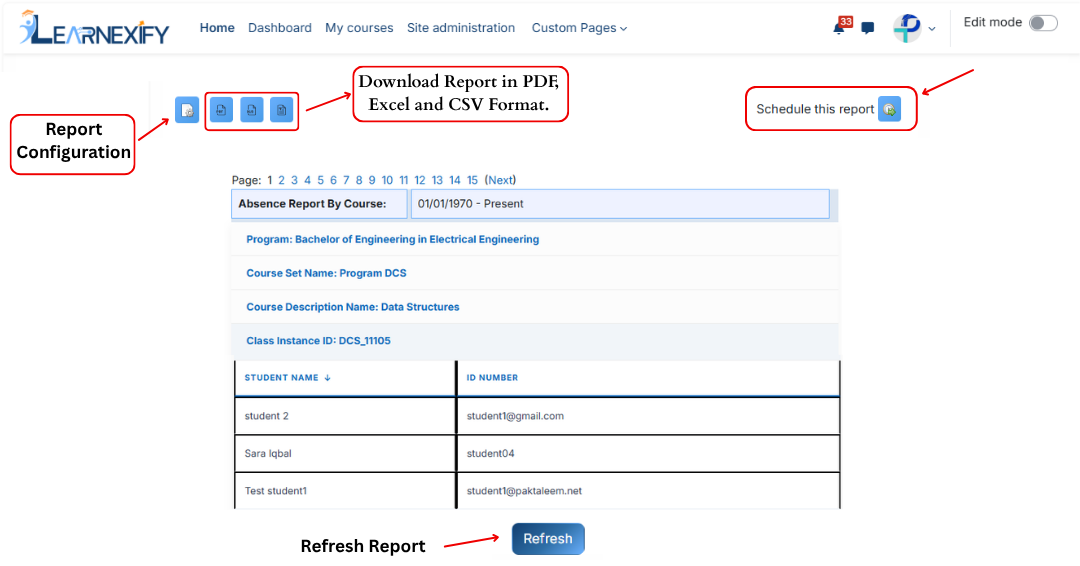
6.1 Absence Report
The Absence Report, this report is listed at the top of the Administrative Reports section. Its main purpose is to identify users who have not performed any activity in Learnexify course Instances within a selected time period defined in the report settings.
This report helps administrators monitor learner engagement and identify inactive users across courses and programs.
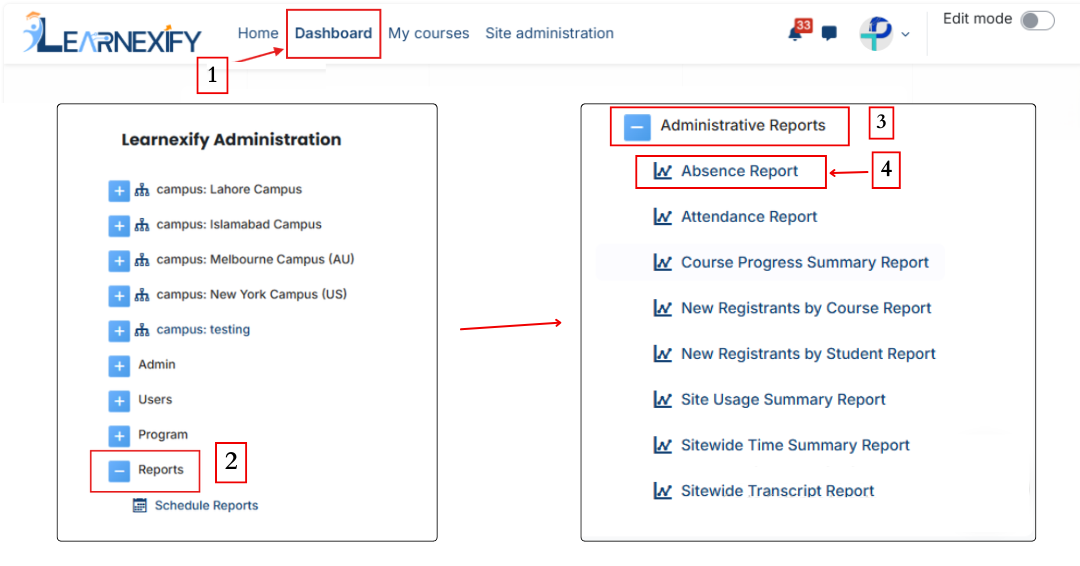
Report Path:
Dashboard ⟶ Side drawer ⟶ Reports ⟶ Administrative Report ⟶ Absence Report
Report Requirements:
To be included in this report, a user must meet the following conditions:
- The user must be enrolled in a Learnexify course Instances.
- The user must have no recorded activity within the selected date range.
A user is considered inactive when:
- There is no activity in the course linked with the Learnexify course Instances, OR
- If no course is linked, then no Learning Objectives are marked as completed, OR
- If no Learning Objectives exist and no course is linked, the report displays “N/A”.
Report Filters:
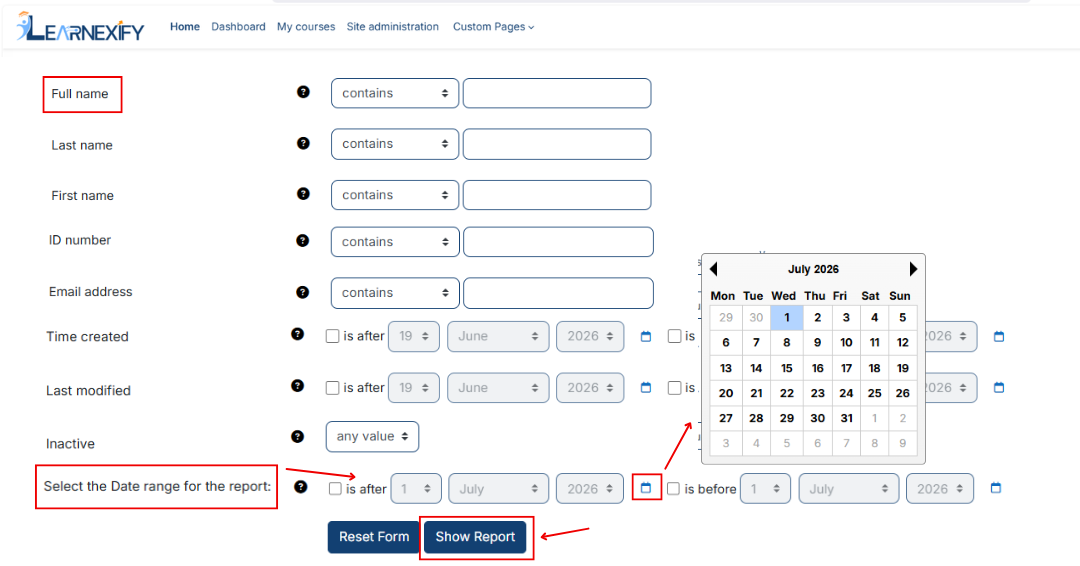
This report includes multiple user-related filters that allow administrators to refine and search data efficiently.
Purpose of Available Filters:
-
Name-based Filters (Full Name, First Name, Last Name, Middle Initial)
Used to search users based on their names. Partial text can also be used to find matching records. -
ID Number
Used to search a user using their unique Learnexify identification number. -
Email Address / Email Address 2
Used to filter users based on their registered email addresses. -
Username
Used to locate users through their system login username. -
Address / Address 2
Used to filter users based on physical address information. -
City/Town, State/Province, Country
Used for geographical filtering of users. The Country field allows selection of any available value. -
Zip/Postal Code
Used to filter users based on postal code information. -
Phone / Phone 2 / Fax
Used to search users based on contact or fax numbers.
Date Range Filter:
The report also includes a date range filter:
- Is after → Shows users with no activity after the selected date.
- Is before → Shows users with no activity before the selected date.
Date selection is available using Day, Month, and Year fields.
Additionally, more advanced filters can be accessed using the “Show more” option, including custom user fields and standard system fields.
View Report:
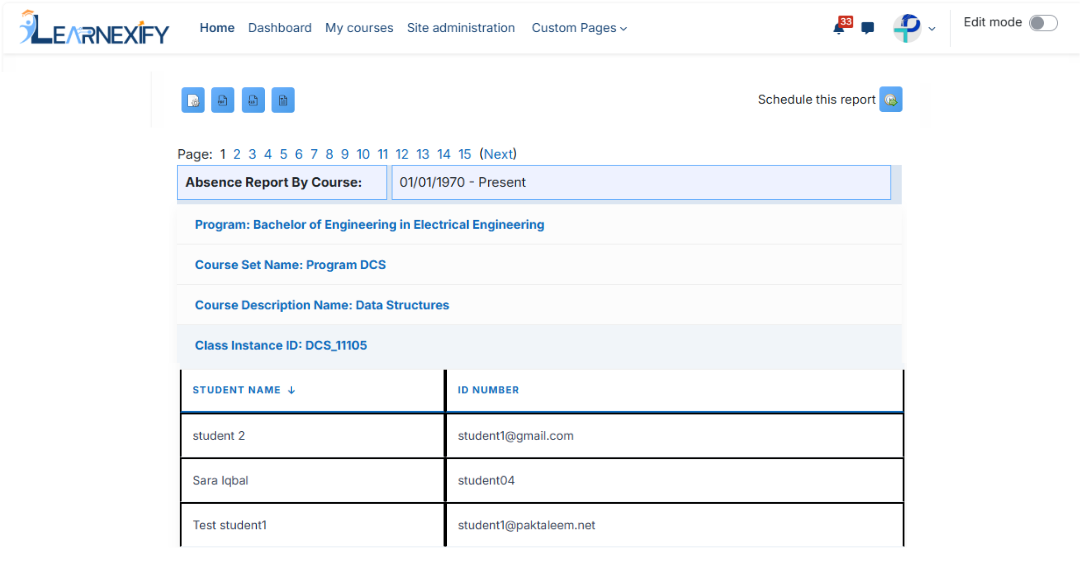
The report displays learners grouped by course. The selected filters and date range appear at the top of the report.
Program Information:
- Program → The program to which the course belongs
- Course Set → The course set associated with the course
Course Information:
- Course Name → Name of the Learnexify course
- Course Instances ID → ID of the Learnexify course Instances
- Student Name → Name of inactive user
- ID Number → Learnexify user identification number
Report Scheduling, Export & Refresh:
This report also supports standard reporting features:
- The report can be scheduled using the Schedule Reports option to be generated at a specified date and time.
- Report settings and filters can be modified using Configure Parameters.
- The report can be exported in both PDF and CSV formats.
- Click the Refresh button at the bottom center to update the report with the latest data.