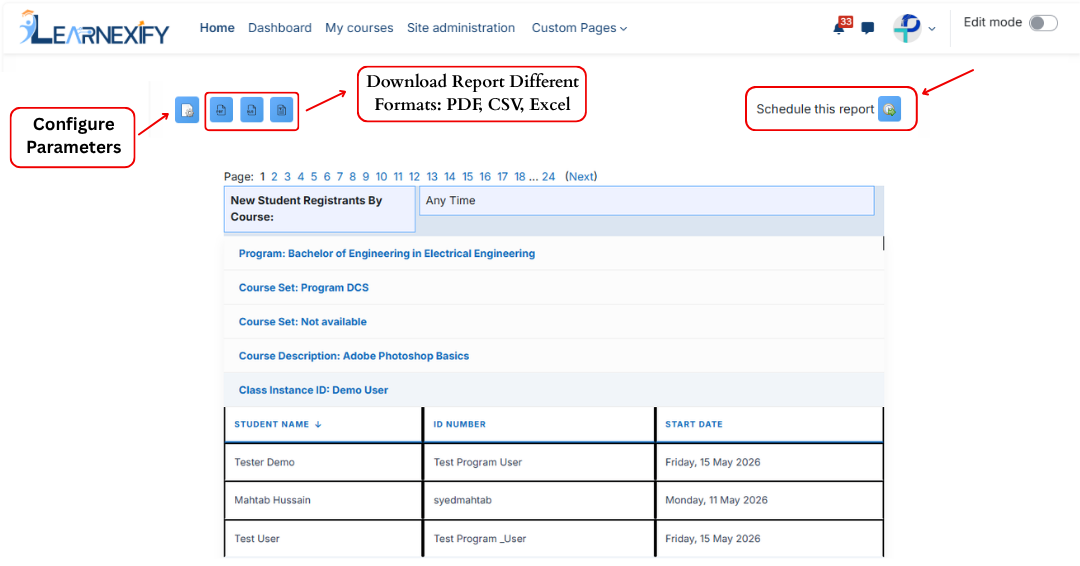
6.4 New Registrants by Course Report
The New Registrants Grouped by Course Description Report displays a list of users who have newly enrolled in Learnexify Course Descriptions within a selected time period. The report groups learners under each Course Description along with their enrollment (start) date.
If a Course Description has no new registrants, it will not be included in the report.
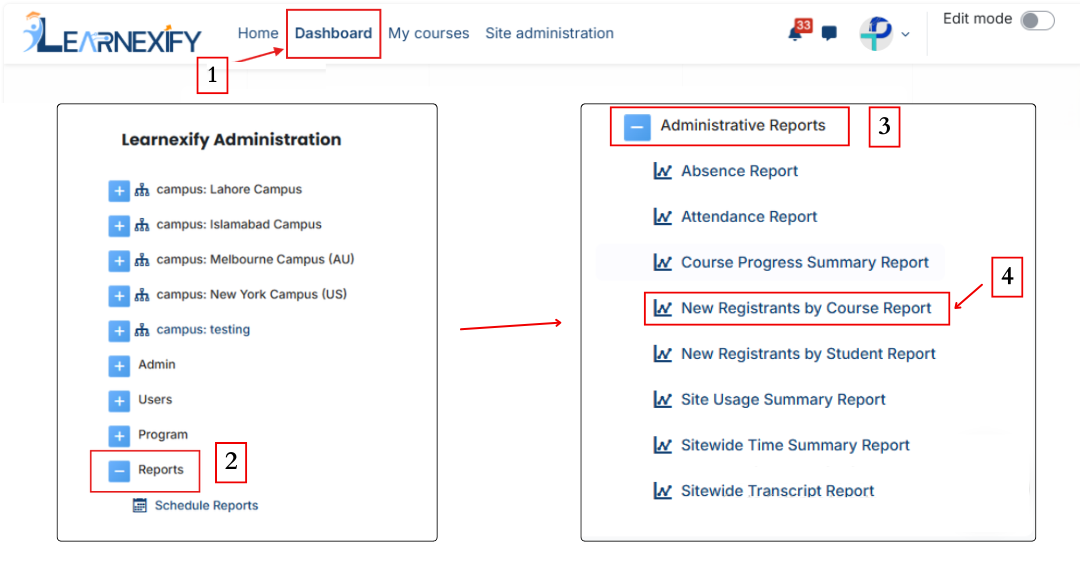
Report Path:
Dashboard ⟶ Side drawer ⟶ Reports ⟶ Administrative Reports ⟶ New Registrants by Course Report
Report Requirements:
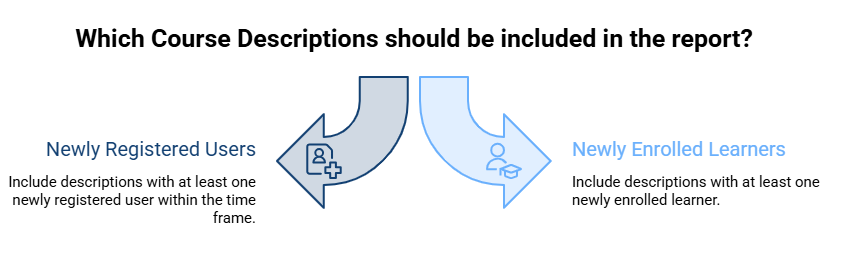
To be included in this report:
- The user must be newly registered in an Learnexify Course Description within the selected time frame (if applied).
- Only Course Descriptions that have at least one newly enrolled learner will appear in the report.
Report Filters:
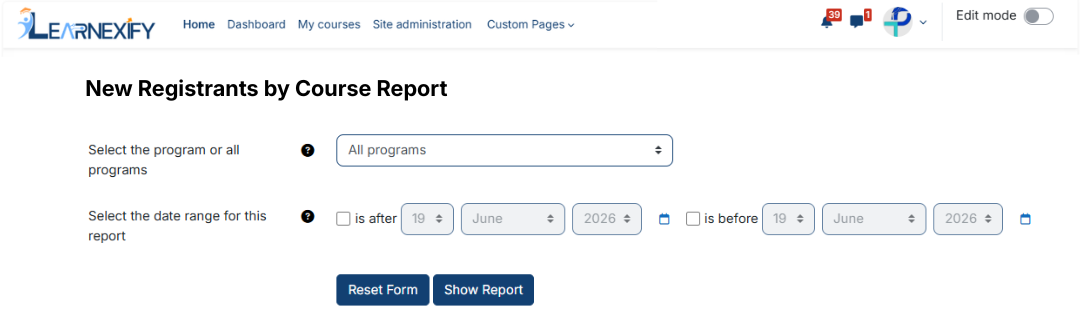
This report includes two optional filters:
-
Program Selection (All or Specific Program)
A specific Program can be selected. If selected, only Course Descriptions under that Program with new registrations within the selected time range will be included. -
Date Range Filter:
This filter defines the period for new registrations: - “Is after” → shows users enrolled after a specific date
- “Is before” → shows users enrolled before a specific date
These filters can be used individually or together. If left at default settings, the report will include all Course Descriptions and all enrollment records.
After selecting the required filters and fields, the report is ready to be generated.
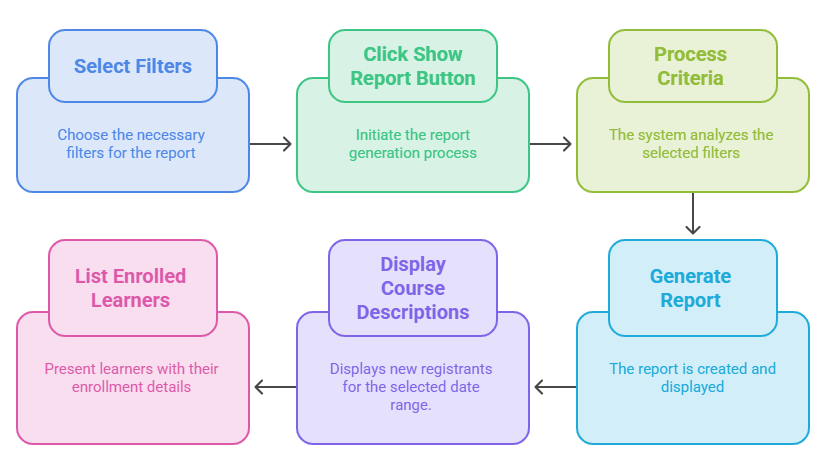
Generate Report:
- First, the required filters are selected
- Then the Show Report button is clicked
- The system processes the selected criteria
- The report is generated and displayed on the screen
- Course Descriptions with new registrants are shown based on the selected date range
- Under each Course Description, newly enrolled learners are listed with their enrollment details
Report Output:
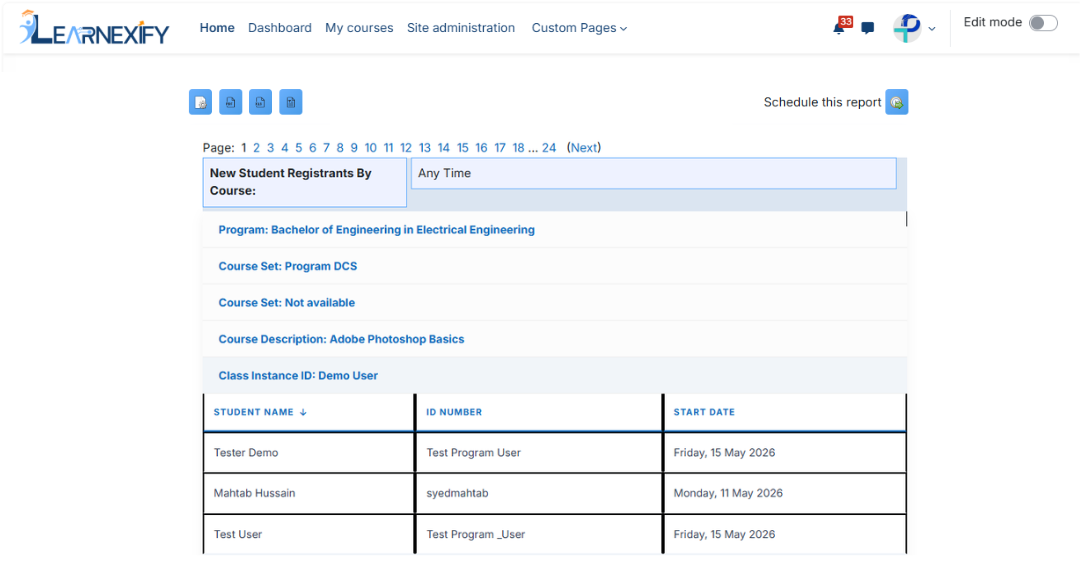
The report displays the following information:
- Program → The program to which the Course Description belongs
- Course Set → Grouping of courses under a Course Set within a program
- Course Description Name → Name of the Learnexify Course Description
- Class ID → Learnexify Class identification number
- Student Name → Name of the newly enrolled learner
- ID Number → User identification number
- Start Date → Date when the learner was enrolled in the class
Report Actions (Refresh & Export):