# 6.4 New Registrants by Course Report
The New Registrants Grouped by Course Description Report **displays** a list of **users** who have **newly** **enrolled** in Learnexify **Course Descriptions** within a **selected time period.** The report groups learners under each Course Description along with their **enrollment (start) date.**
If a Course Description has no new registrants, it will not be included in the report.
### **
Report Path: **
Dashboard ⟶ Side drawer ⟶ Reports ⟶ Administrative Reports ⟶ New Registrants by Course Report
[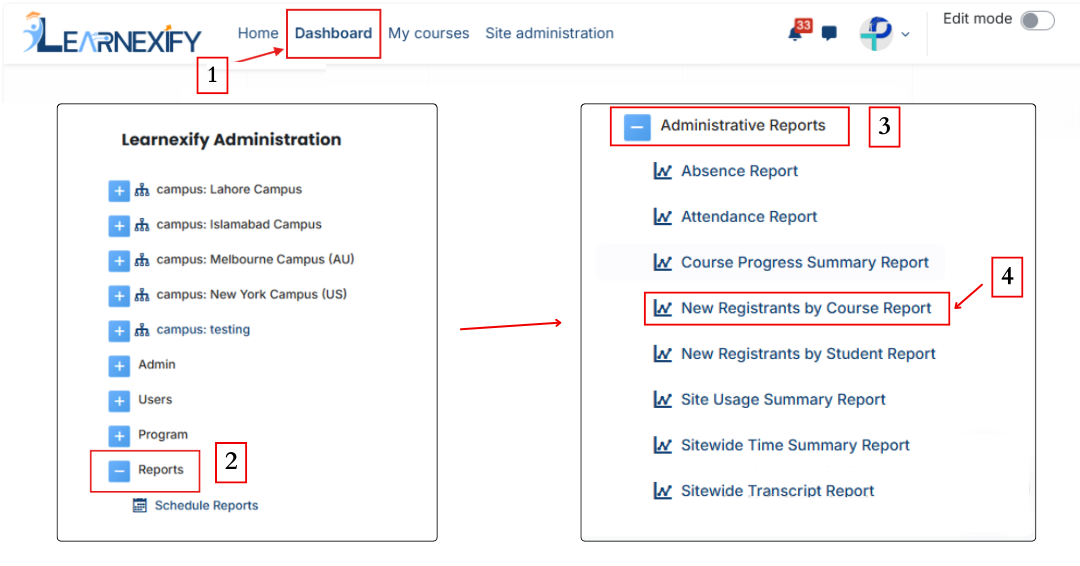](https://wiki.paktaleem.net/uploads/images/gallery/2026-06/new-registrants-by-course-report.png)
###
### **Report Requirements:**
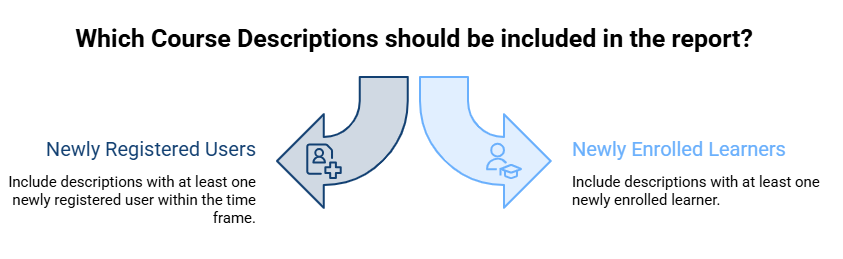
To be included in this **report:**
- The user must be **newly registered** in an Learnexify **Course Description** within the selected time frame (if applied).
- Only **Course Descriptions** that have at least **one newly enrolled** learner will appear in the report.
[](https://wiki.paktaleem.net/uploads/images/gallery/2026-06/BKtvisual-selection.png)
###
### **Report Filters:**
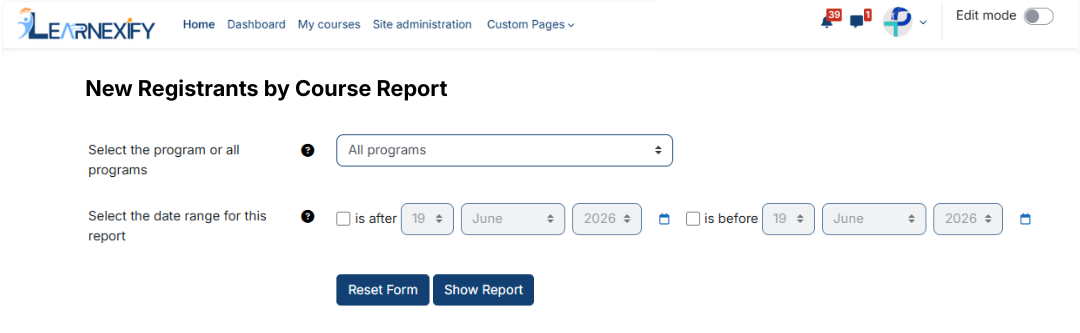
This report includes **two** optional **filters:**
- **Program Selection (All or Specific Program)**
A specific Program can be selected. If selected, only Course Descriptions under that Program with new registrations within the selected time range will be included.
- **Date Range Filter:**
This filter defines the period for new registrations:
- **“Is after” →** shows users enrolled after a specific date
- **“Is before” →** shows users enrolled before a specific date
These filters can be used **individually or together.** If left at default settings, the report will include all Course Descriptions and all enrollment records.
After selecting the **required filters** and fields, the report is **ready** to be **generated.**
[](https://wiki.paktaleem.net/uploads/images/gallery/2026-06/new-registrants-course-report-filter.png)
###
### **Generate Report:**
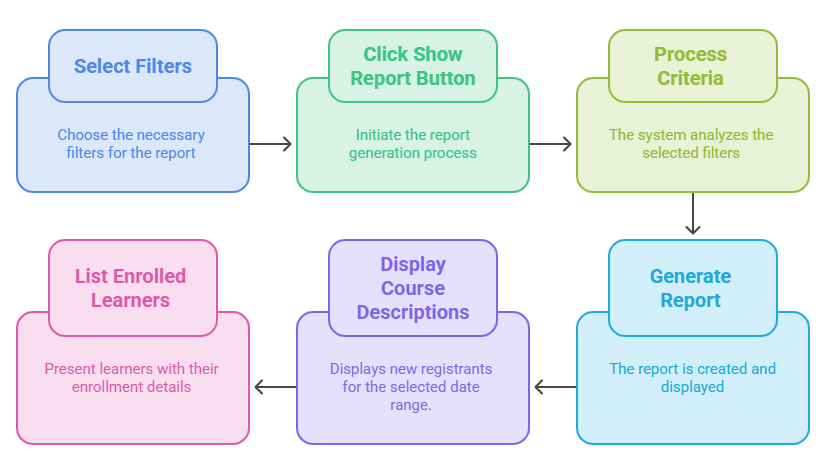
- First, the required filters are selected
- Then the **Show Report button** is clicked
- The system processes the selected criteria
- The report is **generated** and **displayed** on the screen
- Course Descriptions with **new registrants** are shown based on the **selected date range**
- Under each Course Description, newly enrolled learners are listed with their enrollment details
[](https://wiki.paktaleem.net/uploads/images/gallery/2026-06/generate-report-visual-selection.png)
###
### **Report Output:**
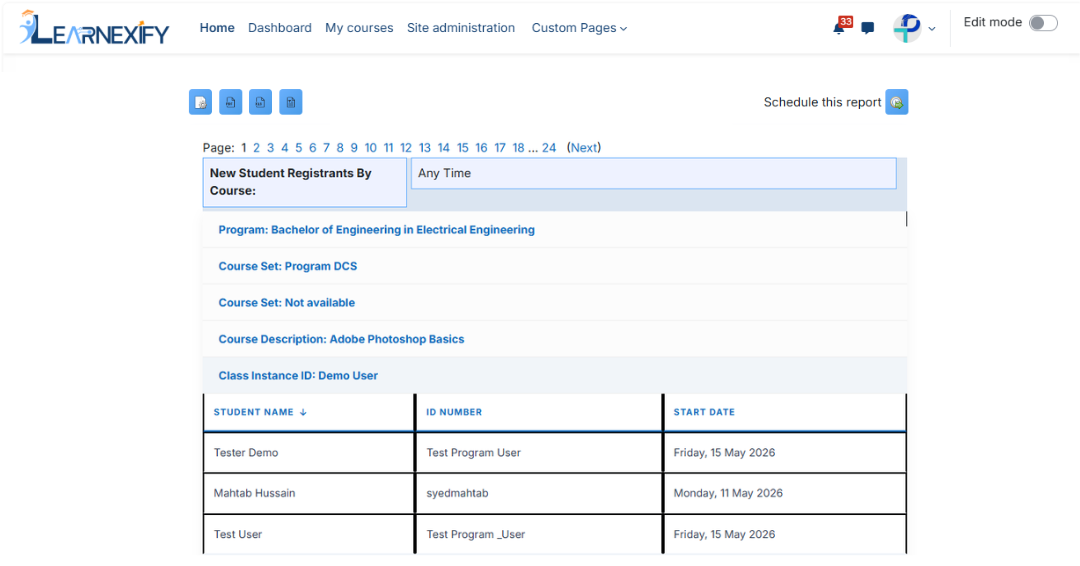
The report **displays** the following **information:**
- **Program →** The program to which the Course Description belongs
- **Course Set →** Grouping of courses under a Course Set within a program
- **Course Description Name →** Name of the Learnexify Course Description
- **Class ID →** Learnexify Class identification number
- **Student Name →** Name of the newly enrolled learner
- **ID Number →** User identification number
- **Start Date →** Date when the learner was enrolled in the class
[](https://wiki.paktaleem.net/uploads/images/gallery/2026-06/new-registrants-course-report-view.png)
###
### **Report Actions (Refresh & Export):**
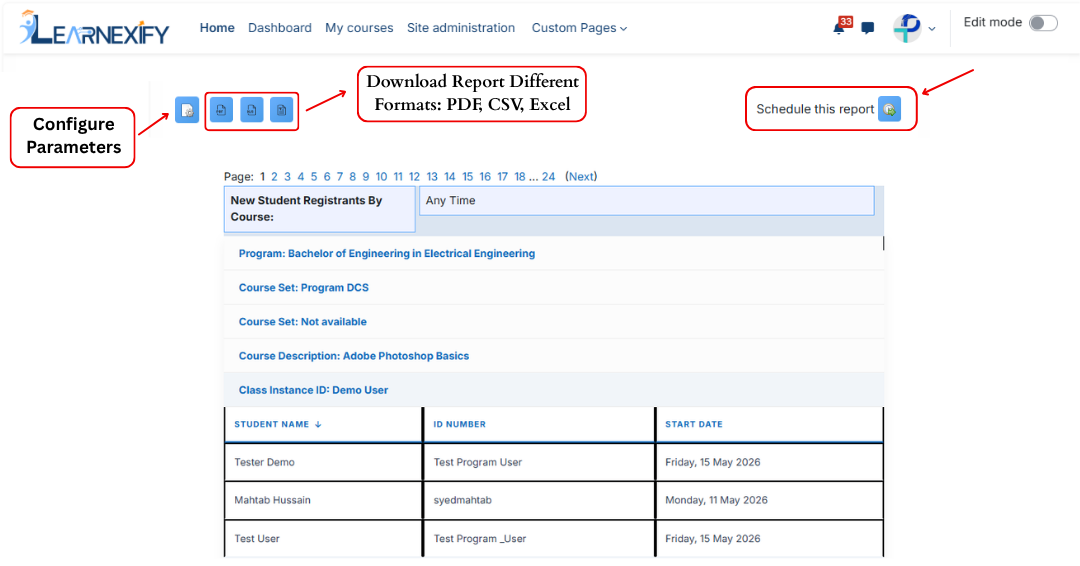
- The **Refresh button** updates the **report** with the latest data
- The report can be **exported** in **PDF and CSV formats**
- The report can be scheduled using the **Schedule Reports** option to be generated at a **specified date and time.**
[](https://wiki.paktaleem.net/uploads/images/gallery/2026-06/new-registrants-course-report-actions.png)