6.6 Site Usage Summary Report
The Site Usage Summary Report is a general summary report that provides administrators with an overall view of all Course Descriptions accessible according to their assigned role. This report helps administrators understand how the system is being used and how learners are interacting with courses across the site.
This report is useful for analyzing learner engagement, course activity, scores, time spent in courses, and overall performance trends.
For example, if a Program Administrator makes changes to course content or instructional design, this report can be used to compare data before and after the changes to determine whether learner engagement and performance have improved.
Report Path:
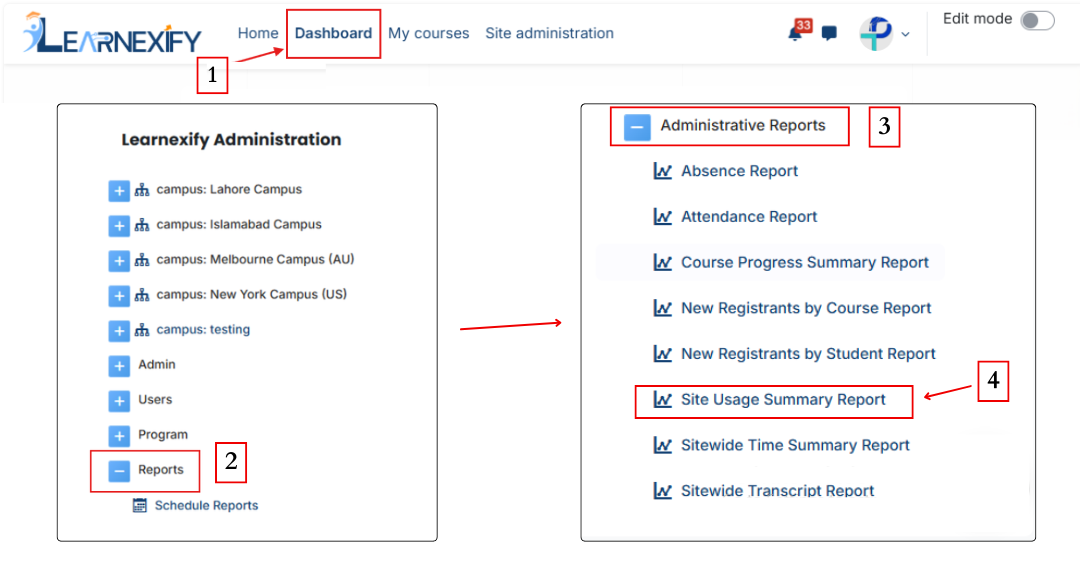
Dashboard ⟶ Side drawer ⟶ Reports ⟶ Administrative Reports ⟶ Site Usage Summary Report
Report Filters:
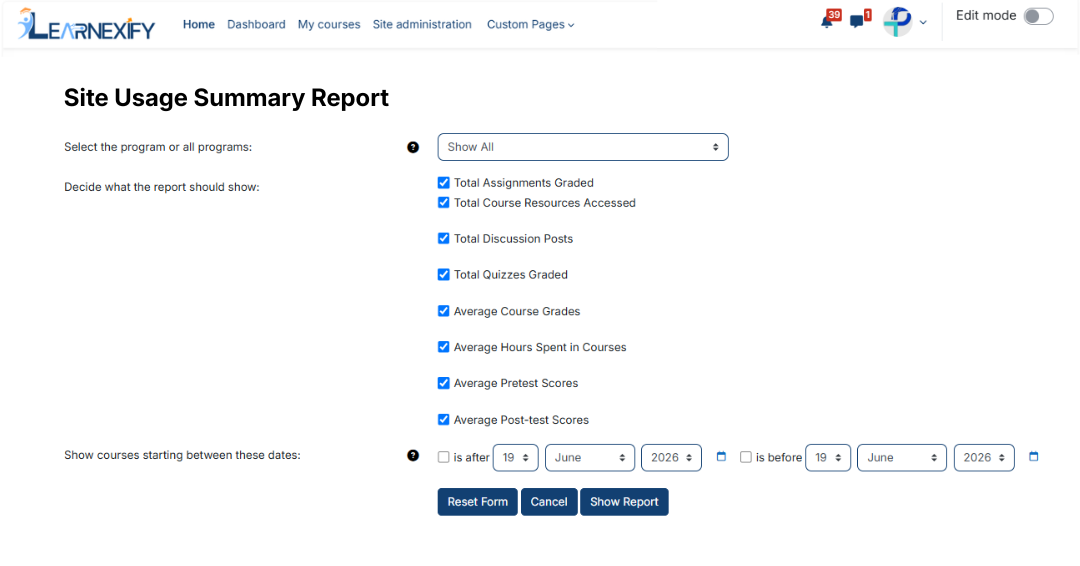
This report includes the following filters:
Program Selection (All or Specific Program):
Administrators can select a specific Program - leave to No filtering for all Course Descriptions in all Programs, or choose a program to generate data from.
Report Display Options:
This option is used to decide which data should appear in the report. Multiple data fields can be selected, such as:
- Total Course Descriptions Completed
- Average Course Grades e.t.c
Date Range (Course Start Dates):
This filter is used to include Course Descriptions that started within a selected time period:
- “Is after” → includes courses starting after a selected date
- “Is before” → includes courses starting before a selected date
After selecting the required filters and display options, the report can be generated.
Generate Report:
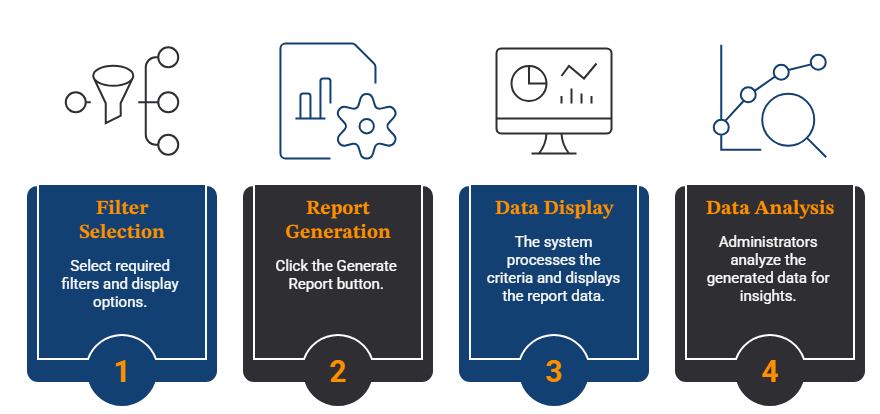
- First, the required filters and display options are selected
- Then click the Show Report button.
- The system processes the selected criteria and displays the report data on the screen
- Administrators can use the generated data to analyze learner engagement and course activity
Report Output:
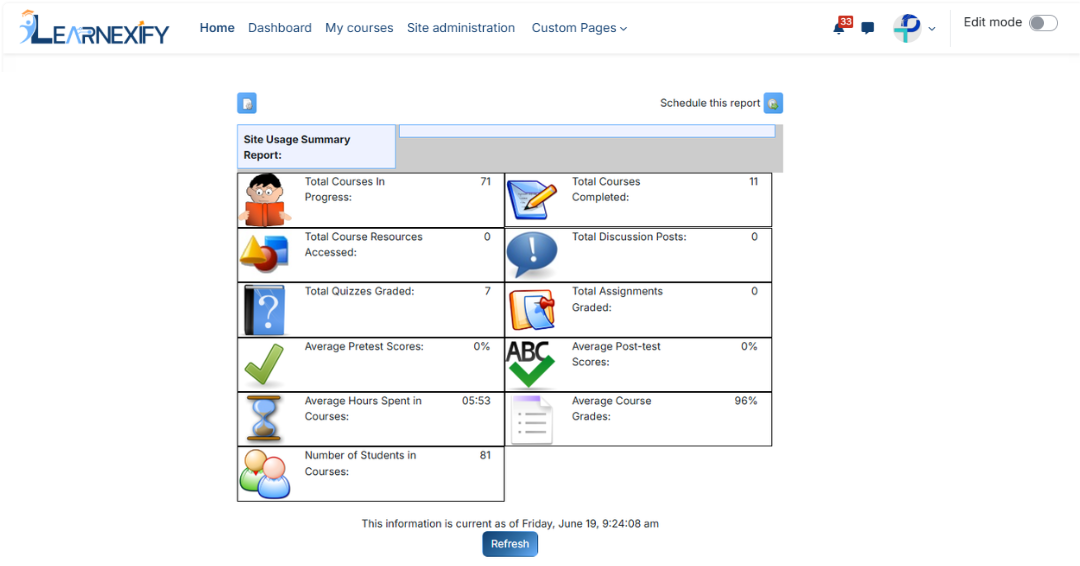
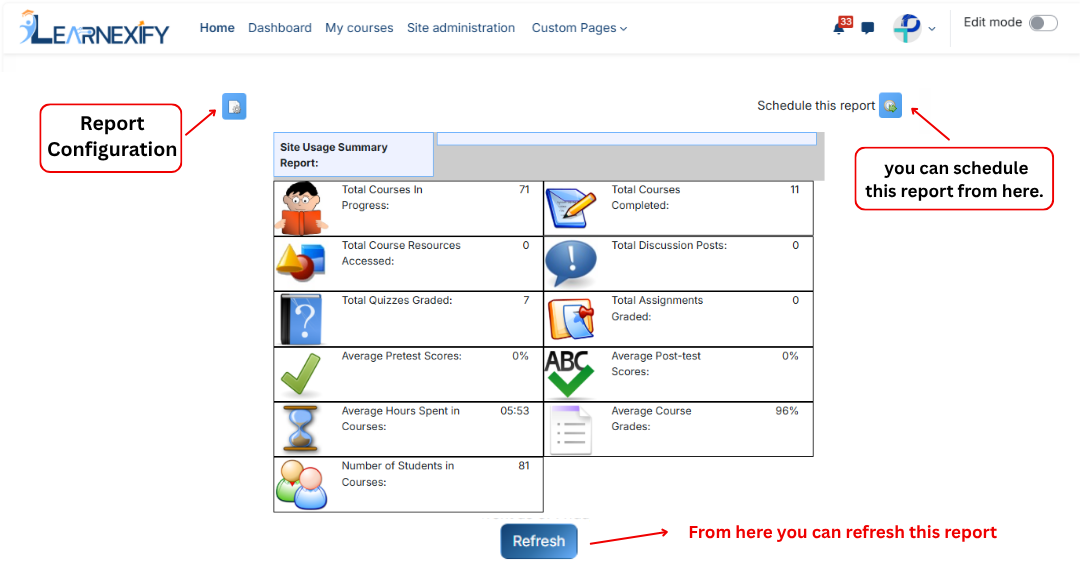
The report displays the following information:
- Site Usage Summary Report Date → Selected reporting date range.
- Total Course Descriptions in Progress → Total active enrollments that are not yet completed.
- Total Course Descriptions Completed → Total number of completed Course Descriptions.
- Total Course Resources Accessed → Total number of resources accessed by users.
- Total Discussion Posts → Total number of forum posts, replies, and discussions.
- Total Assignment Grades → Total number of graded assignments in the gradebook.
- Average Pre-test Scores → Average scores of Learning Objectives used as pre-tests.
- Average Post-test Scores → Average scores of Learning Objectives used as post-tests.
- Average Hours Spent in Course Descriptions → Average amount of time learners spent in courses.
- Average Course Grades → Average completion grades of learners
- Number of Students in Course Descriptions → Total number of students enrolled in selected courses
If a learner is enrolled in multiple Course Descriptions, the learner is counted separately for each enrolled course.
Report Actions (Refresh & Export):
- The report can be scheduled using the Schedule Reports option to be generated at a specified date and time.
- The report settings and filters can be adjusted using the Configure Parameters option.
- Click the Refresh button at the bottom center to update the report with the most recent data.
Important Note: The report cannot be exported in PDF, Excel or CSV format