6.7 Sitewide Time Summary Report
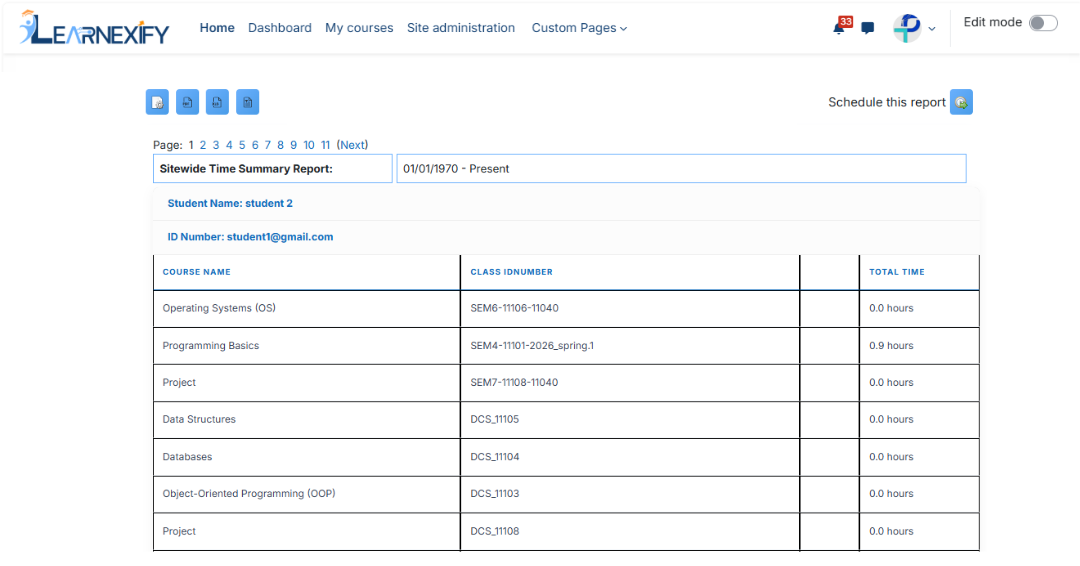
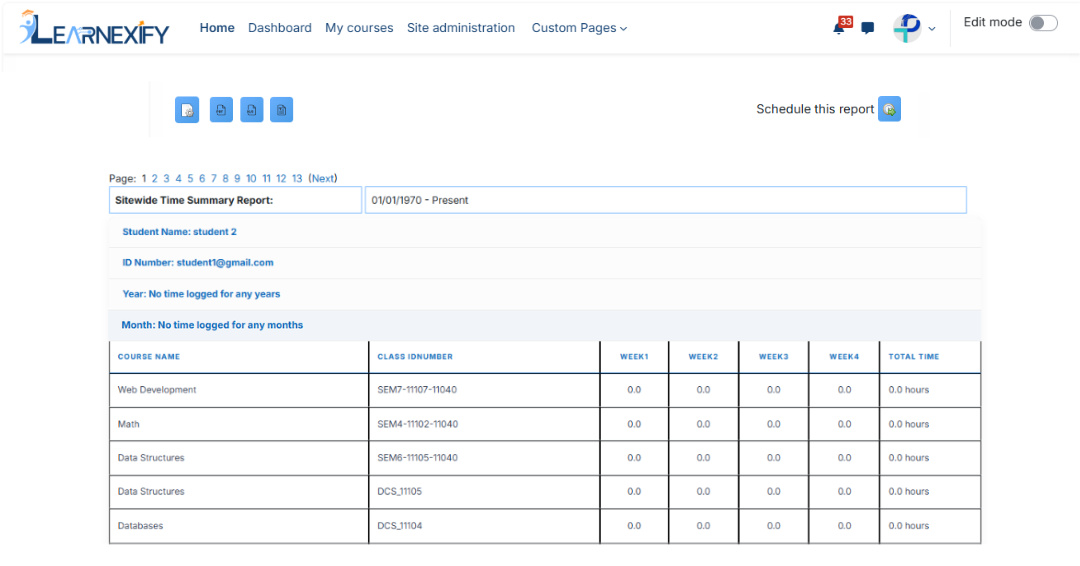
The Sitewide Time Summary Report generates a time-based summary for a single user or a selected User Group. It helps administrators understand how much time learners are spending in Course Descriptions over a specific period.
A date range can be applied to generate reports for a specific time period. The report can display data per user, per Course Description, or grouped by week or month depending on configuration.
Report Use Cases:
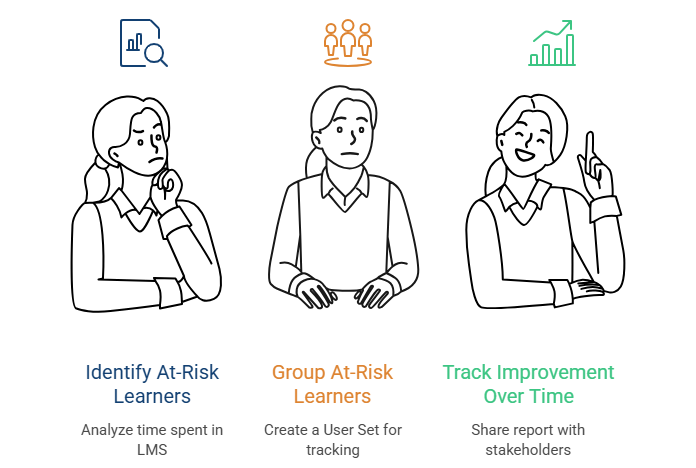
At-Risk Intervention: This report is commonly used to identify learners with low engagement. By analyzing time spent in the LMS, administrators can monitor learner activity and determine whether students are actively participating. At-risk learners can be grouped into a User Group, and the report can be shared with learners, managers, or advisors to batch improvement over time. Weekly or monthly segmentation helps evaluate whether interventions are effective.
Funding Purpose: This report can also be used to demonstrate learner participation for funding justification in both public and private sector programs. It helps show engagement metrics such as time spent and attendance-related data.
Report Path:
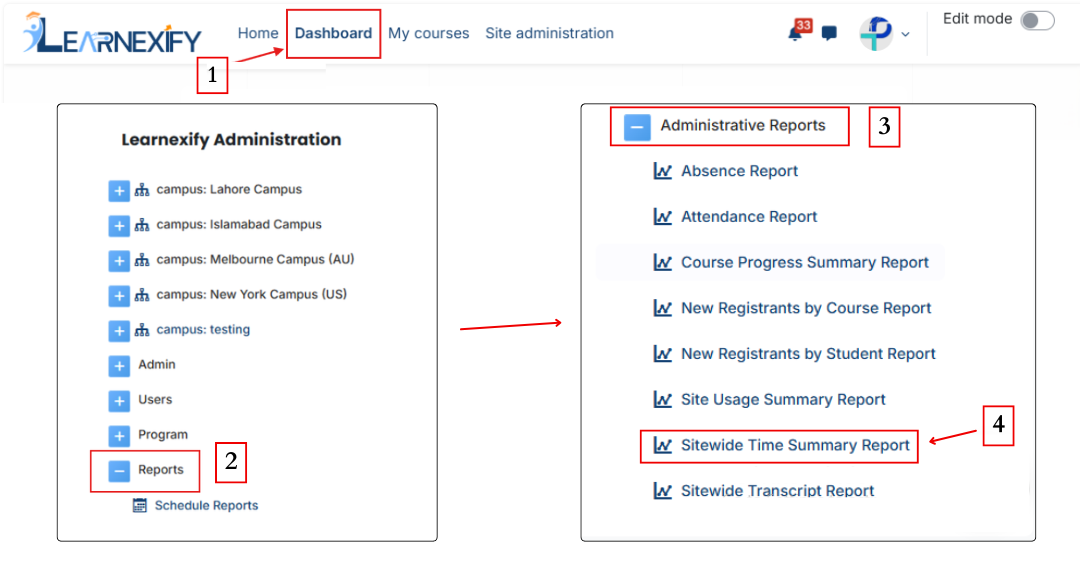
Dashboard ⟶ Side drawer ⟶ Reports ⟶ Administrative Reports ⟶ Sitewide Time Summary Report
Report Filters:
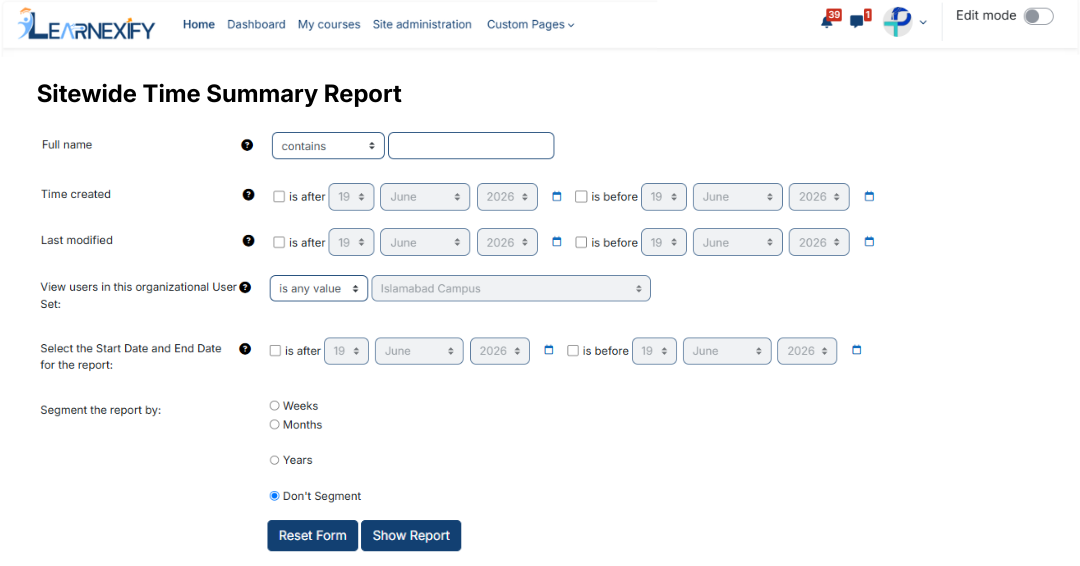
This report includes flexible filtering options and does not require mandatory fields.
-
Full Name ⟶ Search for a specific user or group of users
-
Organizational User Groups ⟶ Select a specific user group
-
Date Range (Start / End Date):
-
“Is after” ⟶ includes data after a selected date
-
“Is before” ⟶ includes data before a selected date
-
-
Report Segmentation → Defines how attendance data is grouped and displayed by Week, Month, Year, or No Segmentation.
-
The “Show More” option allows advanced filtering using standard and custom user fields.
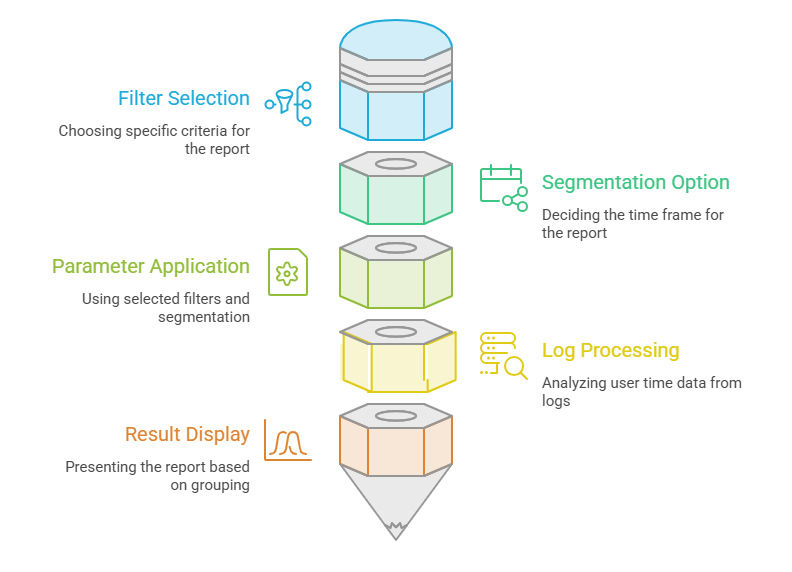
Generate Report:
- Required filters are selected
- Segmentation option (week/month/year) is chosen
- The report is generated using selected parameters
- Learnexify logs are processed to calculate user time data
- Results are displayed based on selected grouping
Report Output:
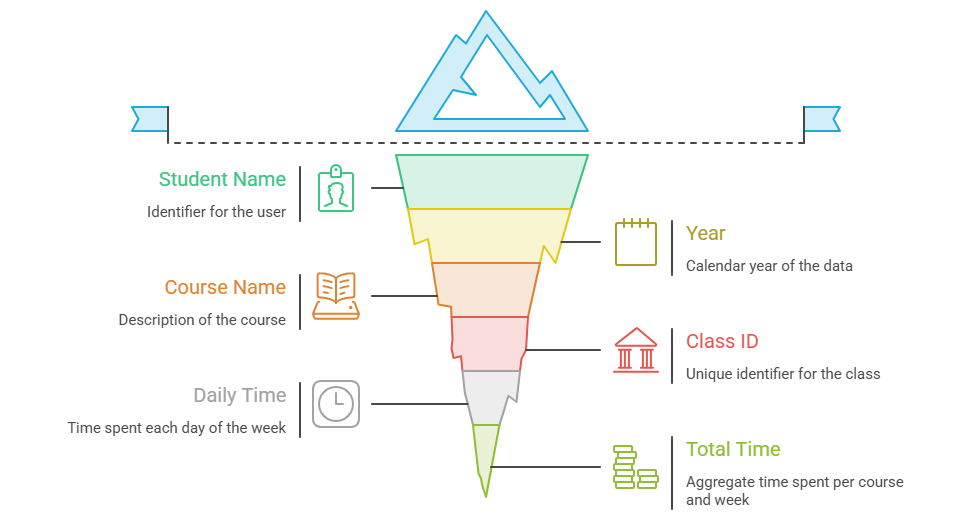
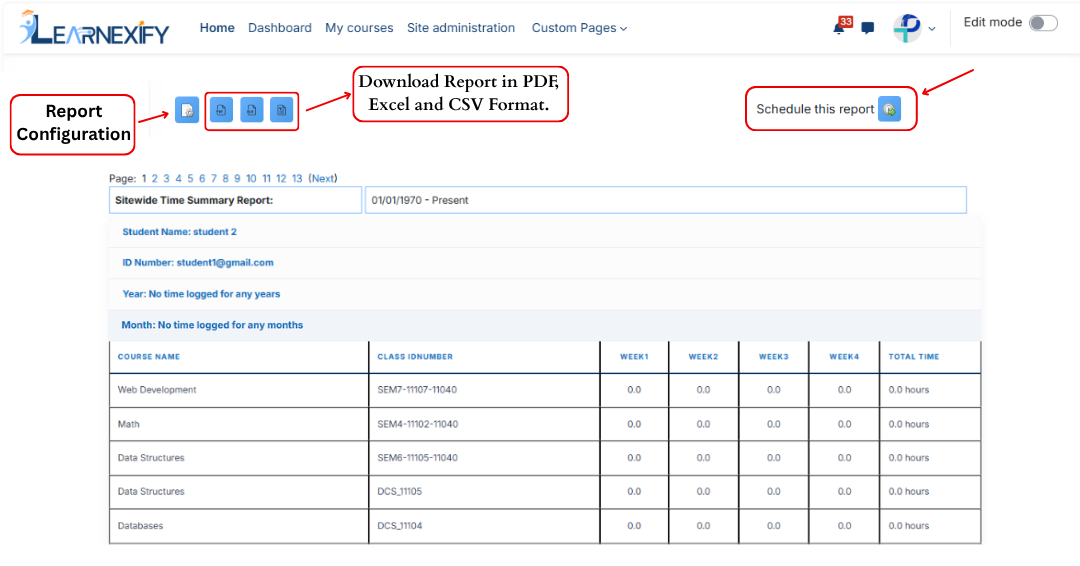
- Student Name → Name of the user
- Year → Calendar year of data
- Course Name → Name of the Course Description student is enrolled in. Only Course Descriptions in which the users have spent some time during the specified time frame are included in the report.
- Class ID → Learnexify Course Instance ID
- Daily Time (Sun–Sat) → Time spent each day
- Total Time → Total time spent per course and per week
Data Calculation Method:
This report is based on Learnexify logs. The system calculates time by analyzing user log entries:
- If the time gap between two log entries is less than 5 minutes, it is considered the same session
- If the gap is greater than 5 minutes, it is treated as a new session
- A maximum of 5 minutes is added per session gap
Report Actions (Refresh & Export):
-
Configure Parameters → Used to modify report settings
-
Schedule Reports → Allows scheduling reports for future execution
-
Download PDF / CSV → Report can be exported in both formats
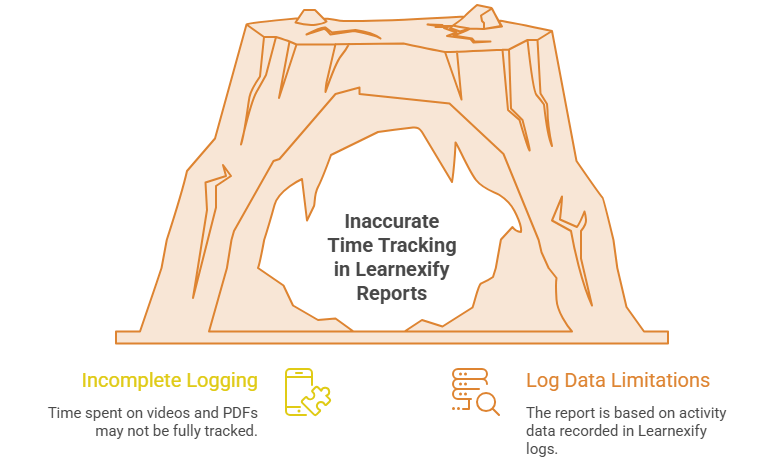
Limitations of this report :
This report is based on Learnexify logs and batch's student activity using the available log data. Some activities, such as watching videos or reading lengthy PDF/Acrobat documents, may not be fully recorded in the Learnexify logs. As a result, the time spent on these activities may not always be reflected accurately or completely in the report.