6.8 Sitewide Transcript Report
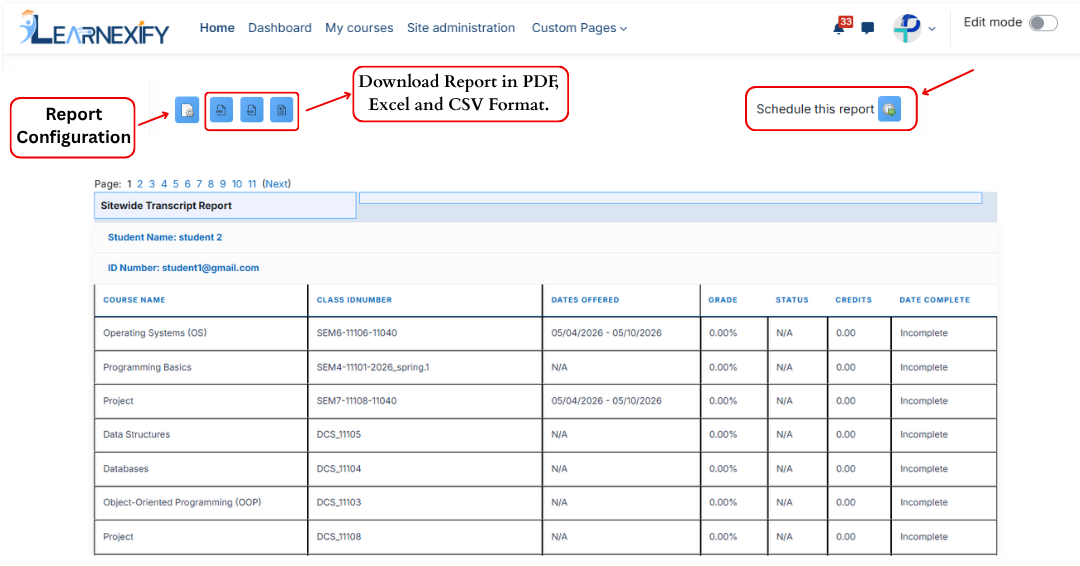
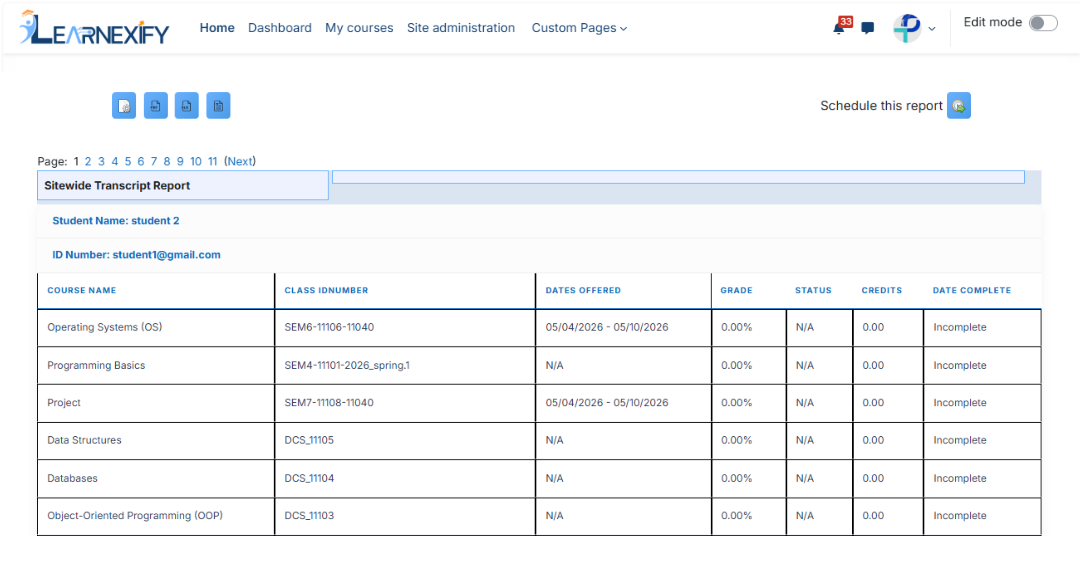
The Sitewide Transcript Report displays a complete transcript for every user in Learnexify who is enrolled in a Learnexify Course Instance. It provides a system-wide academic summary of all users, including enrolled and completed Course Descriptions.
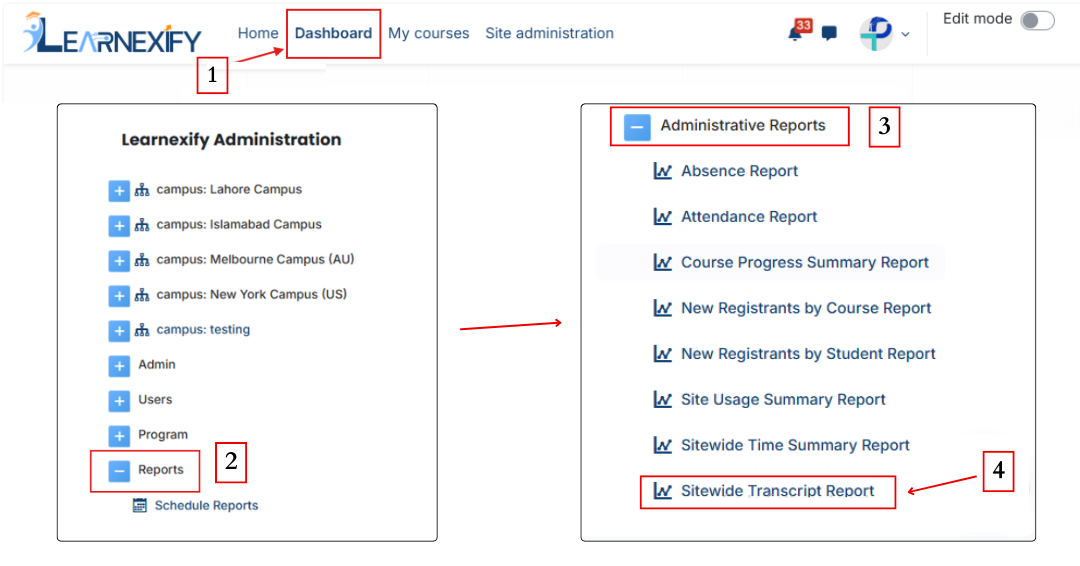
Report Path:
Dashboard ⟶ Side drawer ⟶ Reports ⟶ Administrative Reports ⟶ Sitewide Time Summary Report
Report Requirement:
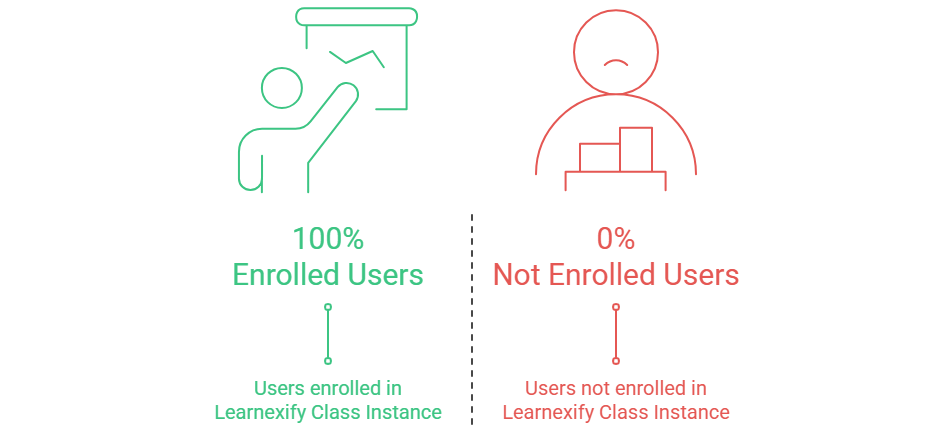
To be included in this report:
-
The user must be enrolled in an Learnexify Course Instance
If the user is not enrolled, they will not appear in the report.
Report Filters:
This report includes one standard optional filter:
- Full Name → Used to search and filter users by their full name.
- Last Name → Used to search and filter users by their last name.
- First Name → Used to search and filter users by their first name.
- Middle Initial → Used to search and filter users by their middle initial.
- ID Number → Used to search and filter users by their ID number.
- Email Address → Used to search and filter users by their primary email address.
- Email Address 2 → Used to search and filter users by their secondary email address.
- Username → Used to search and filter users by their username.
- Address → Used to search and filter users by their address.
- Address 2 → Used to search and filter users by their secondary address. .
- City/Town → Used to search and filter users by their city or town.
- State/Province → Used to search and filter users by their state or province.
- Country → Used to filter users by country. Users can select a specific country or Any value.
- Zip/Postal Code → Used to search and filter users by their ZIP or postal code.
- Phone → Used to search and filter users by their primary phone number.
- Phone 2 → Used to search and filter users by their secondary phone number.
- Fax → Used to search and filter users by their fax number.
- Preferred Language → Used to filter users by their preferred language. Users can select a specific language or Any value.
- Time Created → Used to filter users based on the date their account was created. Users can specify a date range using is after and/or is before.
- Last Modified → Used to filter users based on the date their account was last modified. Users can specify a date range using is after and/or is before.
- Inactive → Used to filter users based on their account status. Users can select the appropriate inactive status or Any value.
For text-based filters, the following matching options are available:
- Contains → Displays records that include the entered text anywhere in the field.
- Doesn't contain → Displays records that do not include the entered text.
- Is equal to → Displays records that exactly match the entered text.
- Starts with → Displays records that begin with the entered text.
- Ends with → Displays records that end with the entered text.
- Is empty → Displays records where the selected field has no value.
If no filter is applied, the report displays transcripts for all users enrolled in Learnexify Course Instances.
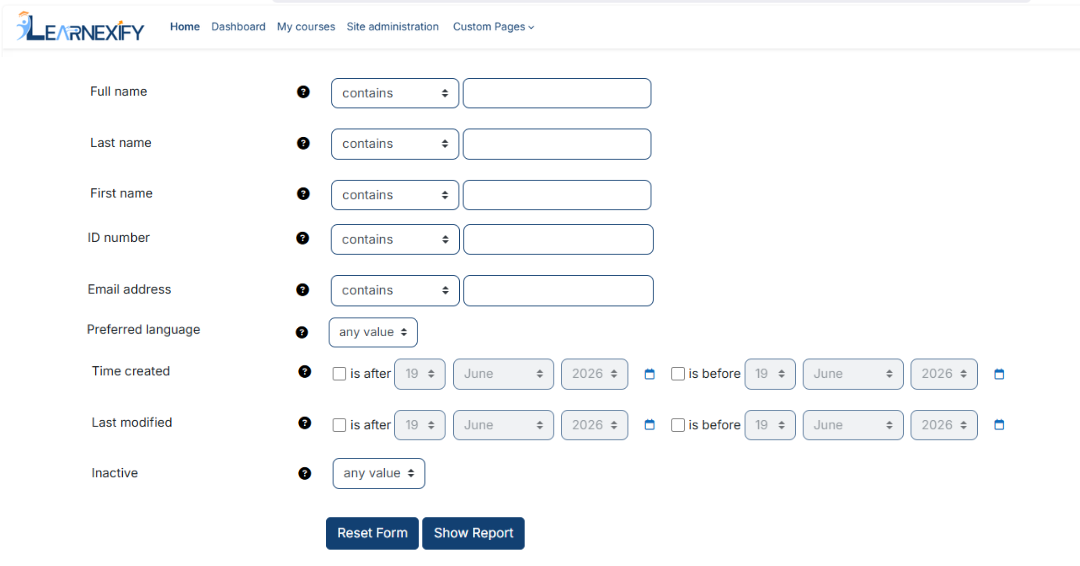
Advanced filtering options are available under the “Show More” section.
Generate Report:
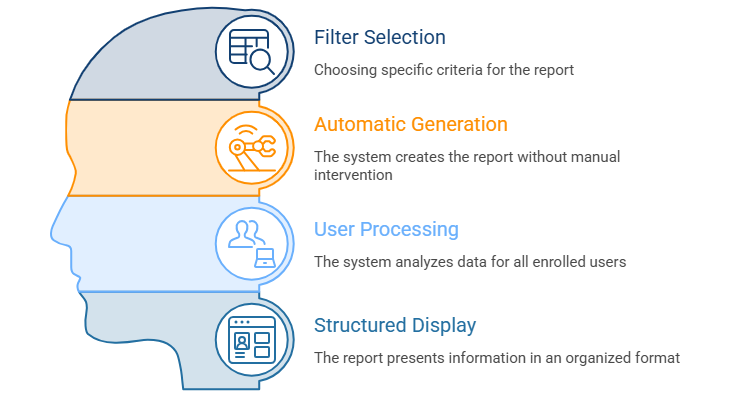
- First, select the relevant filters according to the transcript report you want to generate.
- The report is generated only after the user clicks the 'Show Report' button.
- The system processes all users enrolled in Learnexify course Instancess
- The transcript data is displayed in a structured, user-wise format
Report Output:
The report includes the following information for each user:
- ID Number → User’s unique system ID number
- Course Name → All Course Descriptions in which the user is enrolled or has completed
- Class ID Number → Unique ID number of each course instance
- Dates Offered → Start and end dates of the class (if not available, “N/A” is shown)
- Grade → Current grade for each course instance
- Status → Pass, Fail, or Incomplete
- Credits → Credits earned for each course instance (if applicable)
- Completed Date → Date when the course instance was completed
Report Actions (Refresh & Export):
- Report settings and filters can be modified using Configure Parameters.
- The report can be exported in both PDF and CSV formats.
- The report can be scheduled using the Schedule Reports option to be generated at a specified date and time.
- Click the Refresh button at the bottom center to update the report with the latest data.