# Widget Configuration & Display Settings
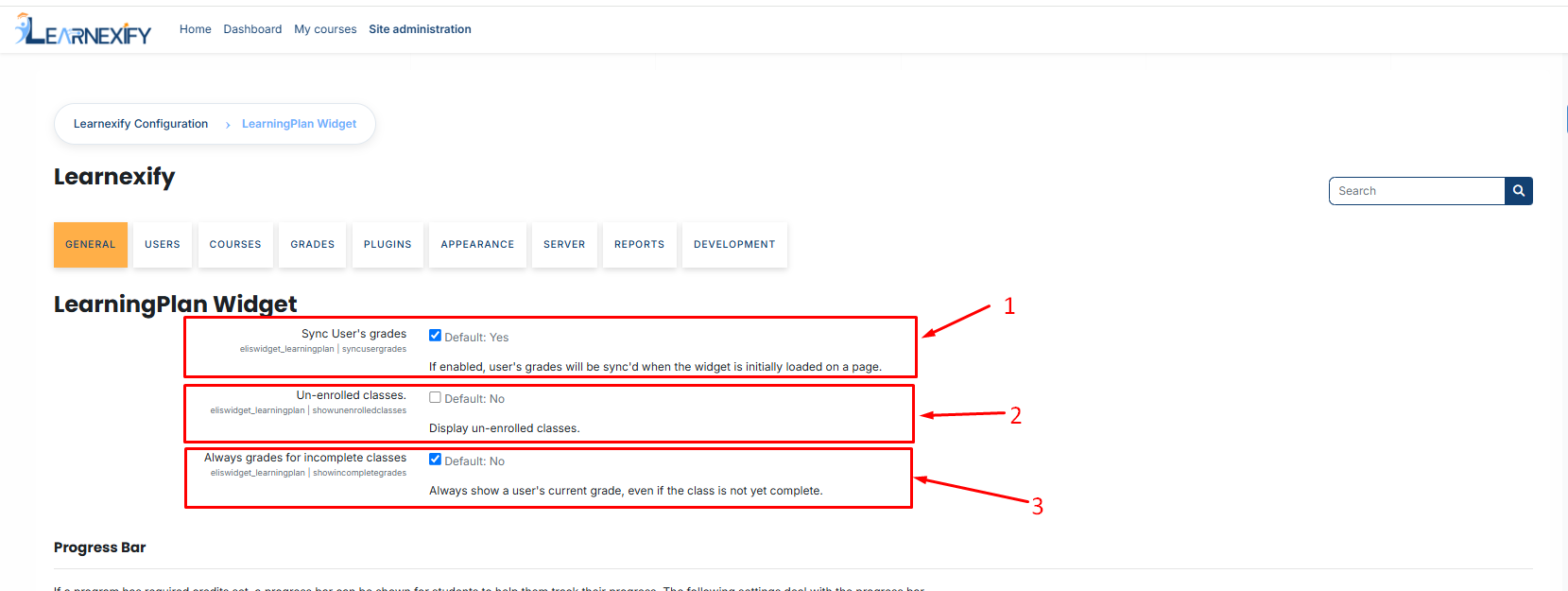
To configure this **LearningPlan widget**, navigate to: **Side Menu > Admin > Widgets Settings > Learning Plan Widget.**
1. **Sync User’s Grades:** When enabled, the system automatically recalculates grades in the background every time the dashboard loads.
- **Admin Tip:** Disable this only if you wish to reduce server load, but keep it Enabled to ensure students always see their most recent marks.
3. **Un-enrolled Classes:** Determines if courses the student has not yet joined are visible.
- **Usage:** Set to "**Yes**" if you want students to see their full future curriculum. Set to "**No**" to keep the dashboard focused only on active work.
5. **Always Grades for Incomplete Classes:**
- **Enabled:** Shows the current "running total" grade for ongoing courses.
- **Disabled:** Only displays a grade once the course is officially marked as "Completed."
####
**Progress Bar Configuration**
The progress bar provides a visual, graphical representation of how much of a program the student has finished.
**Enabled:** Toggle the bar on or off.
- Note: The bar will only appear if Required Credits have been defined for that specific Program.
**Color Stages:** Customize the bar’s color based on the student's progress to align with your institution's branding:
- **0%–49% (Initial Stage):** Represents the start of the journey (Default: Red).
- **50%–79% (Midway Stage):** Represents significant progress (Default: Yellow).
- **80%–100% (Success Stage):** Represents near-completion or graduation (Default: Green).
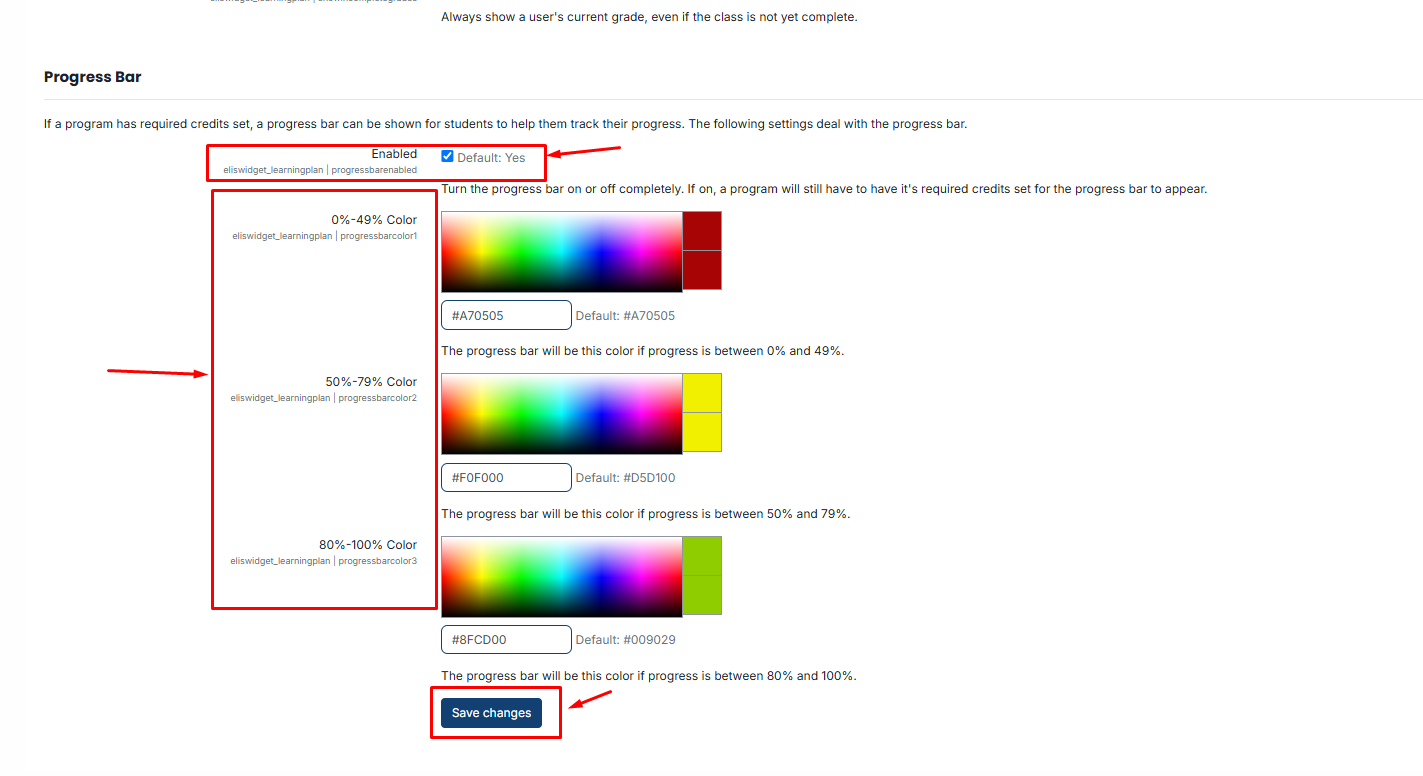
After making the necessary changes, click the **Save button** to save your settings.