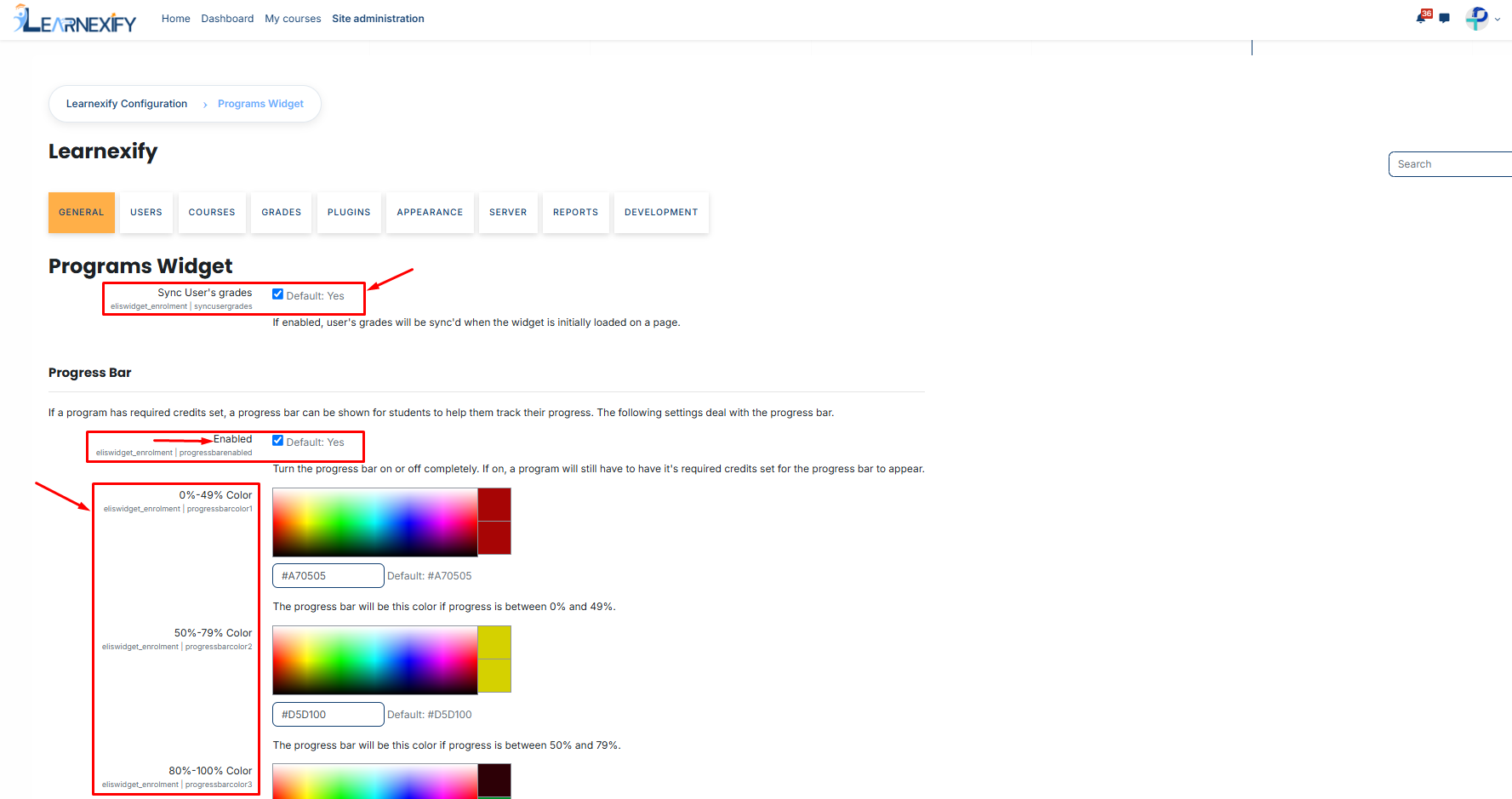
# Widget Configuration & Display Settings
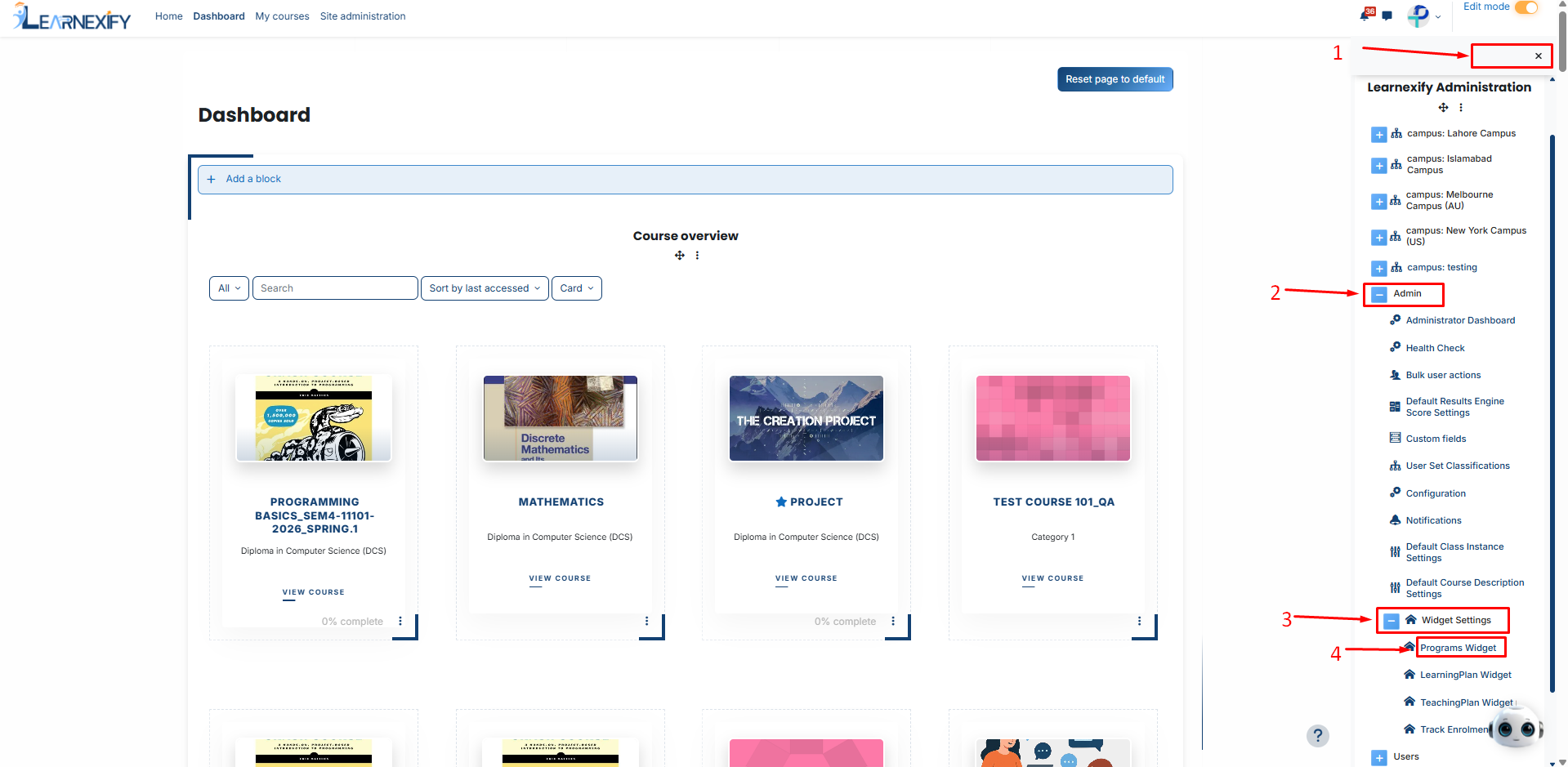
To configure this program widget, go to **Side Menu > Admin > Widgets > Program Widget.**
On the program widget page, you will see the following configuration options:
- **Sync User’s Grades:** When enabled, student grades are recalculated in the background every time the dashboard loads. This ensures the progress bar always reflects the most recent academic data.
#### **Progress Bar:**
The progress bar provides a graphical representation of the learner's completion status.
- Enabled: Toggle the progress bar on or off.
- Color Stages: You can customize the colors based on three completion tiers to match your institution's branding:
- - **0%–49%:** Initial progress **(Default: Red).**
- **50%–79%:** Mid-way progress **(Default: Yellow).**
- **80%–100%:** Near completion/Success **(Default: Green).**