
Program Catalog Feature Documentation
Overview & Purpose:
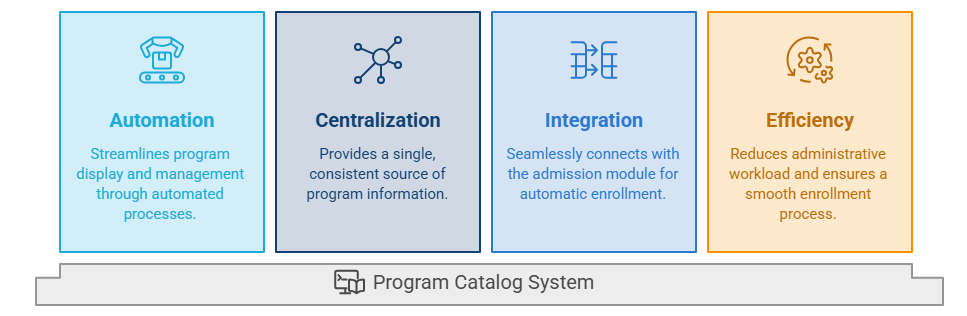
The Program Catalog is an automated and centralized directory designed to streamline the display and management of university programs. Traditional manual updates were often time-consuming and prone to errors; our system addresses this challenge by providing a "single source of truth." Once a program is created, it remains consistently available and up-to-date on the platform. Furthermore, it is seamlessly integrated with the admission module to facilitate automatic enrollment, which significantly reduces administrative workload and ensures a smooth, efficient enrollment process for students.
Accessing the Catalog:
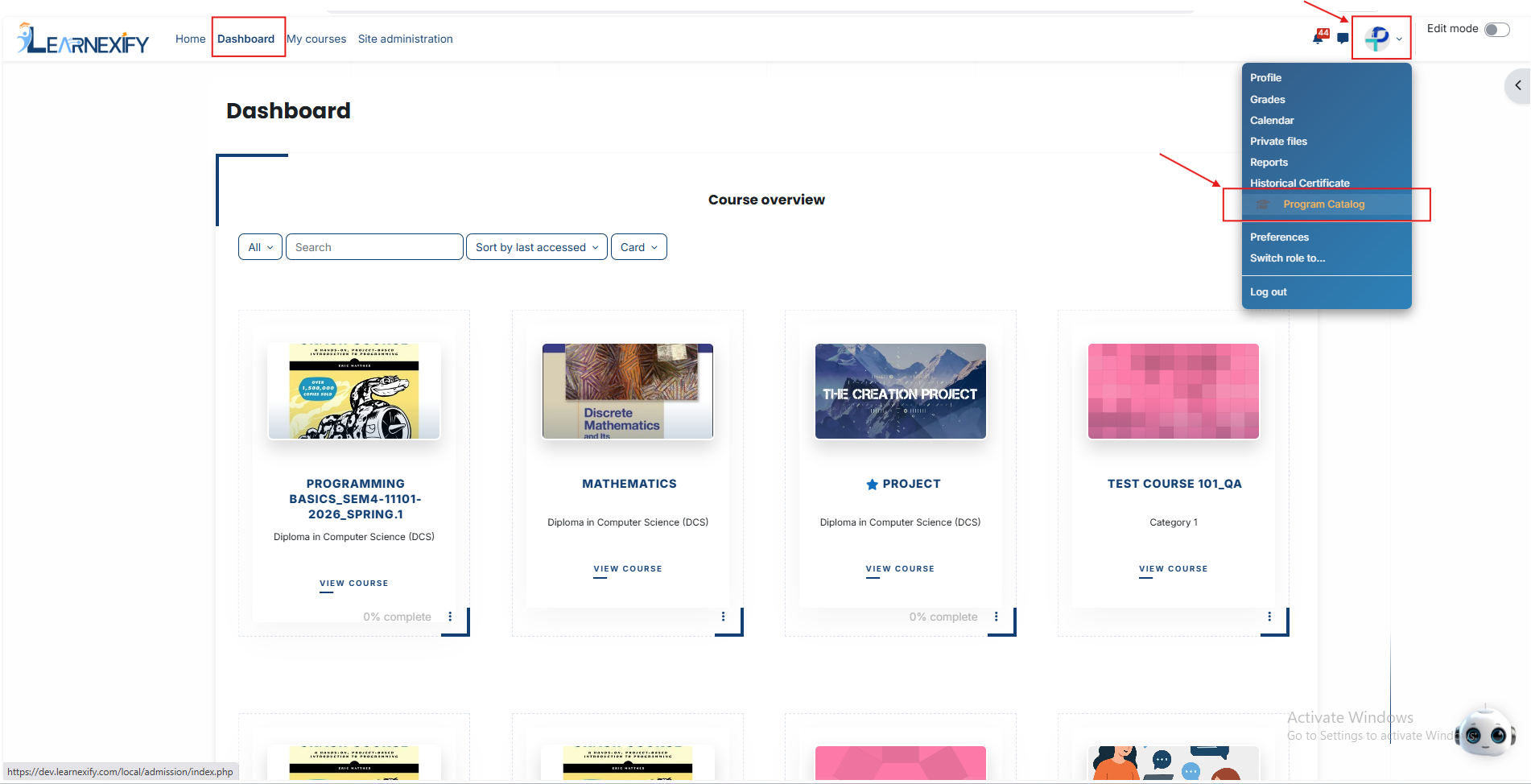
To view the catalog, simply click the Profile Dropdown menu on your dashboard and select “Program Catalog.” You will be immediately directed to the main Program Catalog page.
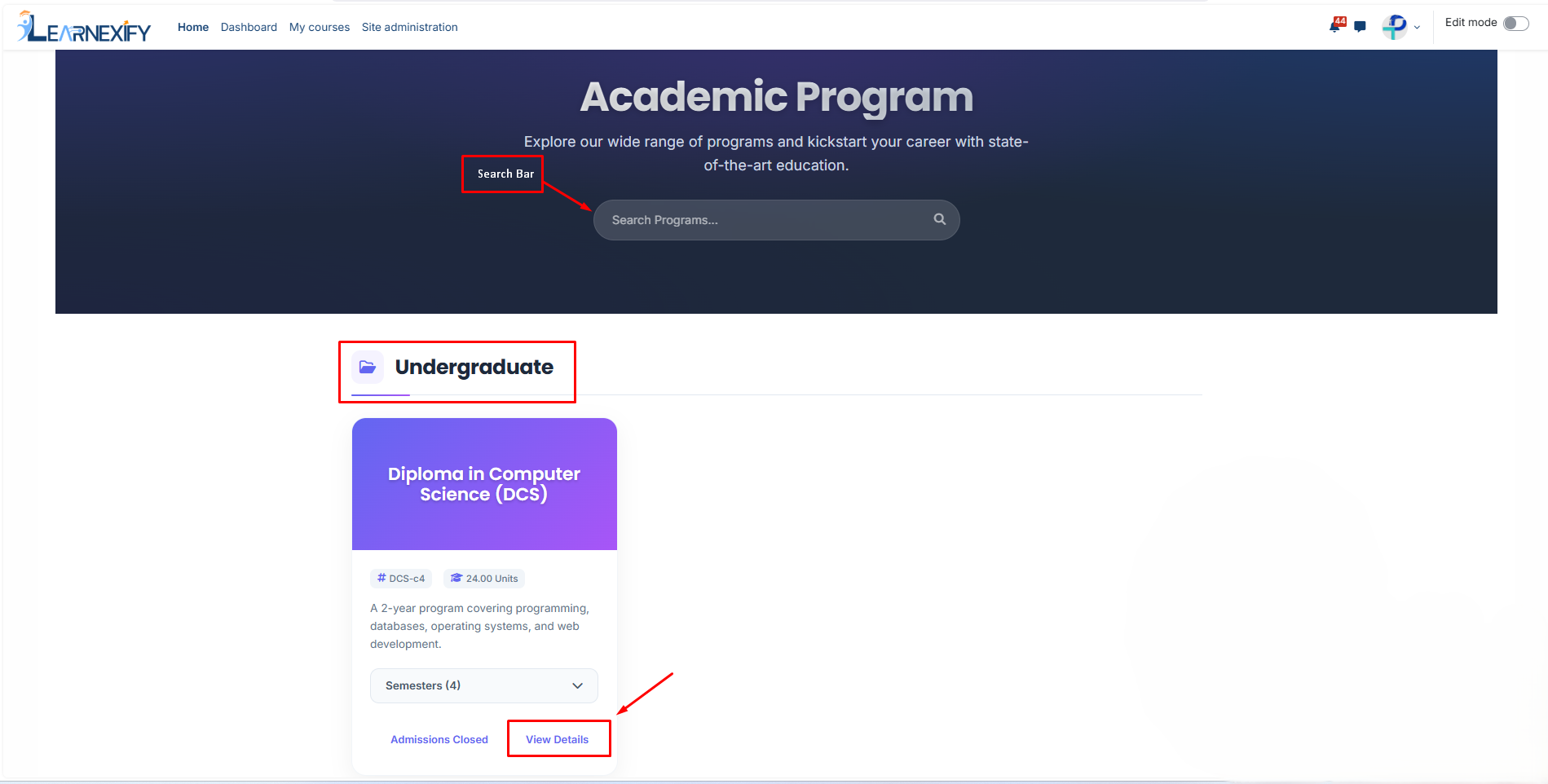
- Smart Search & Categories: At the top, you can use the Search Programs bar to find a specific course instantly. Programs are organized into academic levels like Undergraduate or Postgraduate, allowing you to focus on what’s relevant and skip the rest.
- Program Cards: Each program is shown as a card with a brief summary, credit units, and duration. To see everything about a program, click the “View Details” button.
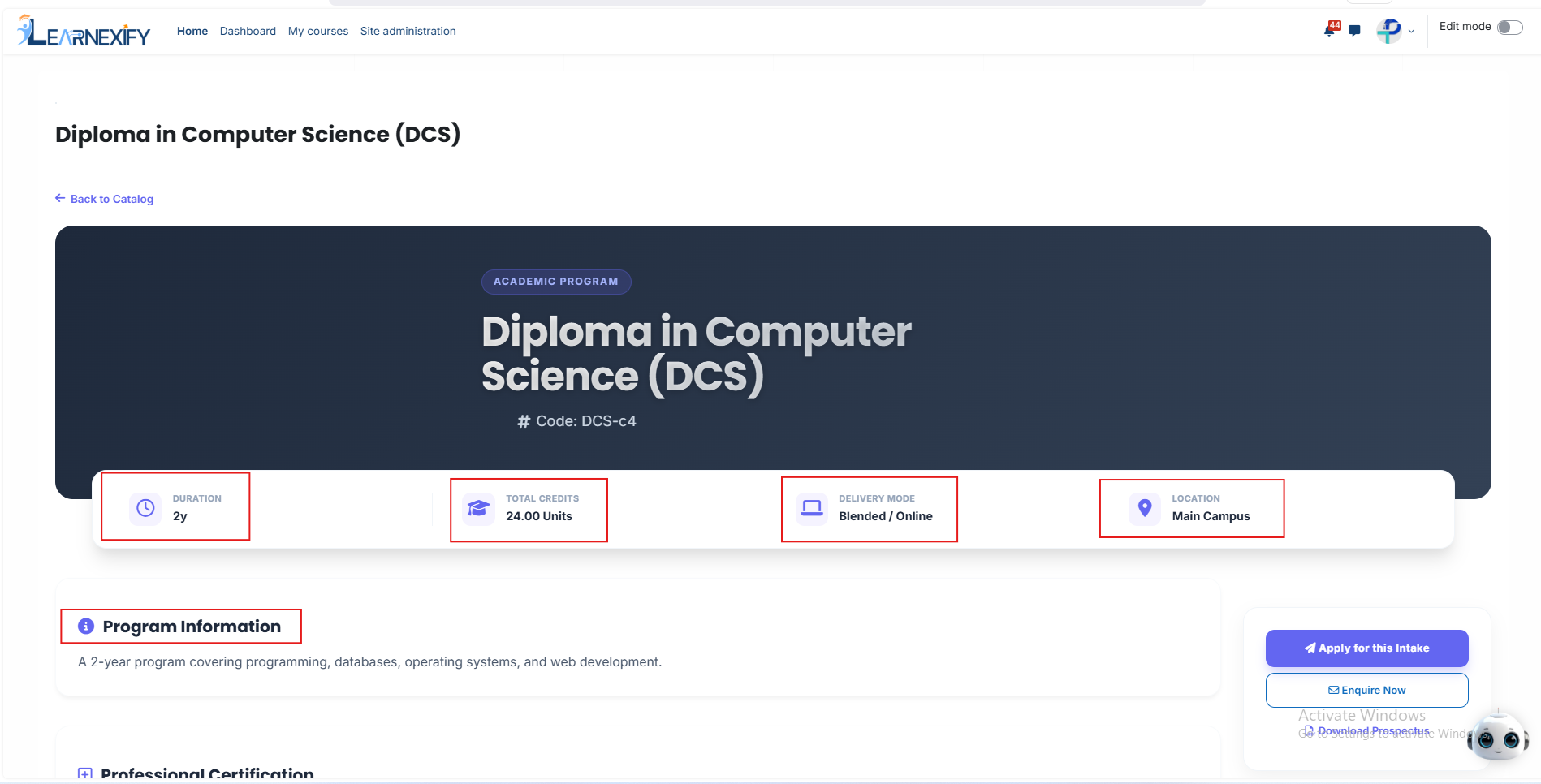
Clicking the 'View Details' button opens a comprehensive page with all the in-depth information about the program. On this page, you will find the following core details:
- Duration: Specifies the total amount of time required to complete the program.
- Total Credits: Indicates the total number of academic credits or units a student must earn to graduate.
- Delivery Mode: Describes how the program is delivered—whether it’s On-Campus, Online, or a mix of both (Blended).
- Location: Mentions the specific campus or site where the program is offered.
- Added Value: The page also includes detailed sections for Professional Certification, Financial Support, and specific program settings to give users total transparency.
As you scroll down, you will see the Course Structure (Semesters). This is a detailed breakdown of the entire degree:
- Semester Highlights: Each semester shows its specific Total Fee, Duration, and Start Date. A brief highlight tells students what the main focus of that semester will be.
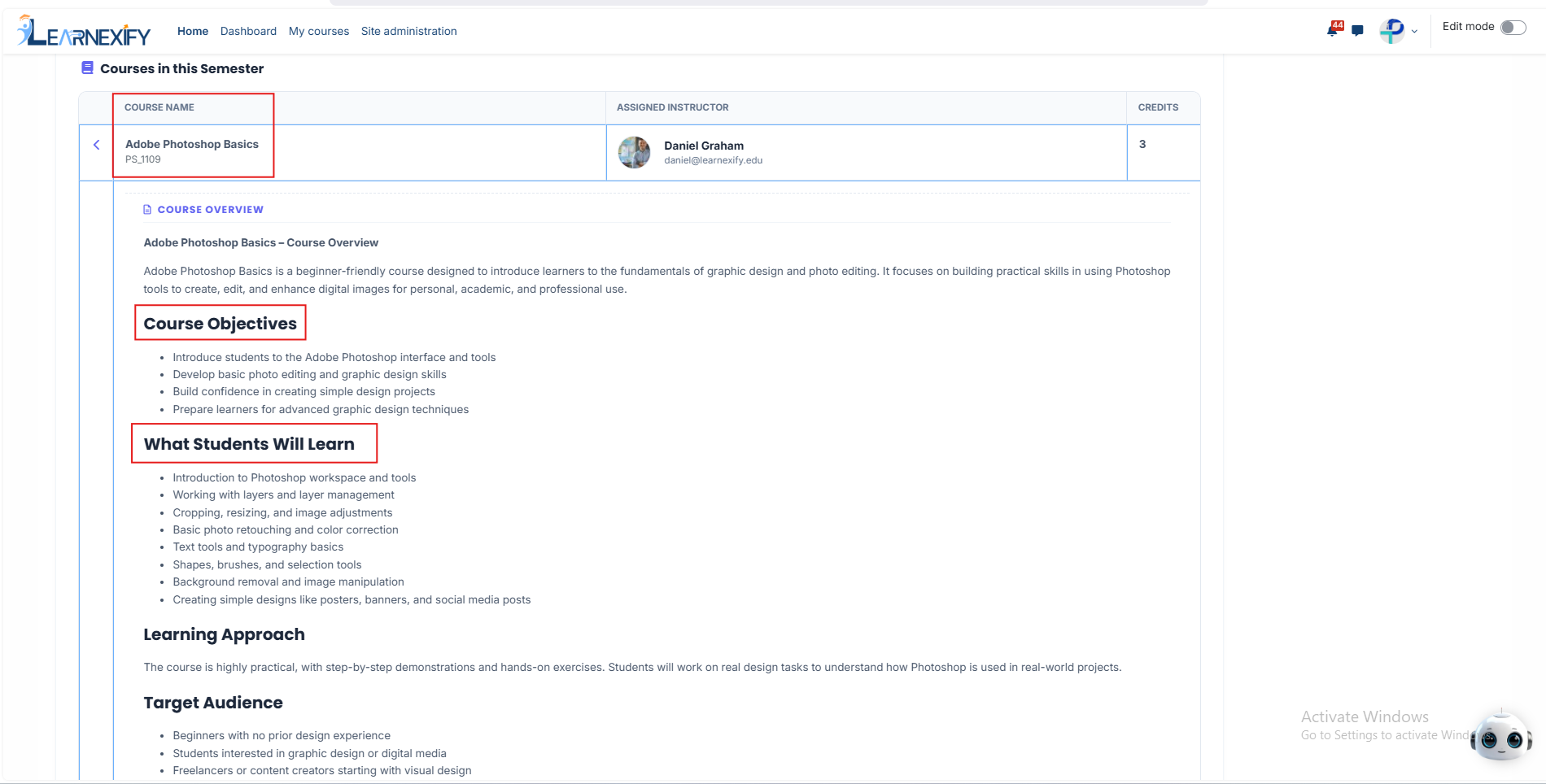
- Courses List: Within each semester, all courses are listed along with the Assigned Instructor and the Credit weight for each subject.
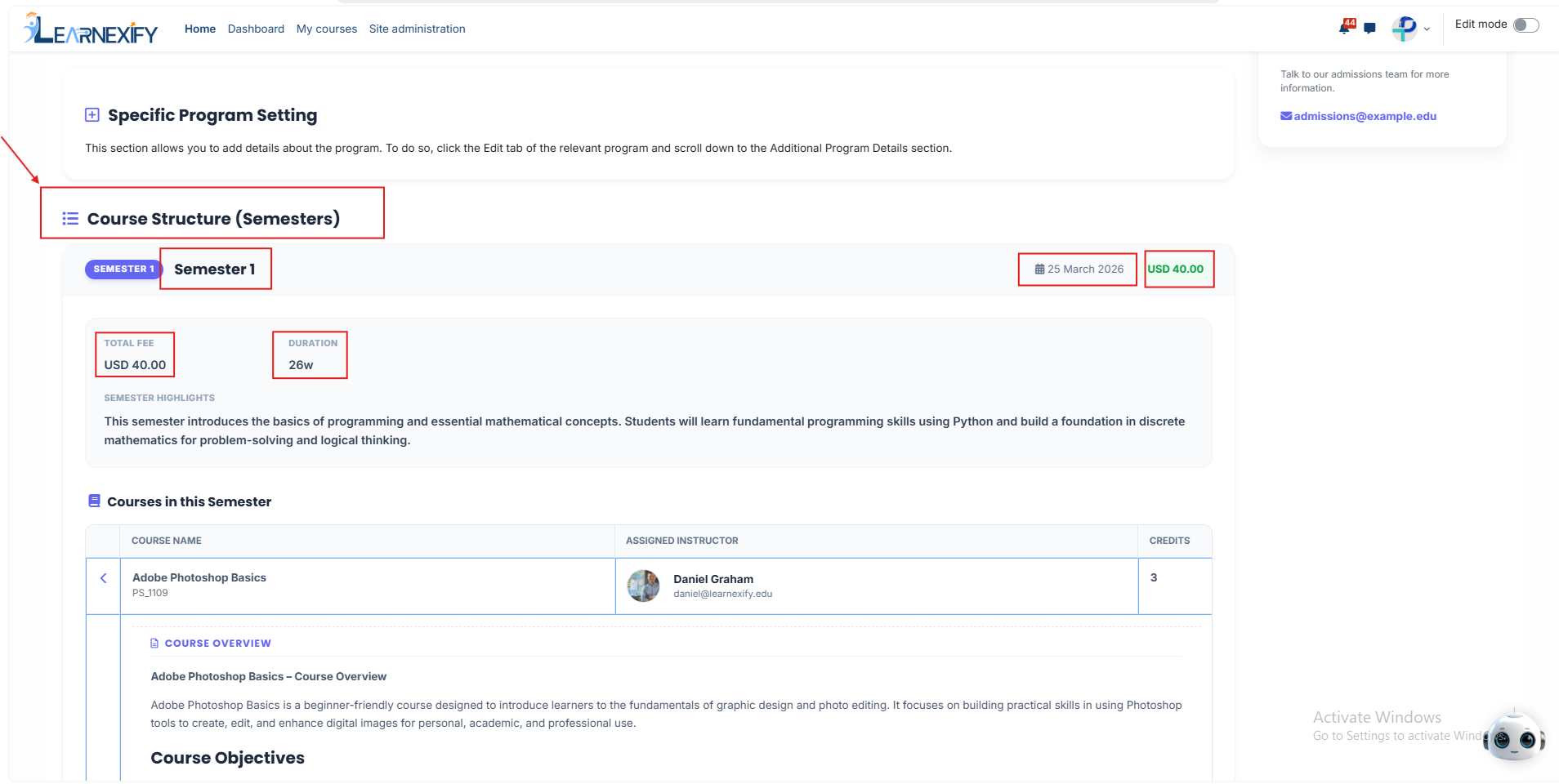
By expanding a specific course, you get a "deep dive" into the learning experience:
Course Overview: This includes the course Objectives, What Students Will Learn, and Outcomes (what skills the student will gain).
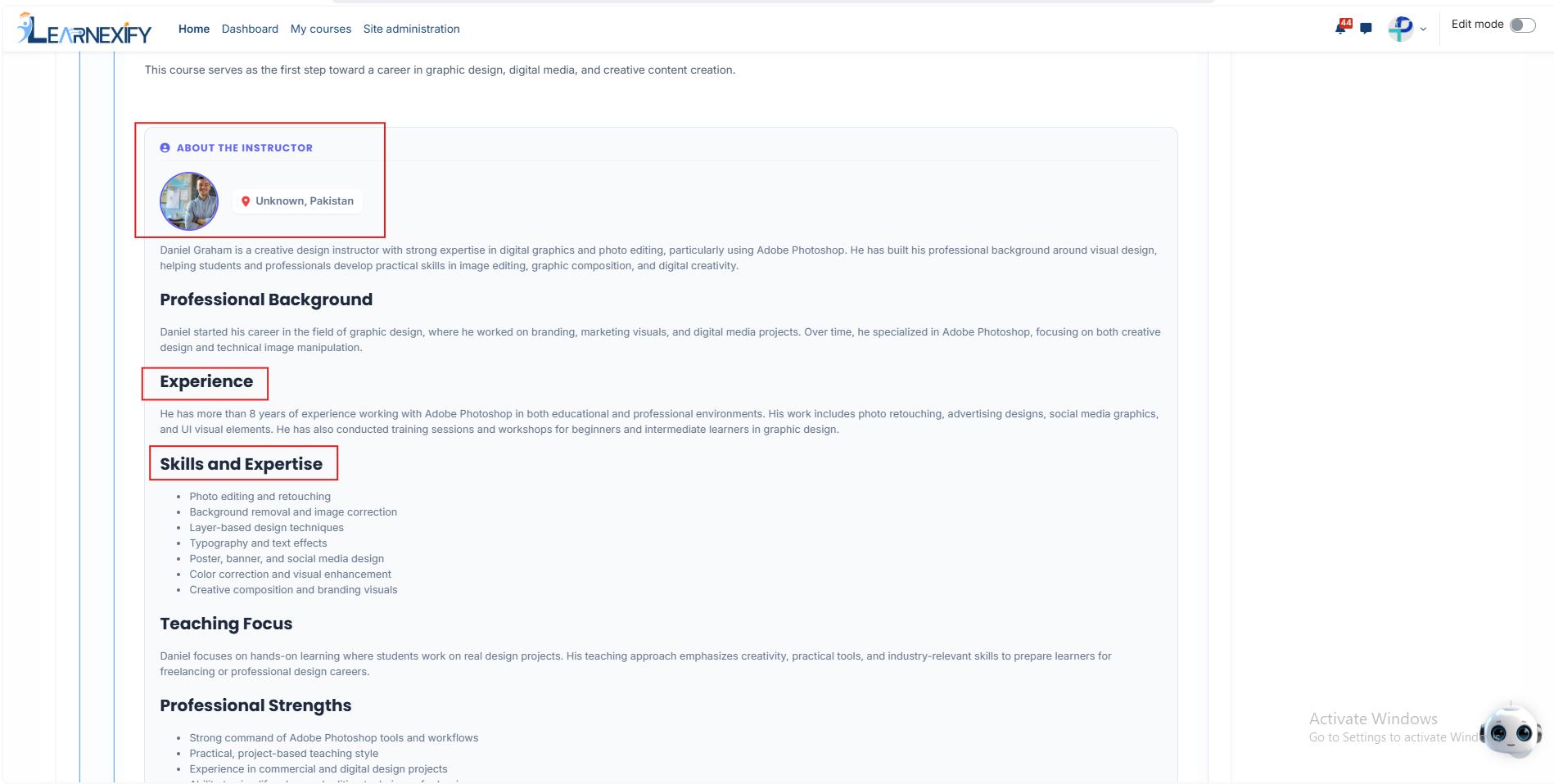
About the Instructor: We believe in building trust, so every course features a detailed Instructor Profile. You can see their photo, location, a professional biography, their years of experience, and their specific Knowledge Areas.
No comments to display
No comments to display