
How to edit a Semester
To edit a program, follow these steps:
- On the Dashboard
- Open the Side Drawer Menu
- Click on Programs
- Select Manage semester
- A list of semesters will be displayed.
- Click the edit icon of the semester you want to edit.
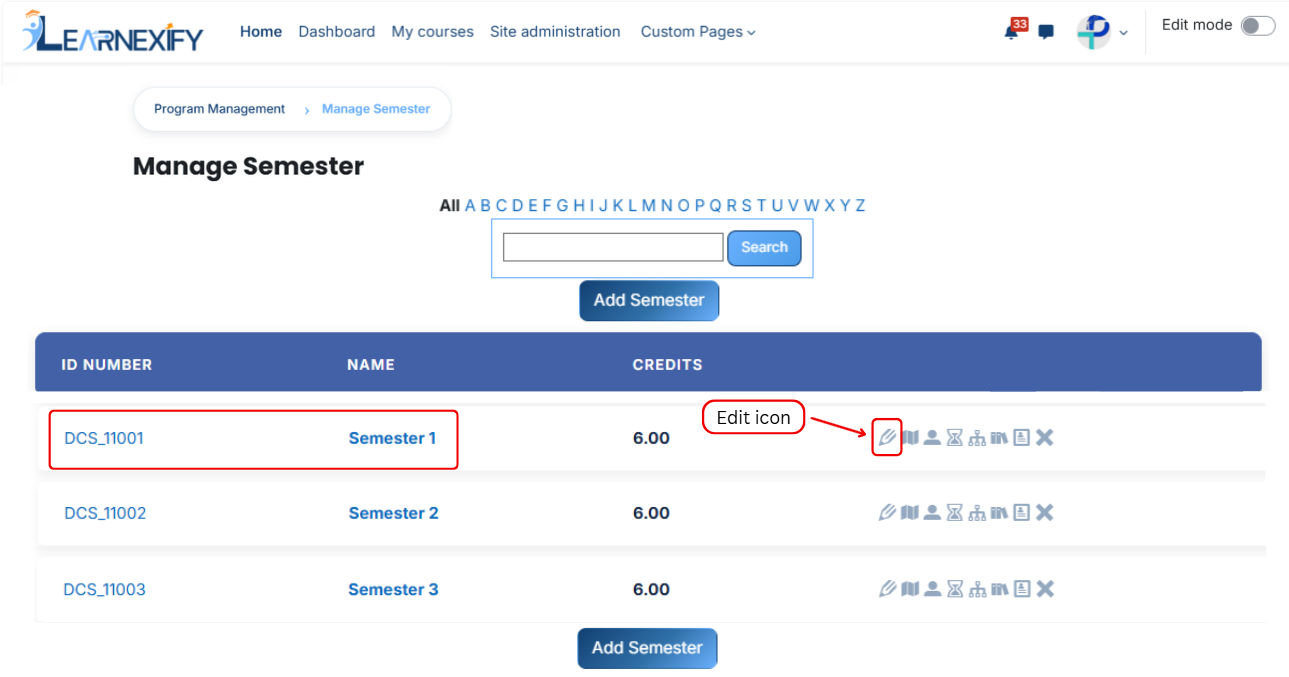
- The semester details page will open in editable mode
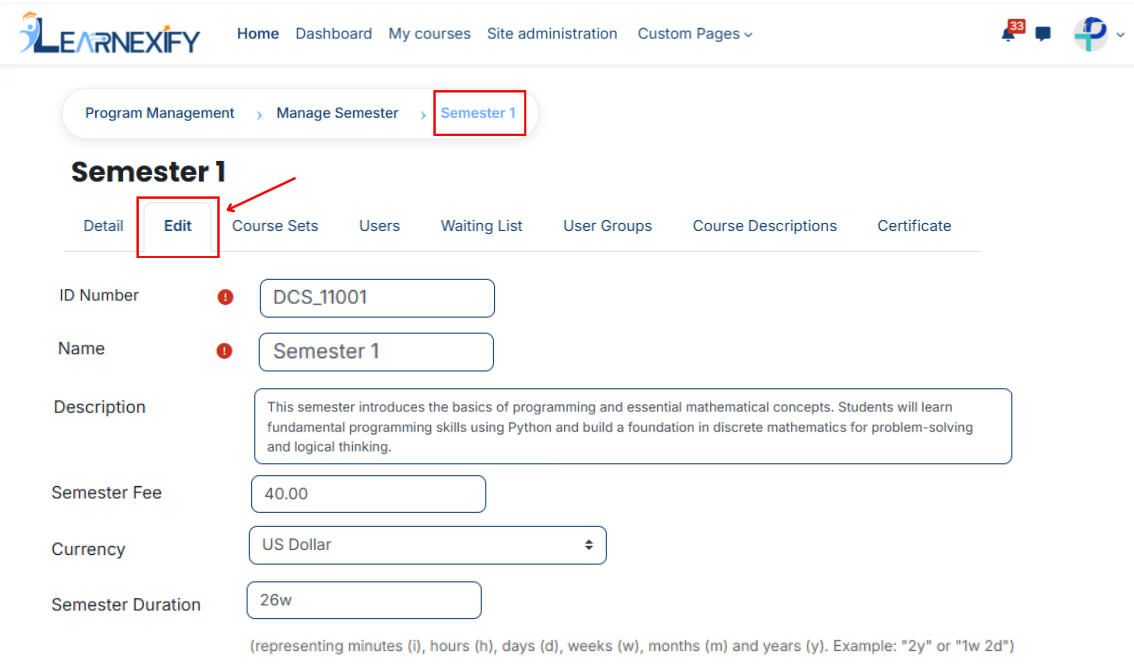
- Update the required semester details
- Scroll down and click on the Save Changes button to apply updates
