
Learnexify Course Description
Course Descriptions in Learnexify define the complete structure and detailed information of a course. They include key details such as course identity, duration, credits, cost, grading criteria, versioning, and assessment settings.
They help ensure that every course is properly structured, clearly defined, and easy to manage within the system.
Navigation Path:
To create a new Course Description, follow these steps:
- Log in to your Learnexify dashboard.
- Open the Side Drawer (Menu) from the left panel.
- Navigate to Program and select Manage Course Descriptions.
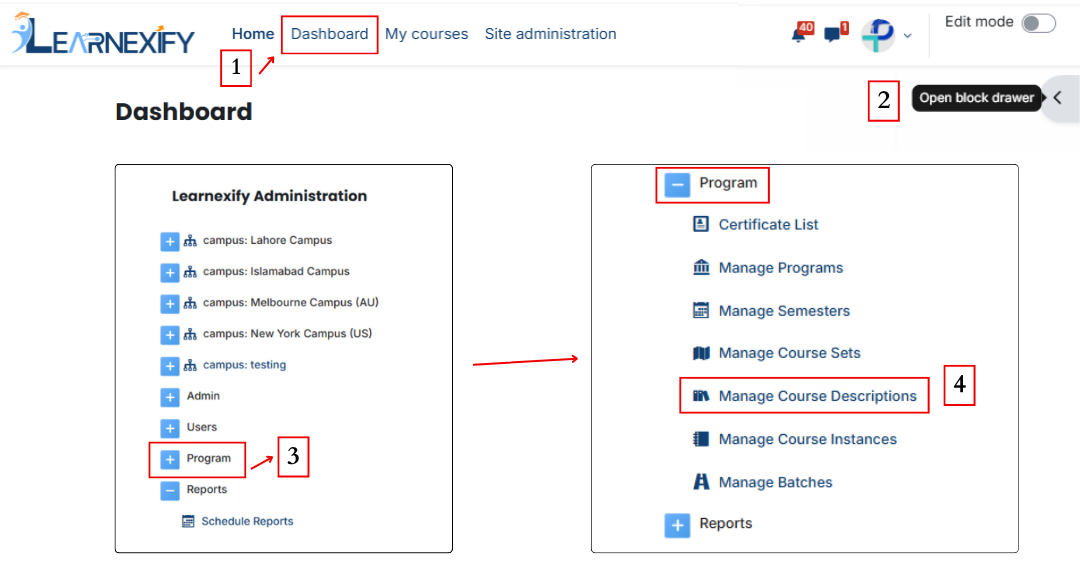
- Here you will see all existing course descriptions.
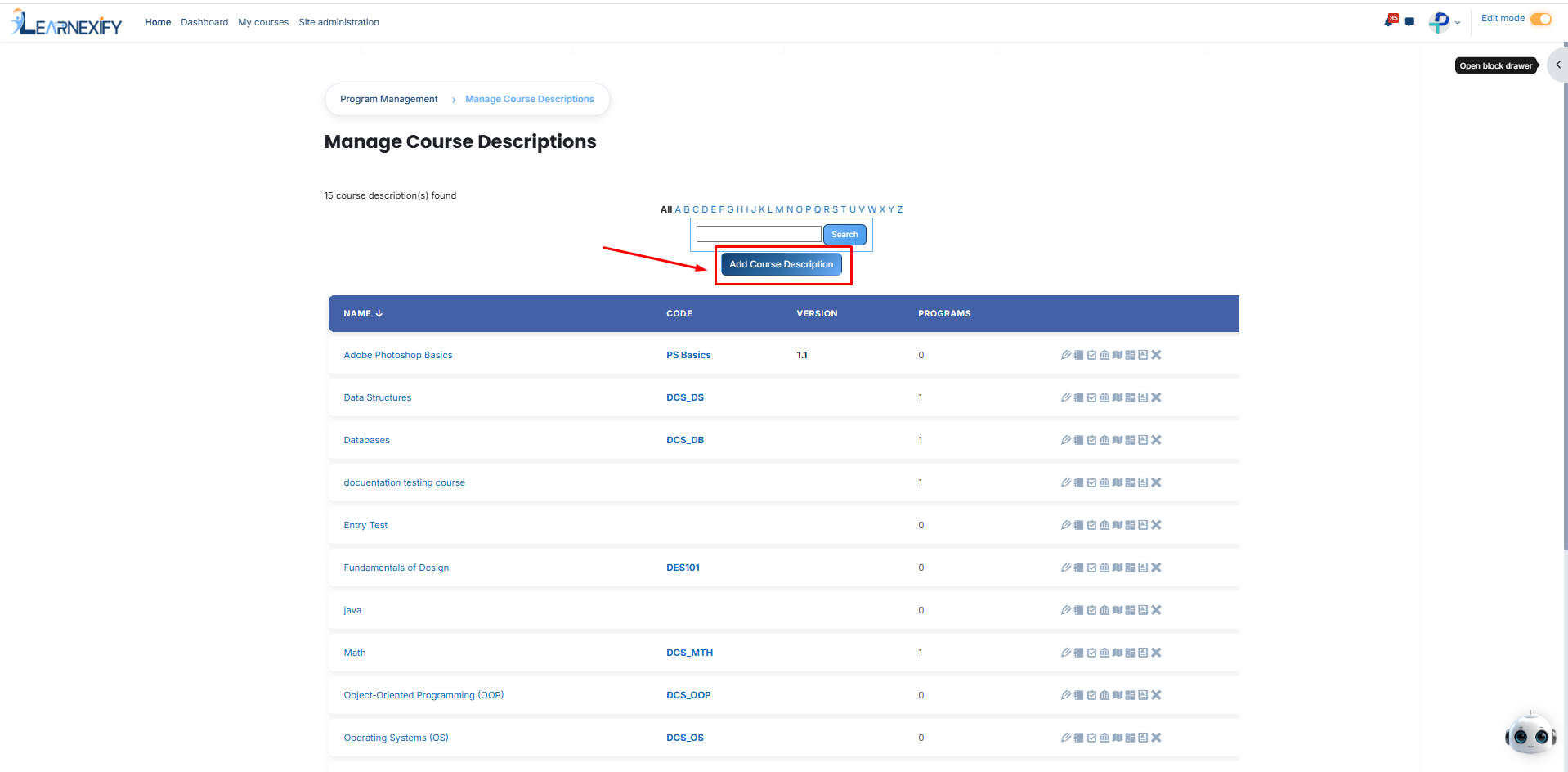
-
Click on the “Add Course Description” button if you want to create a new course description. Then a form will appear.
Section 1: Course Details:
In this section, you will configure the primary settings and administrative information for the course:
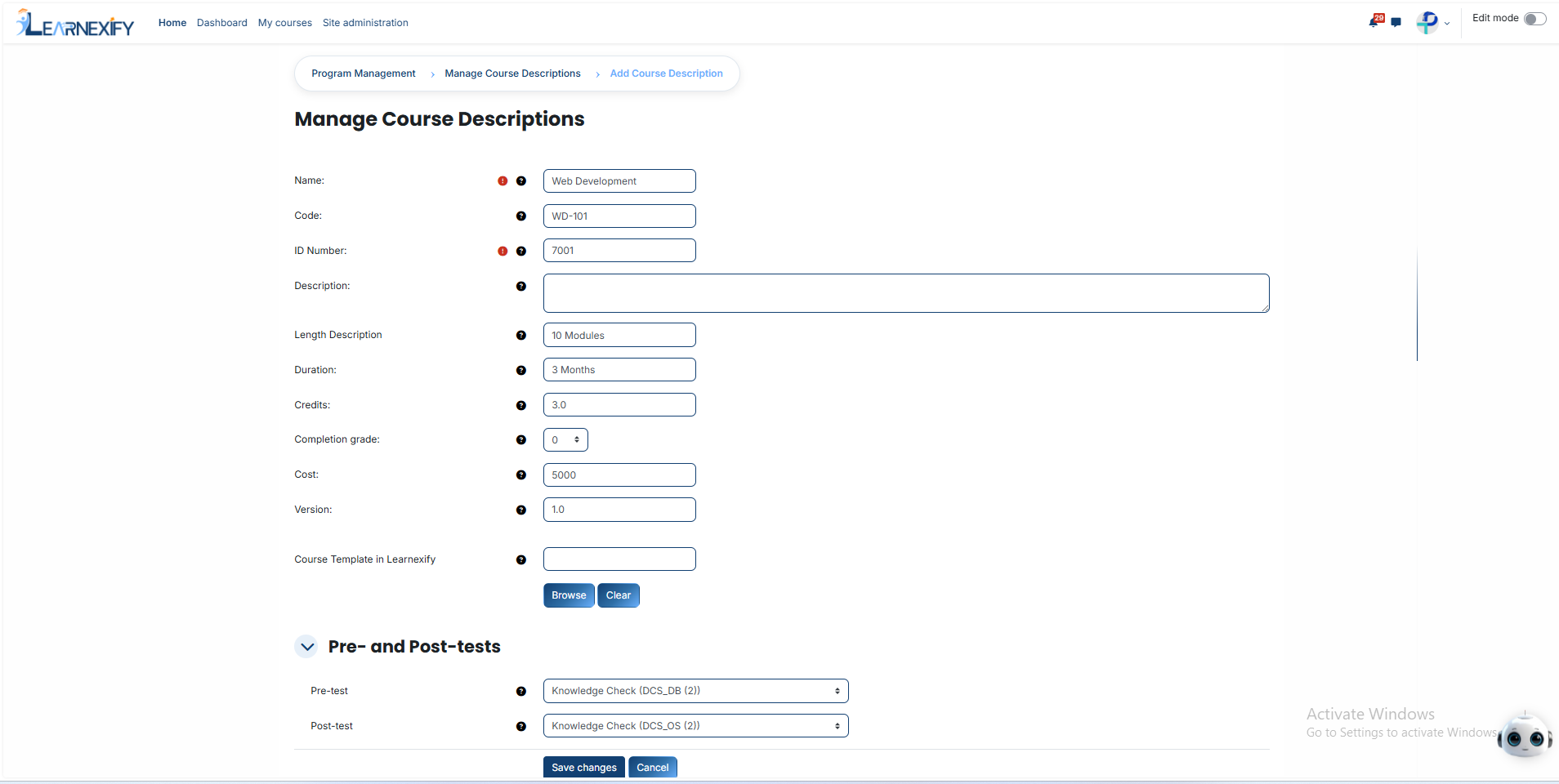
- Name (Required): Enter the full title of the course. This field is mandatory and is the primary way users will identify the course on the platform.
- Code: Assign a unique shorthand code to categorize the course within the system, making it easier to organize and search for specific modules.
- ID Number (Required): Enter a unique identification number required for system tracking. This ensures that every course is distinctly recognized in the database.
- Description: Provide a comprehensive overview or a detailed explanation of the course content, outlining what the students will learn and achieve.
- Length Description: Define the workload or structural size of the course in words, giving learners a clear idea of the total effort required.
- Duration: Specify the total timeframe allocated for the completion of the course, defining its active period for the enrolled users.
- Credits: Define the academic value or total credit points assigned to the course, representing the official workload weight.
- Completion Grade: Set the minimum grade or percentage a student must achieve to successfully pass and fulfill the course requirements.
- Cost: Enter the specific enrollment fee required for the course, which manages the financial aspect of the student's admission.
- Version: Maintain a precise record of course updates or revisions to batch different iterations and improvements made over time.
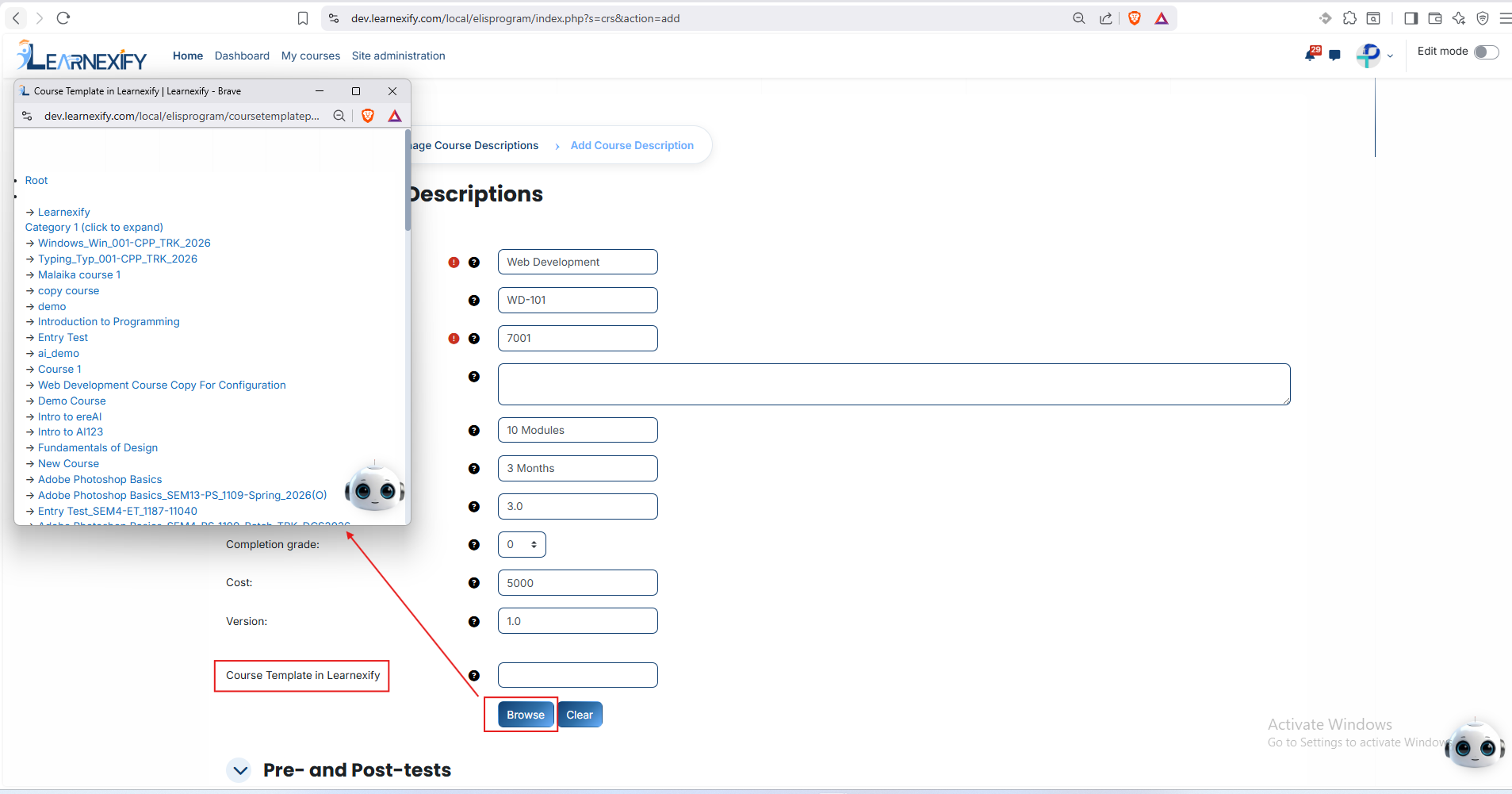
- Course Template in Learnexify:
Functionality: This feature is used to assign a predefined structure to your course. It determines how the learning content, assessments, and overall flow will behave within the system. Essentially, the template acts as a technical framework that ensures the course operates according to set institutional standards.
How to Configure:
- Locate the "Browse" button next to the template field.
- Click "Browse" to open a selection window displaying all available templates in the system.
- Choose the appropriate template that matches your course requirements.
- Once selected, the template name will appear in the field.
- If you wish to remove or change the selection, use the "Clear" button to reset the field.
Section 2: Pre- and Post-tests:
This section is used to manage the evaluation and assessment process:
- Pre-test: Select or configure a test to be taken before the course begins to evaluate the student’s baseline knowledge level.
- Post-test: Select the final assessment to be taken after course completion to measure the knowledge gained and overall learning success.
Finalizing the Process:
- Save Changes: After ensuring all details are correctly filled, scroll to the bottom and click the Save Changes button to officially create the course description.
- Cancel: If you wish to exit the form without saving any information, click the Cancel button.
Once saved, the course will be active and visible in the Manage Course Descriptions list for further management or enrollment.