
Learnexify Course Set
The Course Sets feature is used to organize multiple courses into a structured group that can be assigned to any Learnexify Program. At the program level, each course set can have defined credits and required course conditions that must be completed.
The purpose of this feature is to provide a clear structure for managing courses and programs, making administration easier and ensuring that all data remains organized and consistent.
How to Create a Course sets
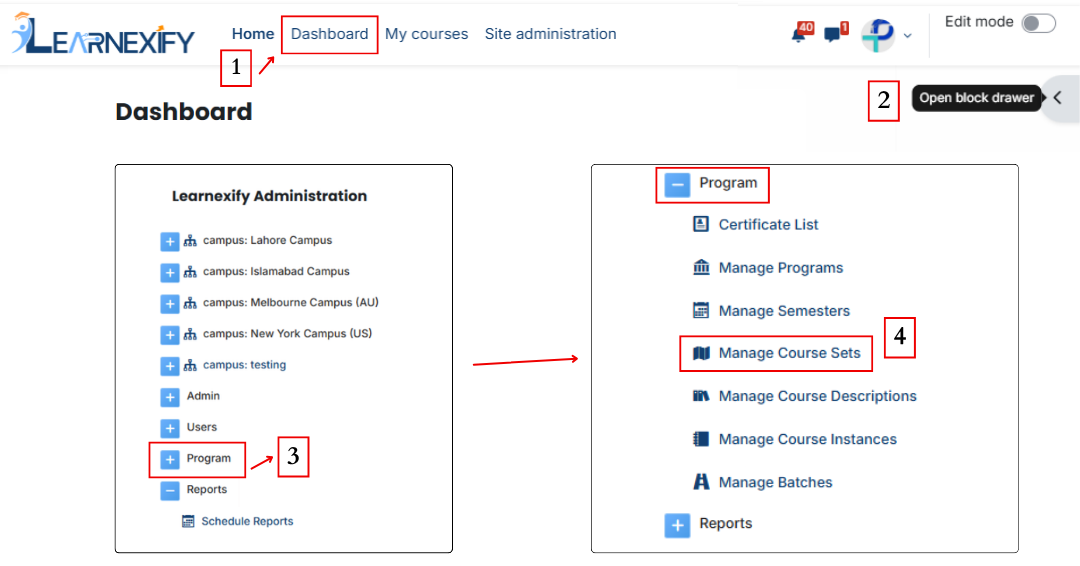
- After logging in, you will see the dashboard.
- Open the side menu.
- Click on Program and then select Manage Course Sets.
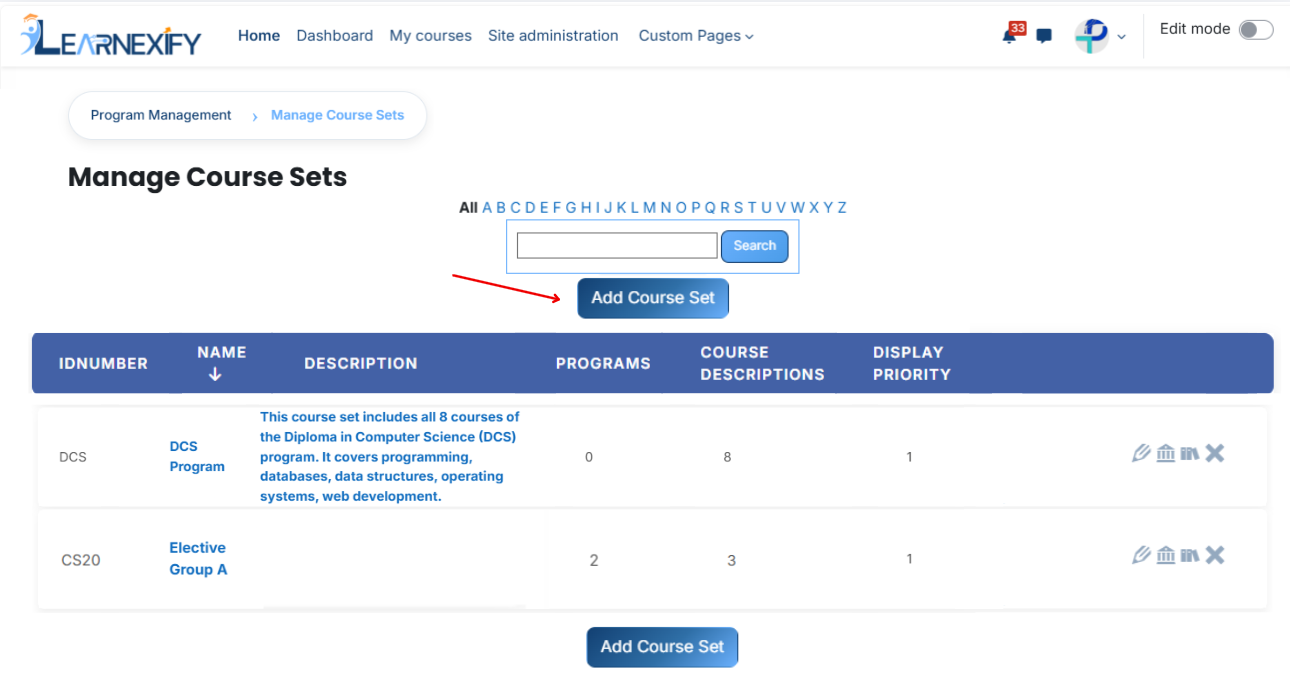
- A page will open displaying the existing course sets. To create a new course set, click on the Add Course Set button.
The form page will open. Enter the required details:
- ID Number: Enter a unique ID to identify the course set.
- Name: Enter the title of the course set.
- Description: Provide a short overview of the course set.
- Display Priority: Set the order in which the course set will appear in the list.
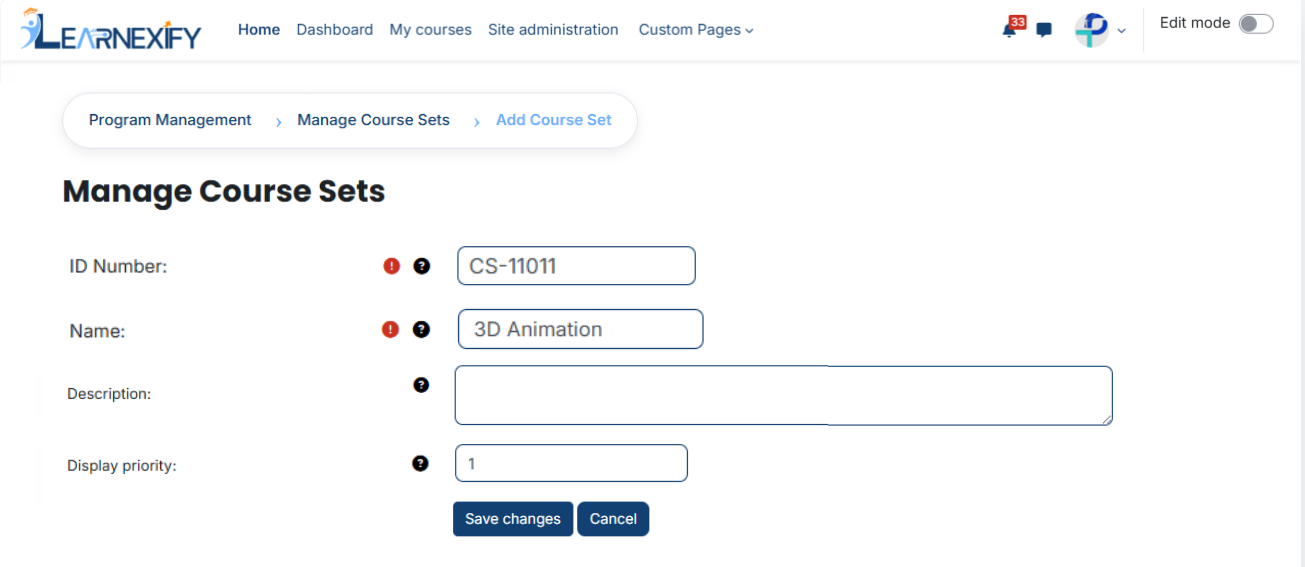
After entering all details, click on the Save Changes button to create the course set.