5.3 User Class Completion Report
Report Overview:
User Class Completion Report is a detailed academic report that displays users’ class completion status, program progress, and earned credits. The main purpose of this report is to help administrators identify which users have completed their classes, track program progress, and view total credits earned by learners.
User Class Completion Report Video:
Report Path:
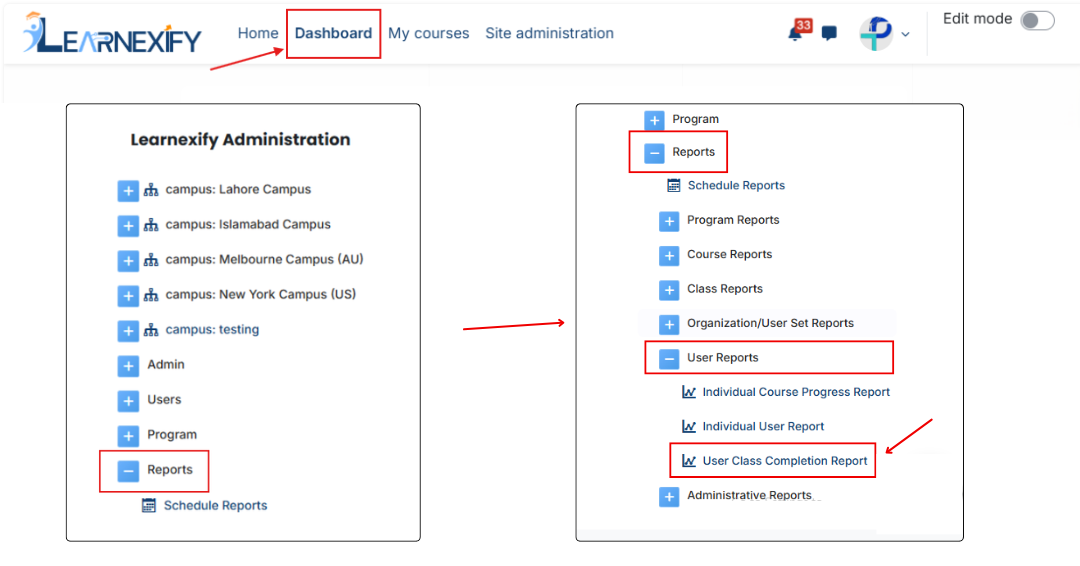
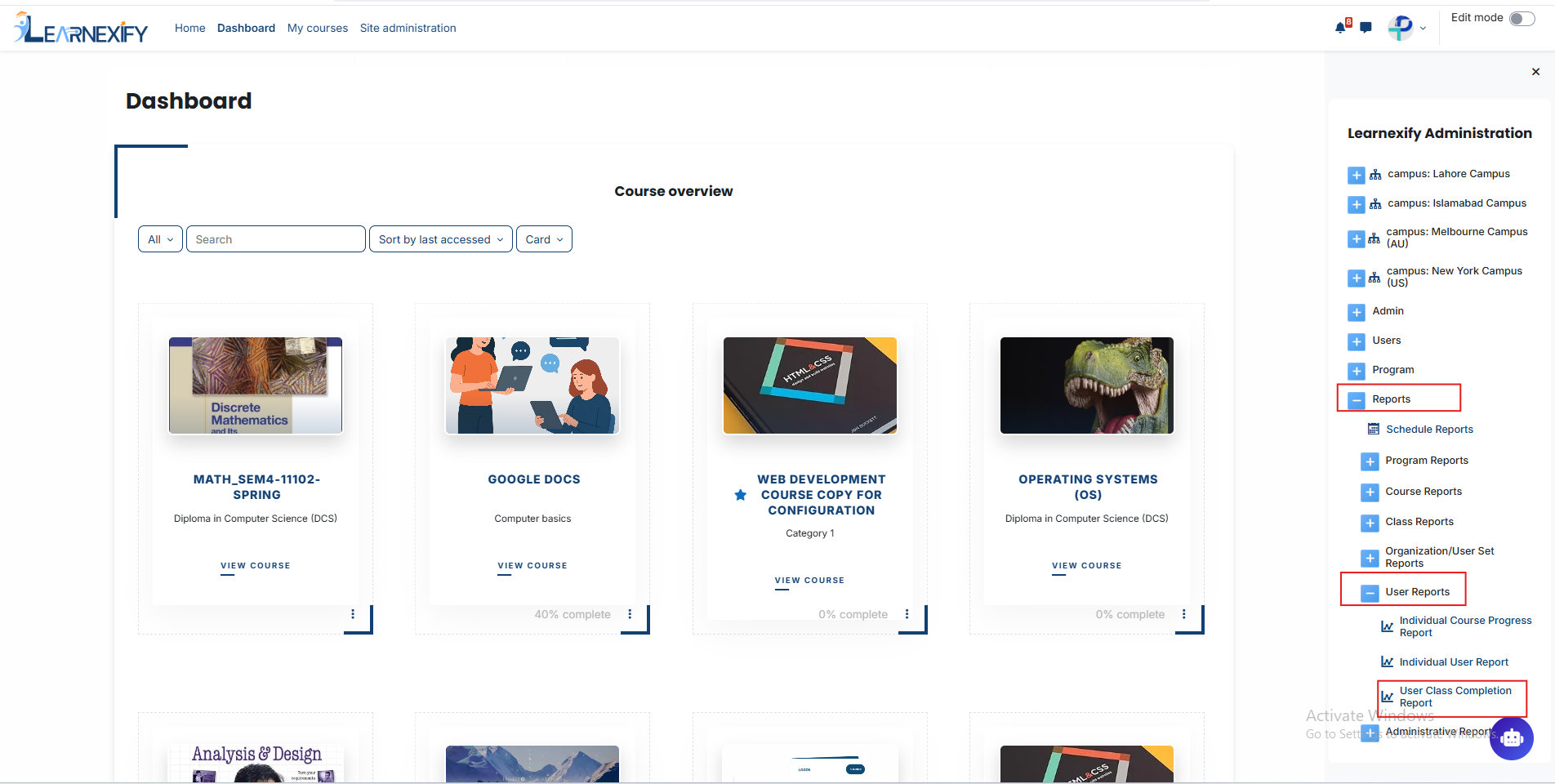
Dashboard > Side drawer > Reports > User Reports > User Class Completion Report
Report Filters:
This report uses multiple filters to refine and customize the data:
User Filters (for searching users):
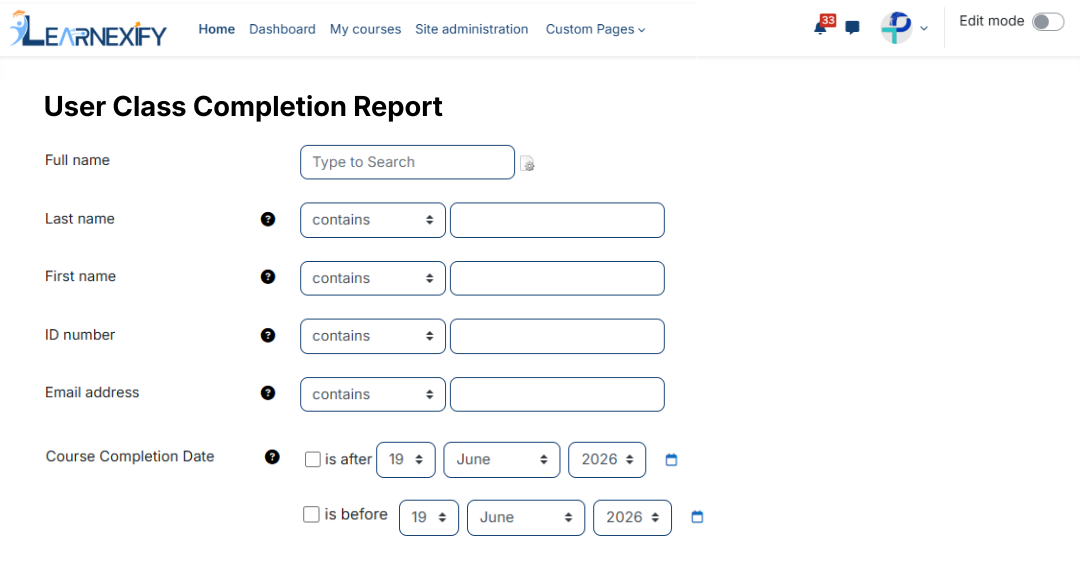
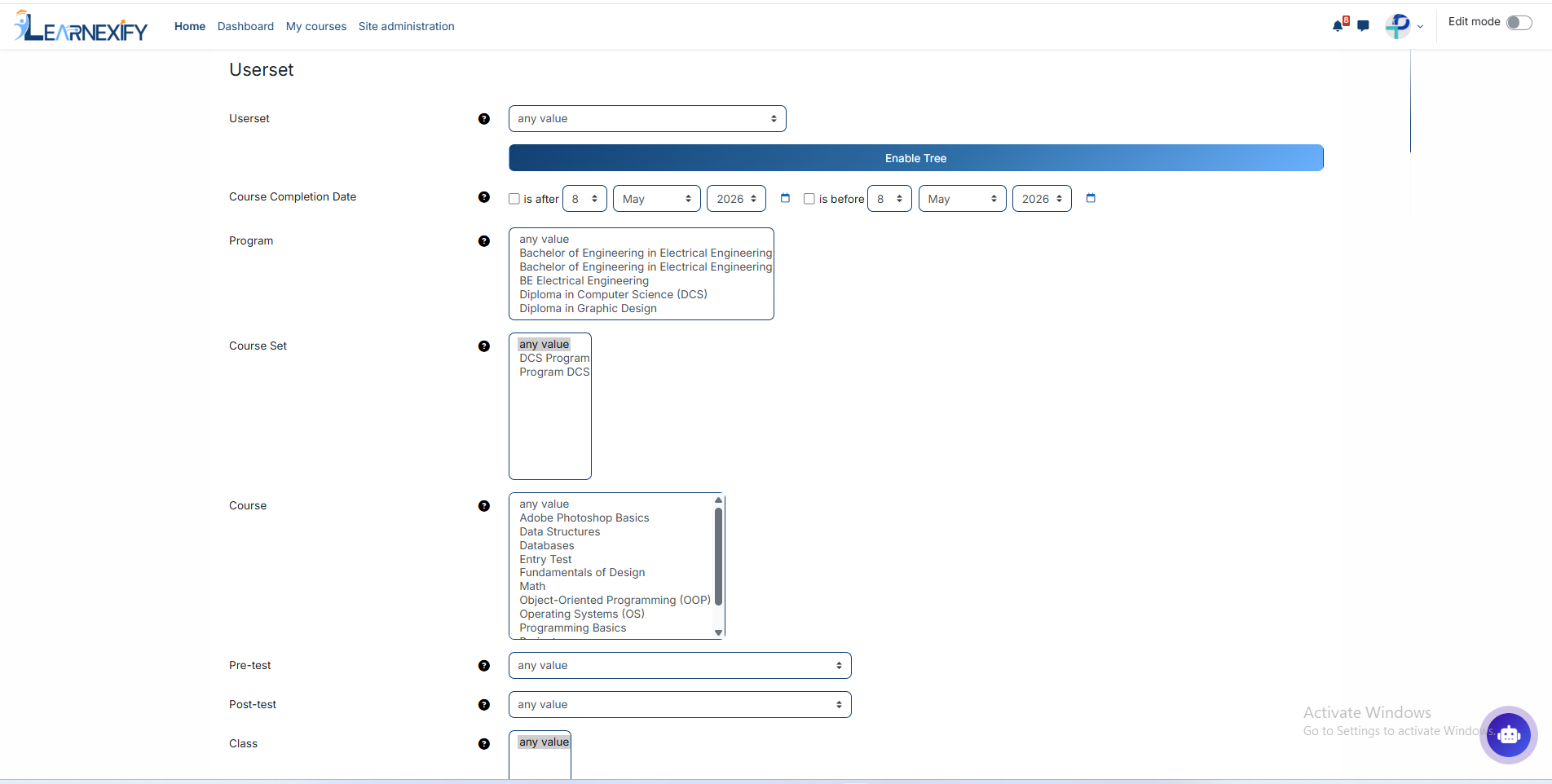
Full Name, First Name, Last Name, ID Number, Email Address, City/Town, Country, Username, Preferred Language, Inactive Status, User Set
Date Filters (for time-based filtering):
Course Completion Date (is after / is before), Start Date (is after / is before)
Academic Filters (for selecting report scope):
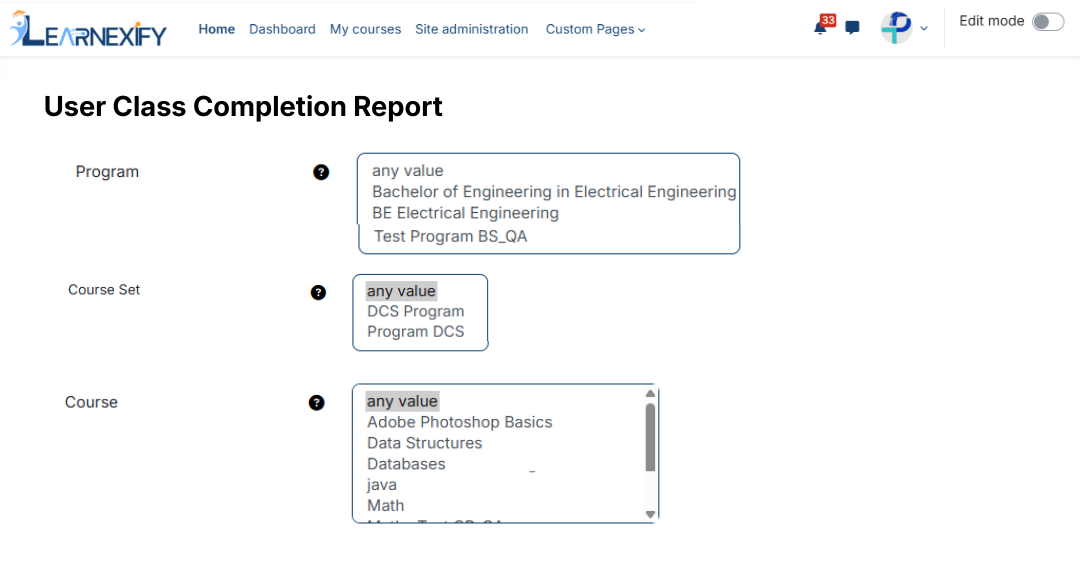
Program, Course Set, Course, Class, Status, Class Completion Status, Pre-test, Post-test
Generate Report:
-
Required filters are selected first
-
User, program, course, and date range are applied
-
The report is generated based on selected criteria
-
System processes the data and displays a structured user-wise report
Report Output:
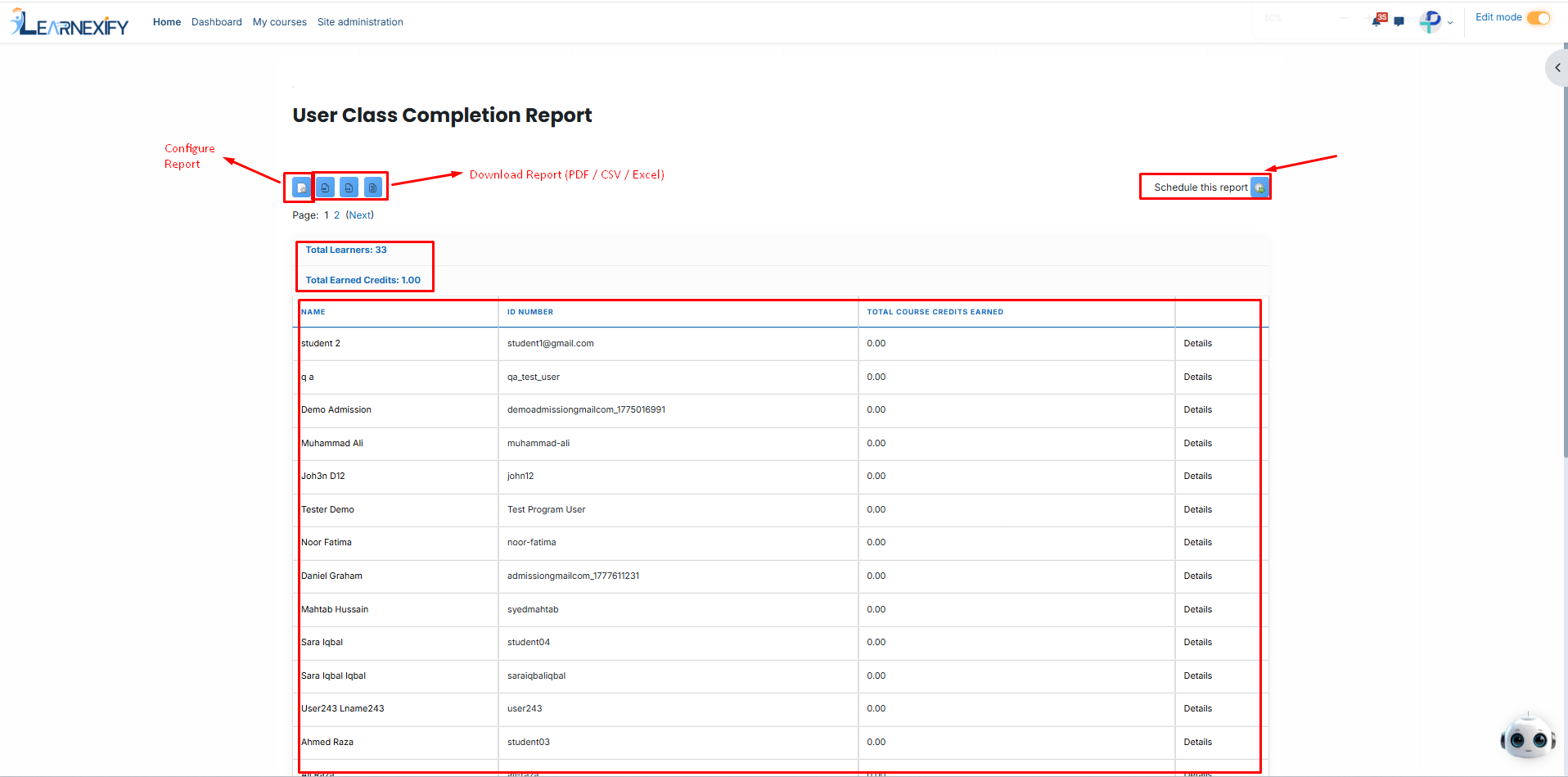
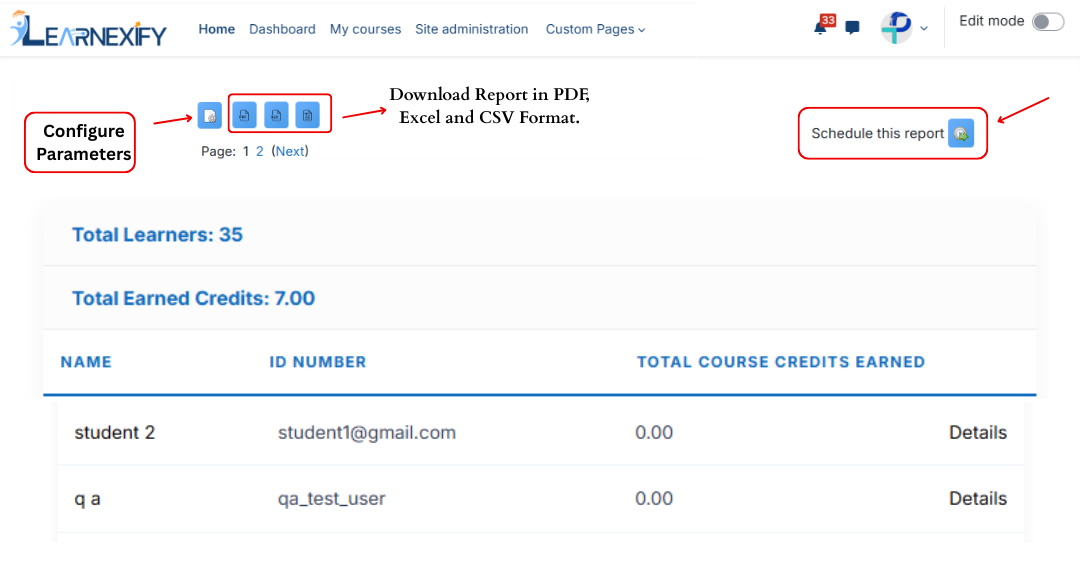
When the report is generated, the following summary is displayed:
-
Total Learners → total number of users included in the report
-
Total Earned Credits → total credits earned by all users
Detailed Data Table:
-
Name → identifies the learner
-
ID Number → unique system ID for tracking
-
Street Address → user address for record reference
-
City → user’s city location
-
State/Province → user’s region or province
-
Email Address → used for communication and identification
-
Program → shows enrolled academic program
-
Program Completion Date → completion date of program
-
Program Expiration Date → program validity/expiry date
-
Certificate Number → issued certificate reference number
-
Total Course Credits Earned → total credits earned by the user
Report Actions:
-
Download Report (PDF / CSV):
The report can be downloaded in PDF or CSV format for offline use, sharing, or record keeping. -
Schedule Report:
The report can be scheduled to run automatically at a specific time or interval. Once scheduled, it is generated and delivered without manual execution. -
Refresh Report:
The Refresh option updates the report with the latest available data without changing filters or re-running the report from scratch.