
Sign Up Process
The signup process is a streamlined workflow that takes an institution from selecting a service plan to receiving their active platform credentials. The process involves four main stages: Package Selection, Information Submission, Payment, and Account Delivery.
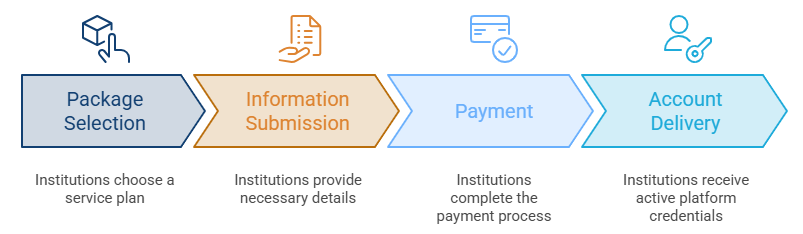
Choose Your Subscription Package:
To begin, visit the Learnexify website. You will be presented with different service tiers (e.g., Silver, Gold, Platinum, and Diamond). Each package is designed to meet different institutional needs based on administration hours and tech support.
-
Action: Review the features and click the "Subscribe Now" button on the package that fits your organization.
[IMAGE 1: Screenshot of the Brochure Signup page showing the 4 colored packages]
Provide Institutional Information:
Once a package is selected, a Request Form will appear. This form gathers the necessary details to set up your account and billing.
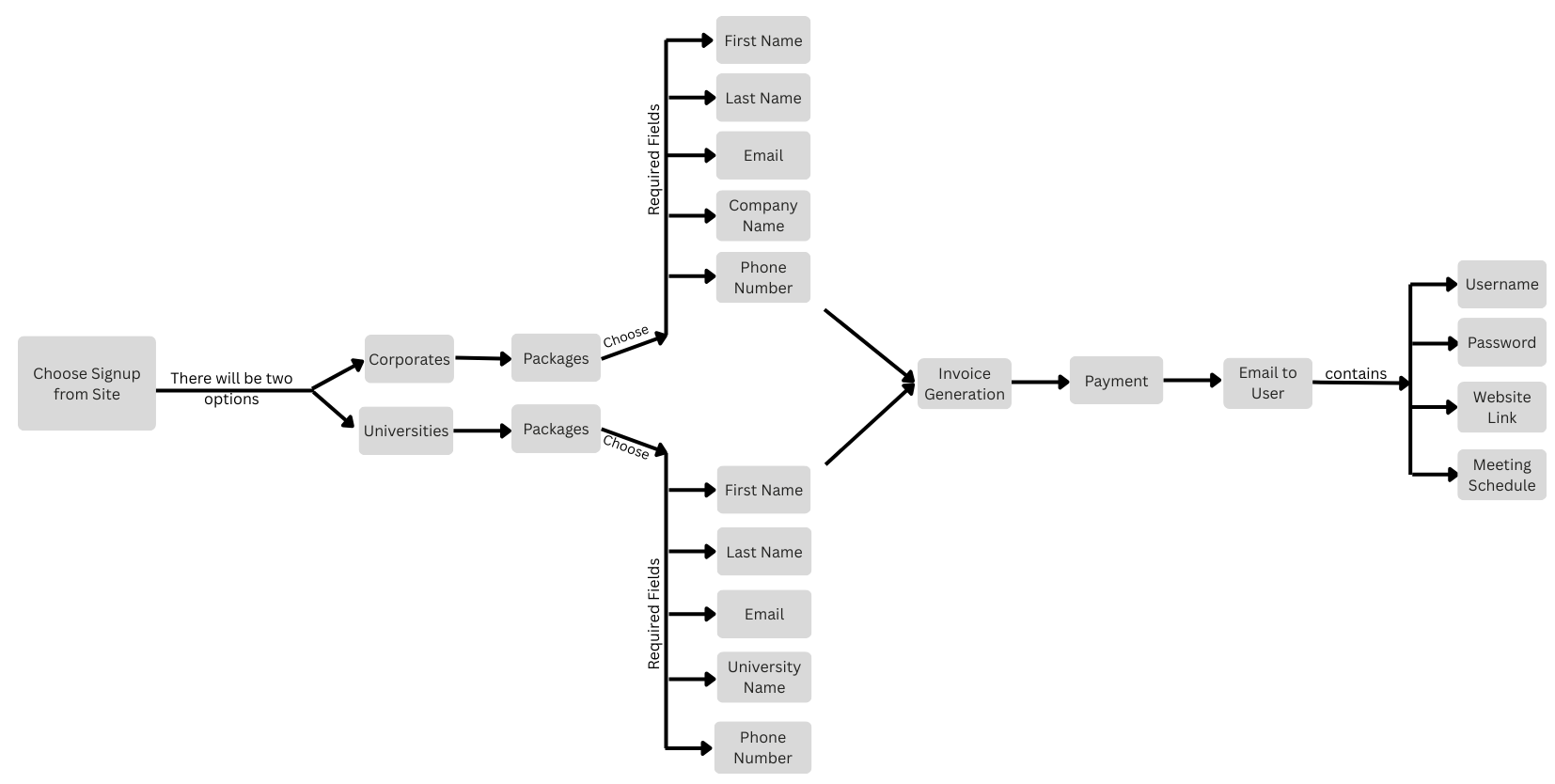
Required Fields include:
- First & Last Name: The contact person for the account.
- Email Address: Your official institutional email.
- Phone Number: For direct communication.
- Company/Institution Name: The official name of your university or corporate entity.
- Billing Address: Required for invoice generation.
- Payment Method: Choose your preferred way to pay (e.g., US Bank).
[IMAGE 2: Screenshot of the 'Request: Gold Package' form showing the input fields]
Invoice Generation & Payment:
After clicking "Request & Generate Invoice," the system processes your request instantly.
- Success Notification: A confirmation message will appear on your screen. You can click the "View & Pay Invoice Now" button to proceed immediately.
- Email Copy: Simultaneously, an automated email is sent to your inbox containing a secure link to your digital invoice.
-
Action: Click the link in the email or the button on the screen to complete your payment.
[IMAGE 3: Success message screen with the blue 'View & Pay Invoice Now' button]
[IMAGE 4: Screenshot of the Invoice Email sent to the user's Gmail]
Account Access & Meeting Schedule:
Once the payment is successfully processed, Learnexify's automation engine finalizes your platform setup. You will receive a final Welcome Email containing four critical items:
- Username: Your unique administrator login ID.
- Password: Your secure temporary password.
- Website Link: The direct URL to your new institutional platform.
- Meeting Schedule Link: A link to book an onboarding call with our team to help you get started.
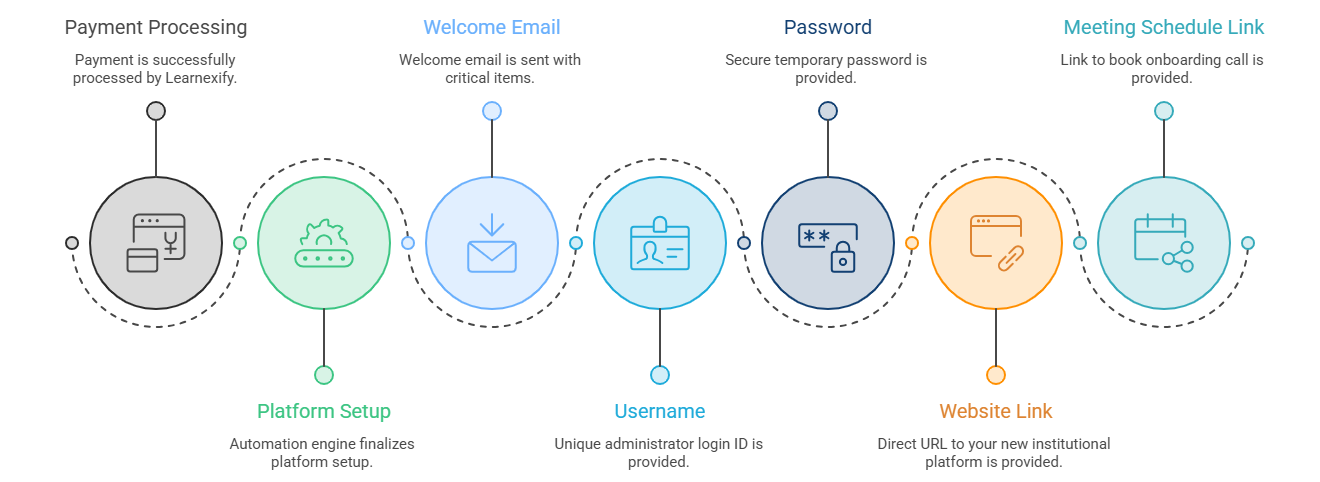
Process Summary:
The following diagram illustrates the complete journey from the first click to the final account delivery.
No comments to display
No comments to display