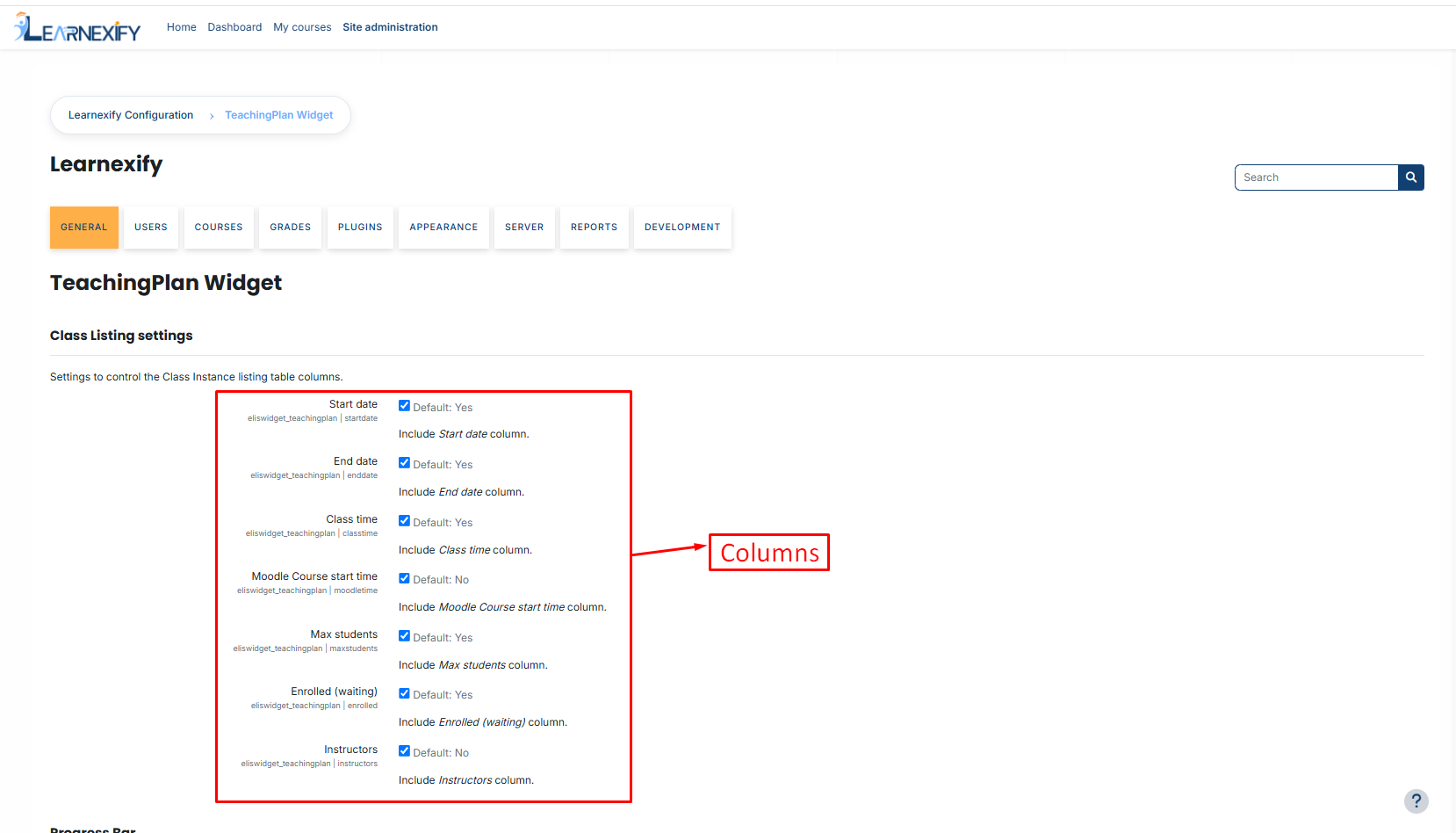
Column Visibility & Field Settings
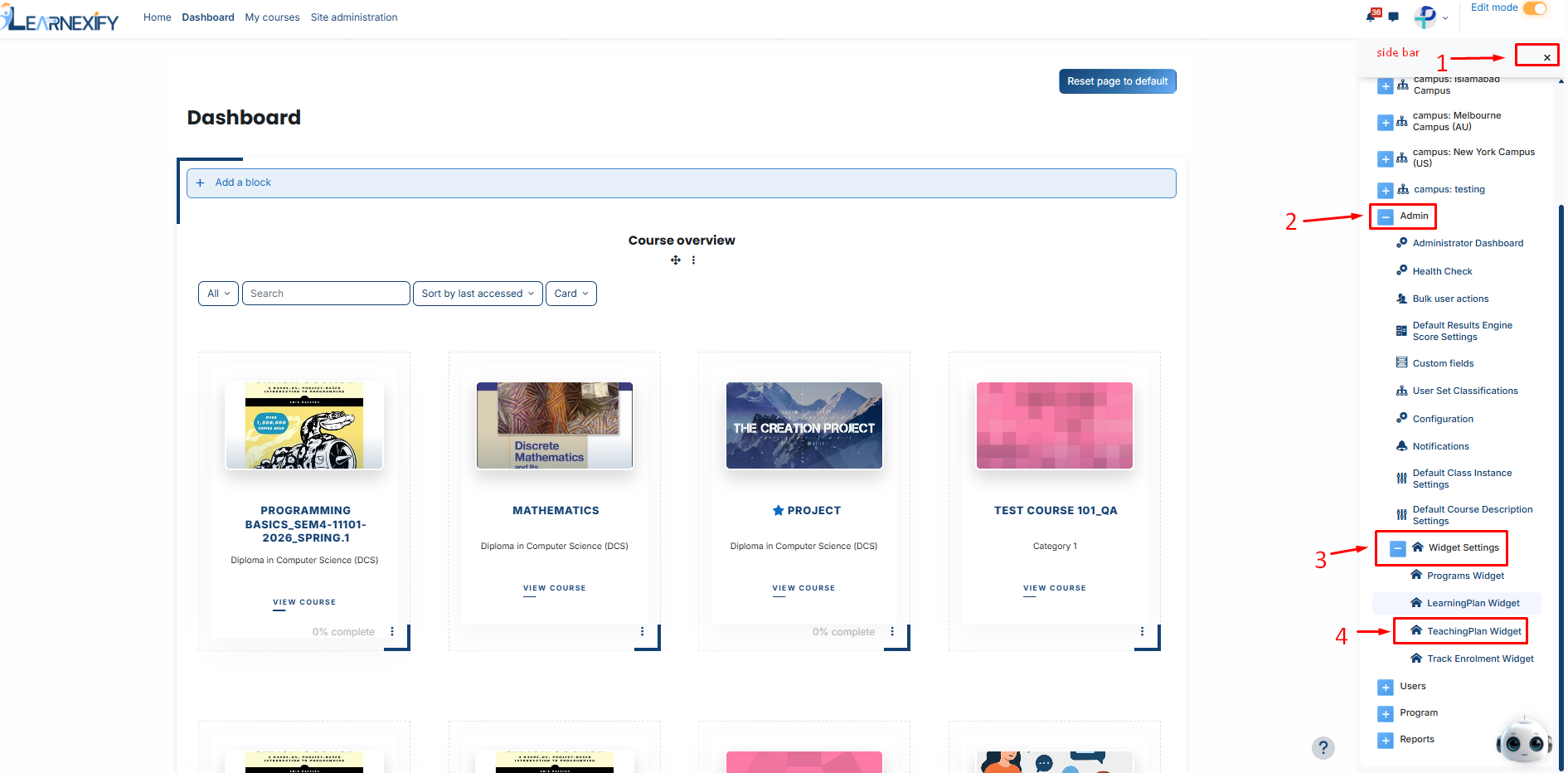
To access these settings, go to: Side Menu > Admin > Widgets Settings > Teaching Plan Widget.
You can toggle the following fields on or off:
-
Start Date & End Date: Shows the official academic duration of the class.
-
Class Time: Displays the scheduled daily timing for the class sessions.
-
Max Students: Displays the total seat limit (capacity) for the class.
-
Moodle Course Start Time: If integrated with Moodle, this displays the specific course launch time.
-
Enrolled (Waiting): Provides a live count of students who are "Enrolled," "In-Progress," or on the "Waiting List."
-
Instructors: Lists the names of all teachers assigned to that specific Course Instance.