
Administrator Dashboard Overview
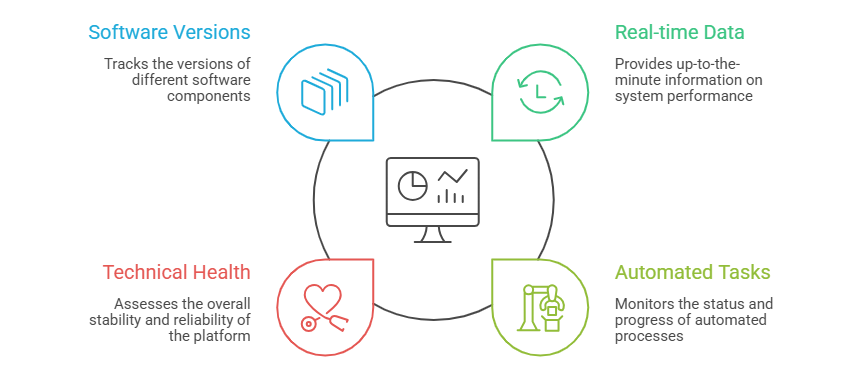
The Administrator Dashboard is the primary diagnostic tool for platform administrators. it provides real-time data regarding automated system tasks, technical health, and specific software component versions.
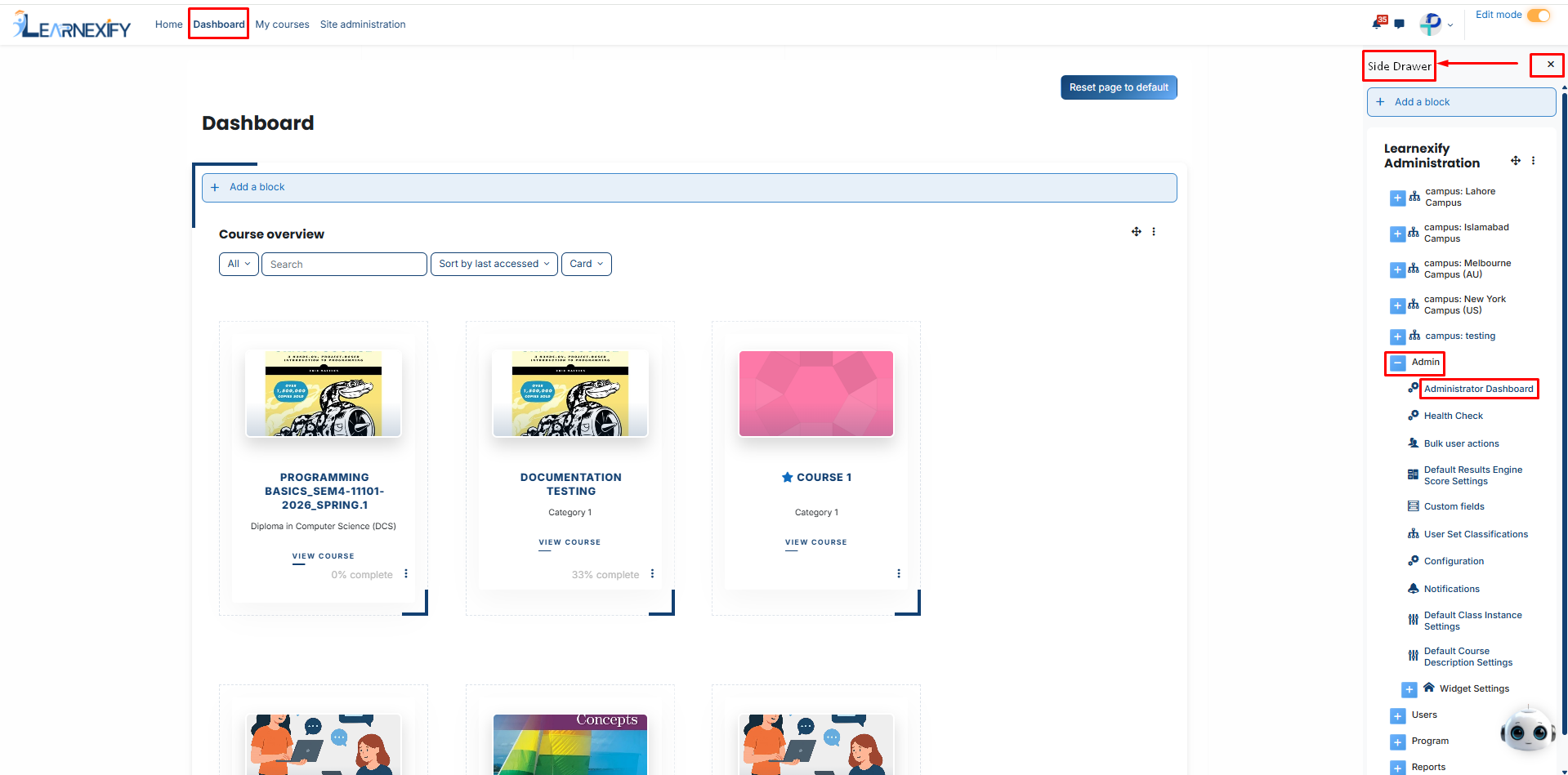
To access the central monitor for your platform, follow the navigation path below:
- Log in as a Site Administrator.
- Open the Side Drawer Menu.
- Click on the Admin section.
- Click on Administrator Dashboard.
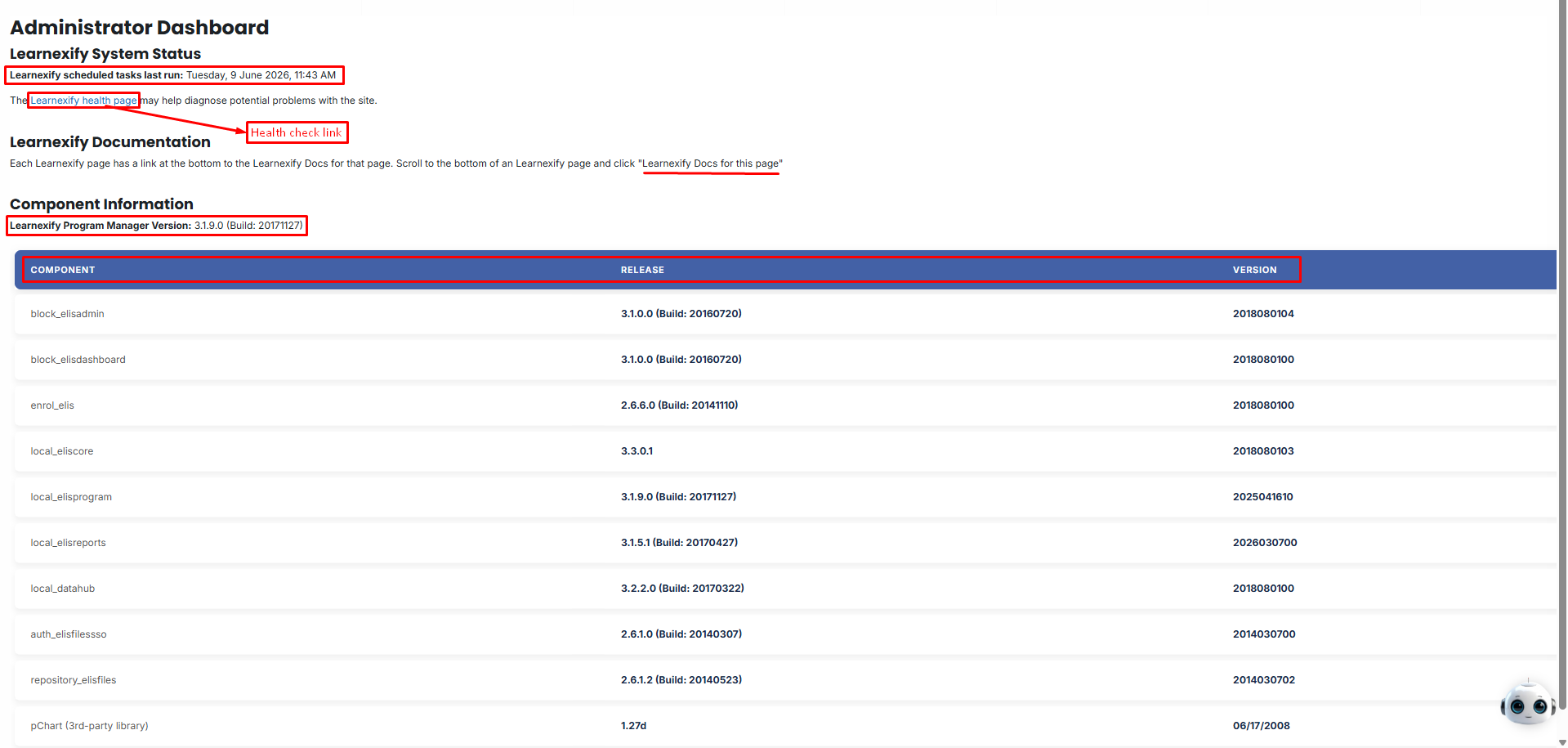
After accessing the Administrator Dashboard, the following sections will be displayed:
Learnexify System Status:
The System Status section at the top of the dashboard provides a high-level overview of the platform's background operations.
Scheduled Tasks: This display shows the last time the system's automated processes were executed.
These tasks are critical for:
- Processing student enrollments.
- Updating automated reports.
- Sending out system-wide notifications.
Health Page Link: A direct link to the site’s internal diagnostic page. Administrators should check this regularly to identify and fix technical bottlenecks or server configuration issues.
Learnexify Documentation:
Learnexify includes an integrated support system to assist administrators in real-time.
Instant Help: You can scroll to the bottom of any page within the platform and click the Documentation link. This will take you to a specific help guide relevant to the exact feature you are currently using.
Component Information:
The Component Information table provides a detailed technical breakdown of every module installed on your Learnexify instance.
|
Column |
Description |
|
Component |
The specific name of the module (e.g., Admin Block, Program Manager, Reporting Engine). |
|
Release |
The official release identifier of the specific module. |
|
Version |
The numerical version currently running on your site. |
This table is essential for system maintenance. Administrators use this information to verify if the system is up-to-date and to provide accurate technical data when communicating with support teams for troubleshooting.
No comments to display
No comments to display