
Overview & Setup
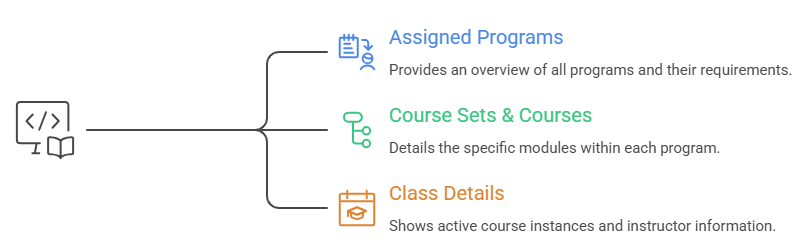
The Program Widget is a centralized dashboard block that displays all programs assigned to a user. It acts as a "Learning Hub" where users can view:
- Assigned Programs: Names, descriptions, and total required credits.
- Course Sets & Courses: Specific modules within each program.
- Class Details: Active Course Instances, instructor names, and availability status.
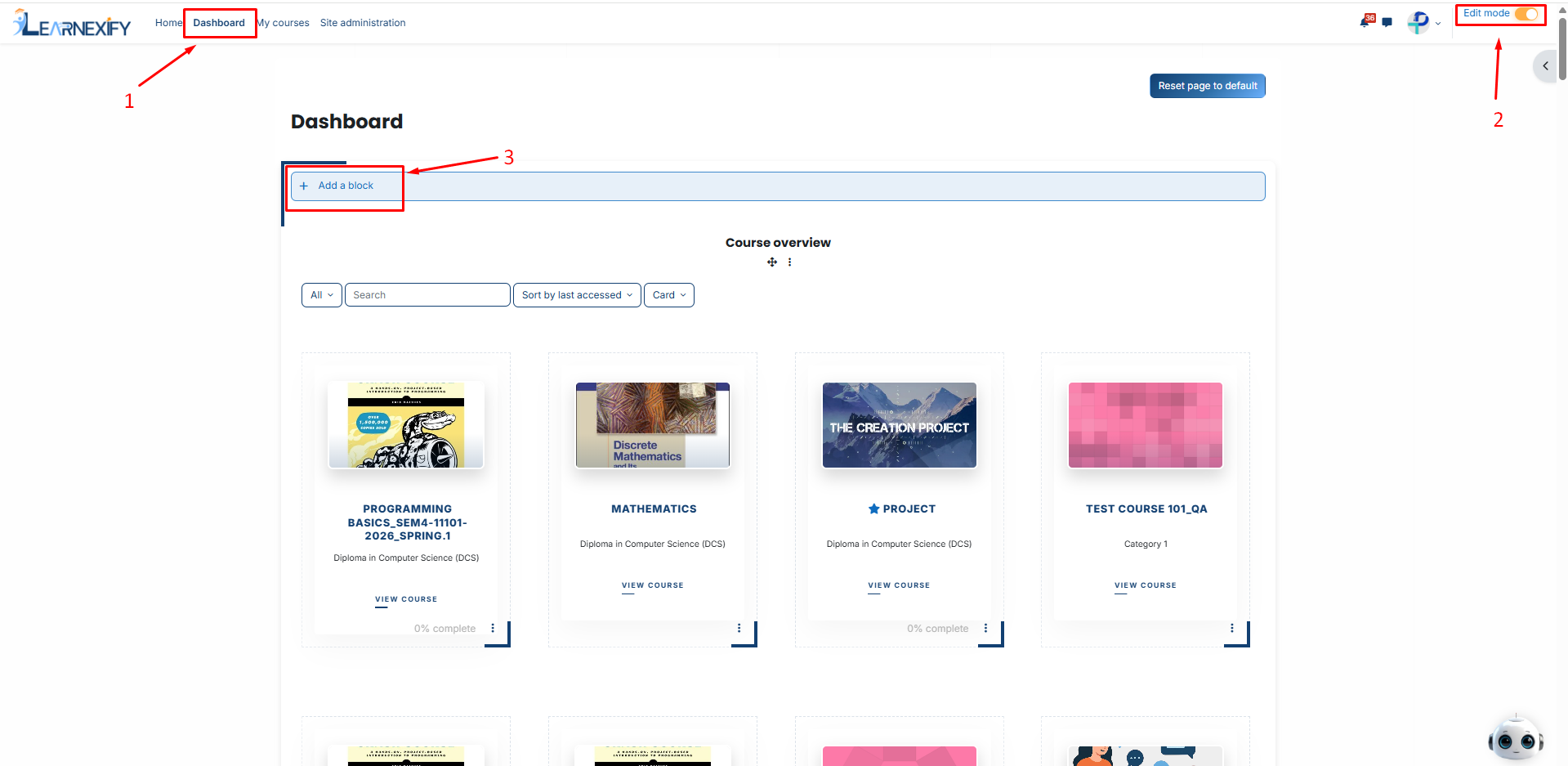
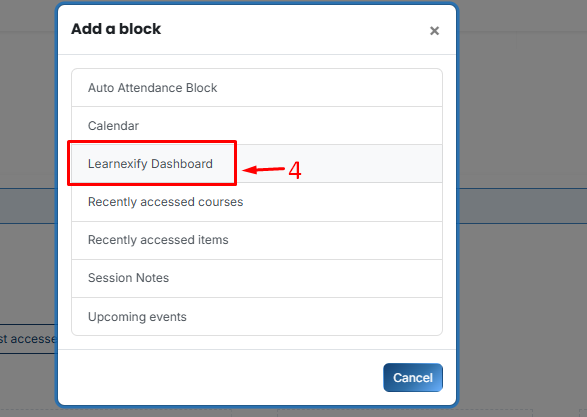
Follow these steps to enable the widget for your users:
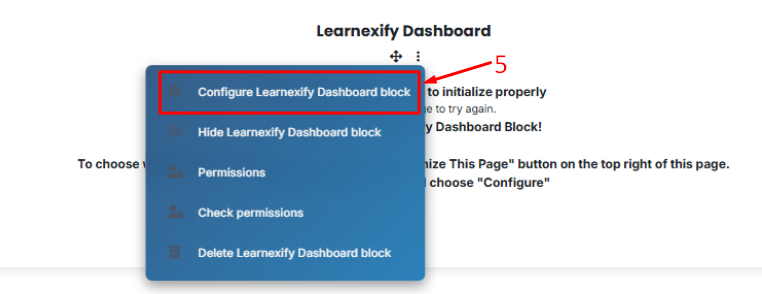
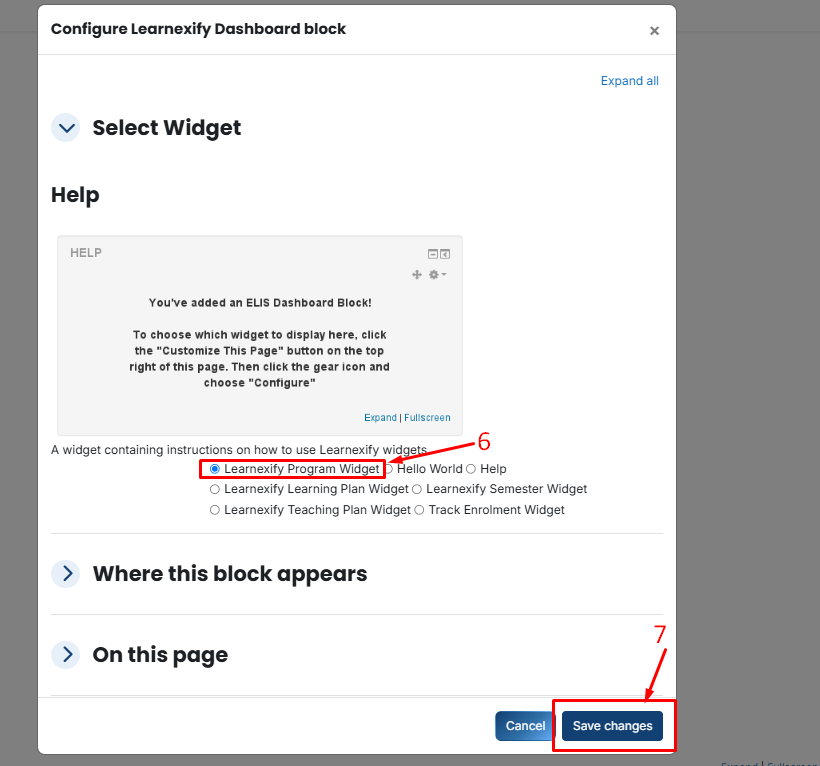
- On the new block, click the Three-dot menu (⋮) and select Configure Learnexify Dashboard block.
- Then from the configure Learnexify block, select Program Widget, Click Save changes.
No comments to display
No comments to display