
Overview & Setup
The Batch Enrollment Widget provides a centralized view of a user's assigned learning batches. In an academic or corporate setting, "batches" represent specific batch or specializations.
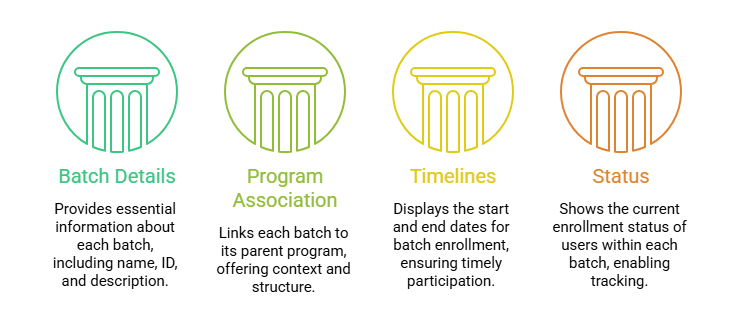
This widget allows users and admins to see:
- Batch Details: Name, ID Number, and Description.
- Program Association: Which main program the batch belongs to.
- Timelines: Start and End dates for the specific batch enrollment.
- Status: The current state of the user's enrollment within that pathway.
To make this widget visible for instructors, follow these steps:
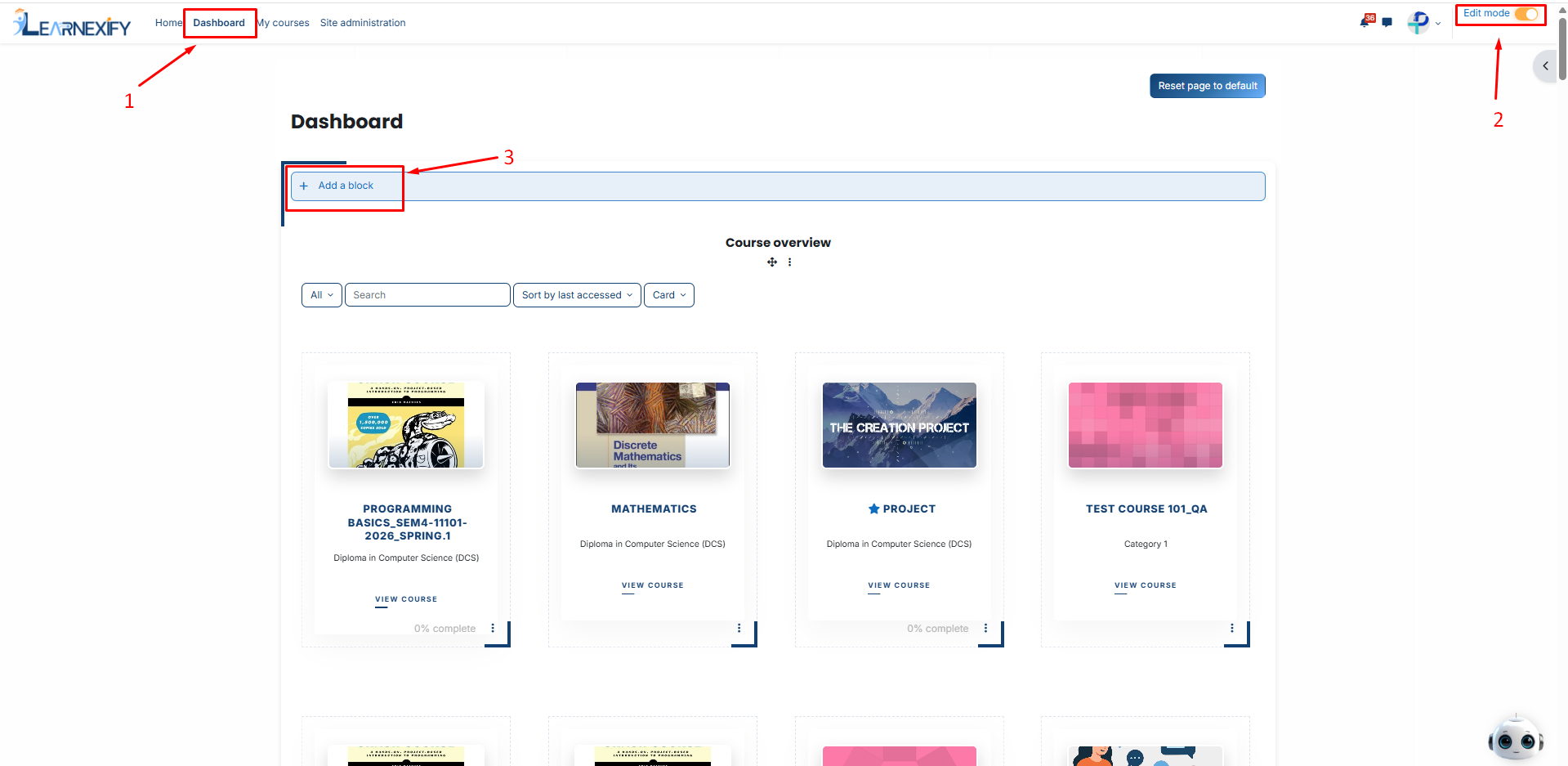
-
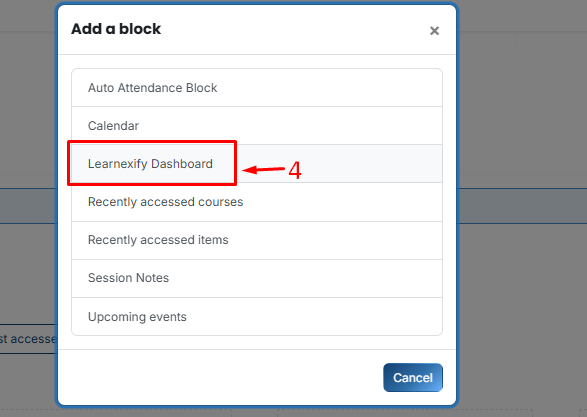
Then, Select Learnexify Dashboard.
-
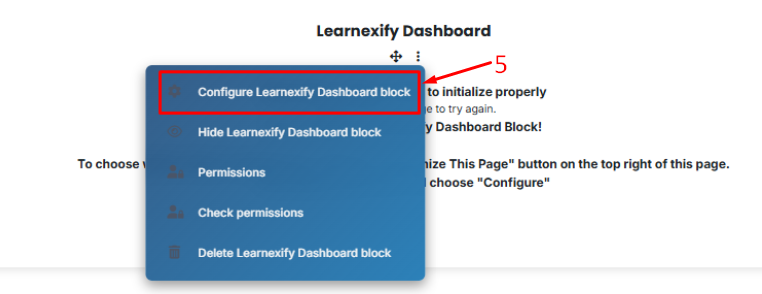
On the new block, click the Three-dot menu (⋮) and select Configure Learnexify Dashboard block.
-
In the Select Widget dropdown, choose Batch Enrollment Widget.
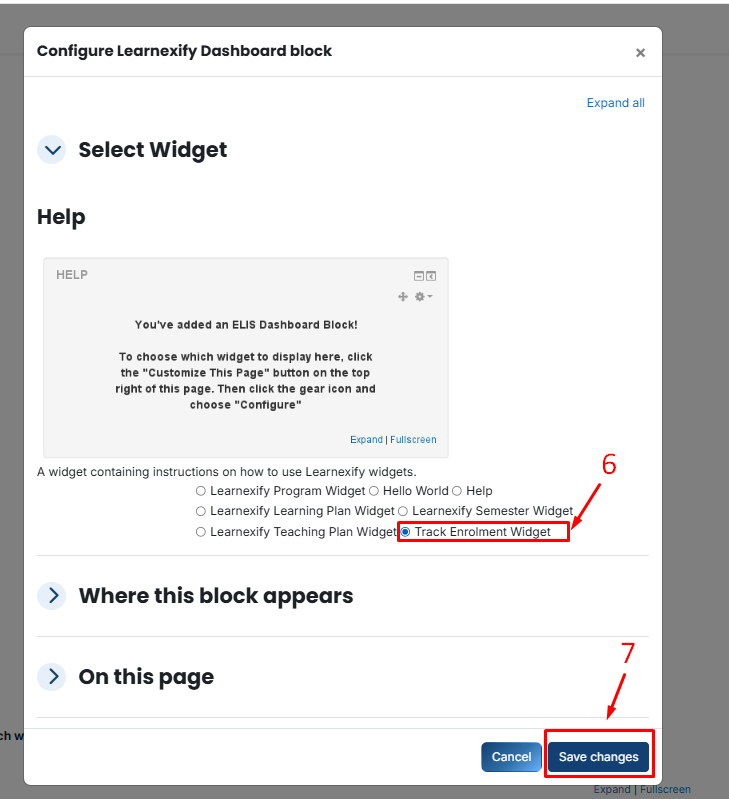
- Click Save changes.
No comments to display
No comments to display