
Overview & Setup
The Semester Widget acts as a visual academic roadmap. It automatically organizes a student's courses into their respective semesters, allowing users to track their progress, grades, and upcoming schedules in one organized interface.

To make this widget visible for instructors, follow these steps:
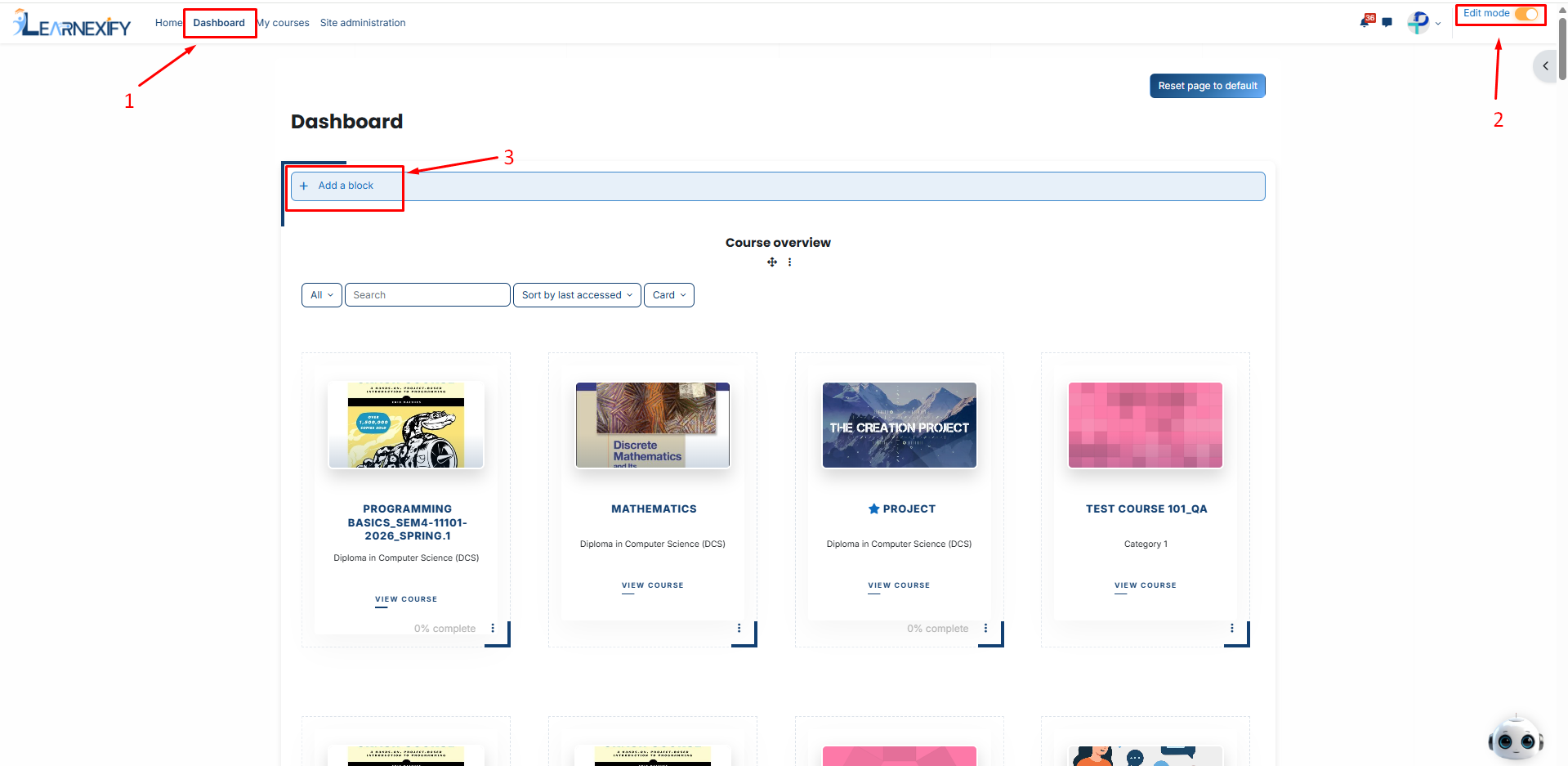
-
Then, Select Learnexify Dashboard.
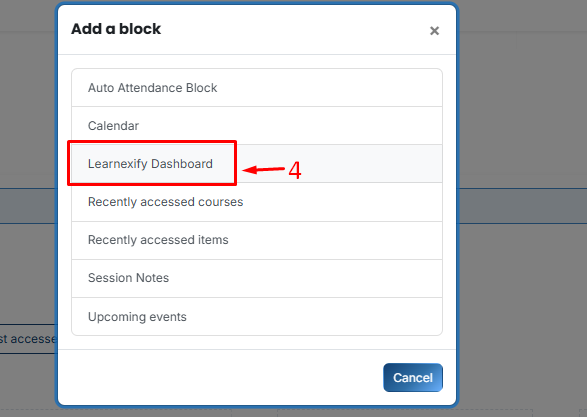
-
On the new block, click the Three-dot menu (⋮) and select Configure Learnexify Dashboard block.
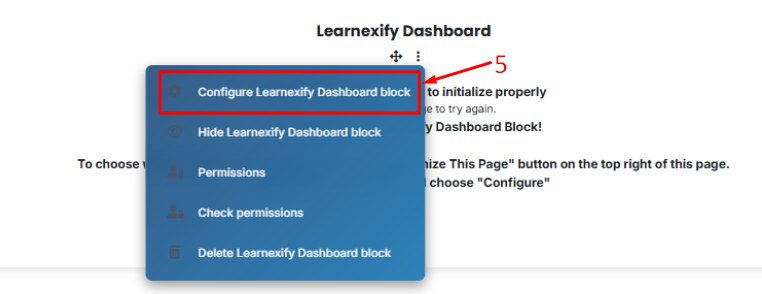
-
In the Select Widget dropdown, choose batches Enrollment Widget.
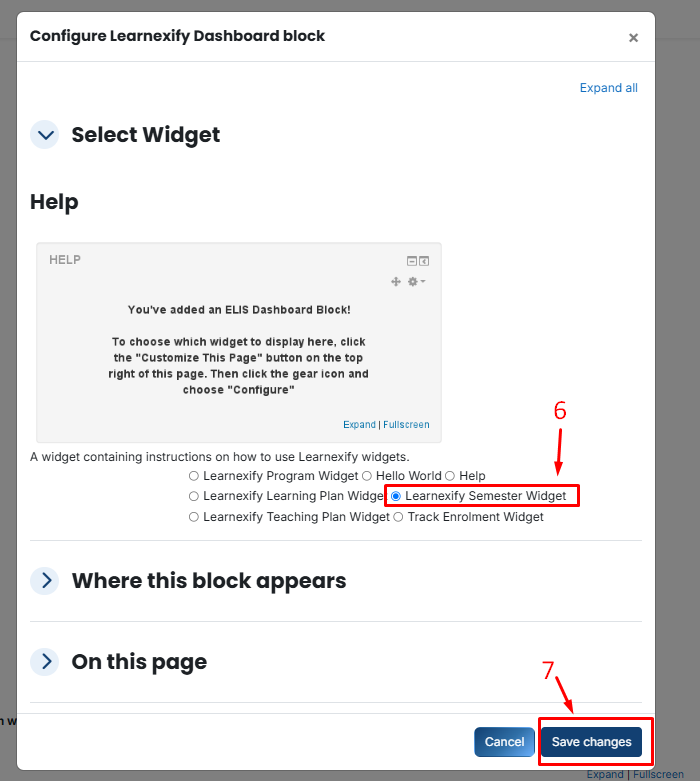
- Click Save changes.
No comments to display
No comments to display