
Field Visibility & Search Filter Configuration
Administrators can control exactly what batch information is shown and how the search filters behave.
To access these settings, go to: Side Menu > Admin > Widgets Settings > batch Enrollment Widget.
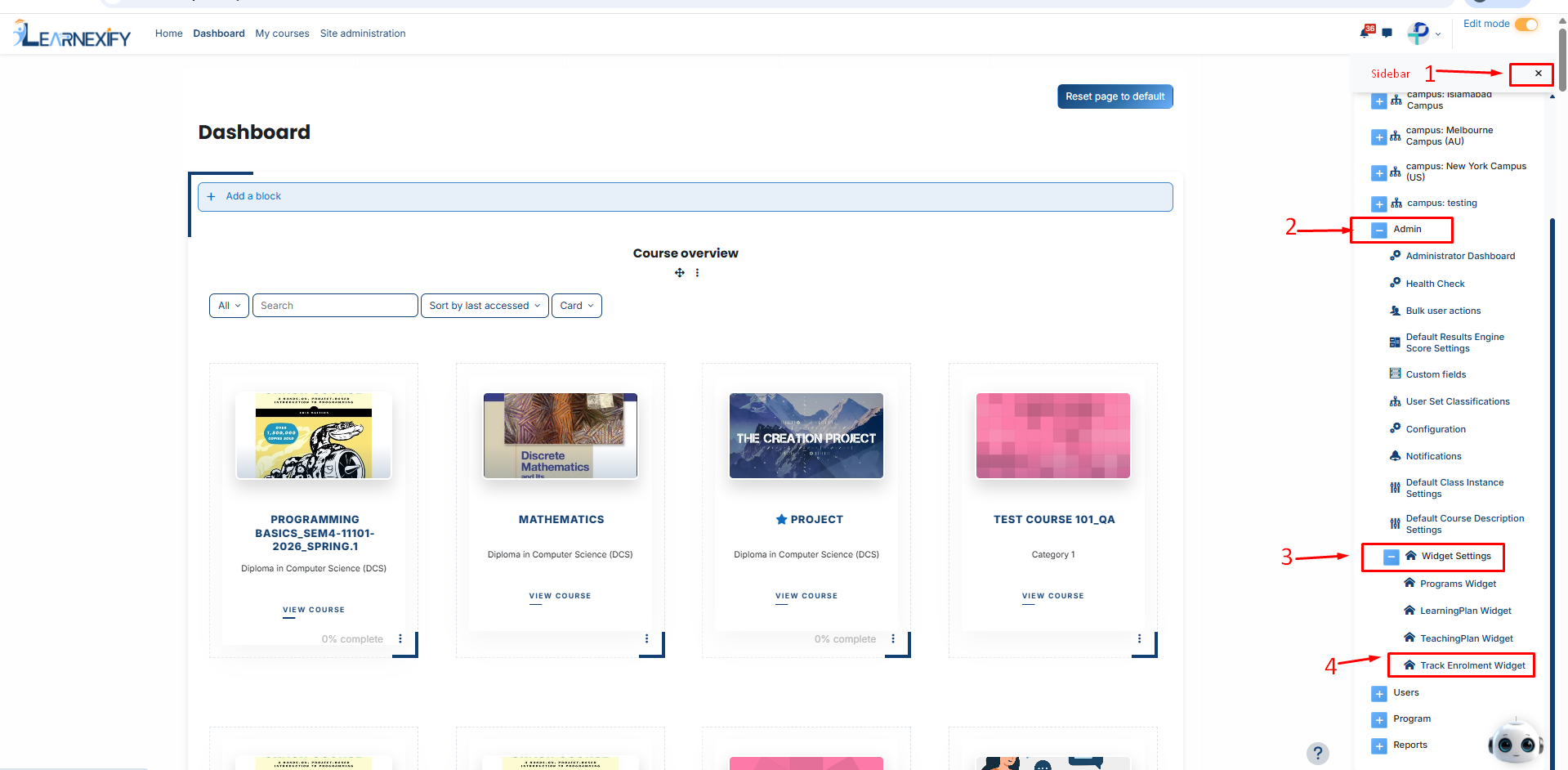
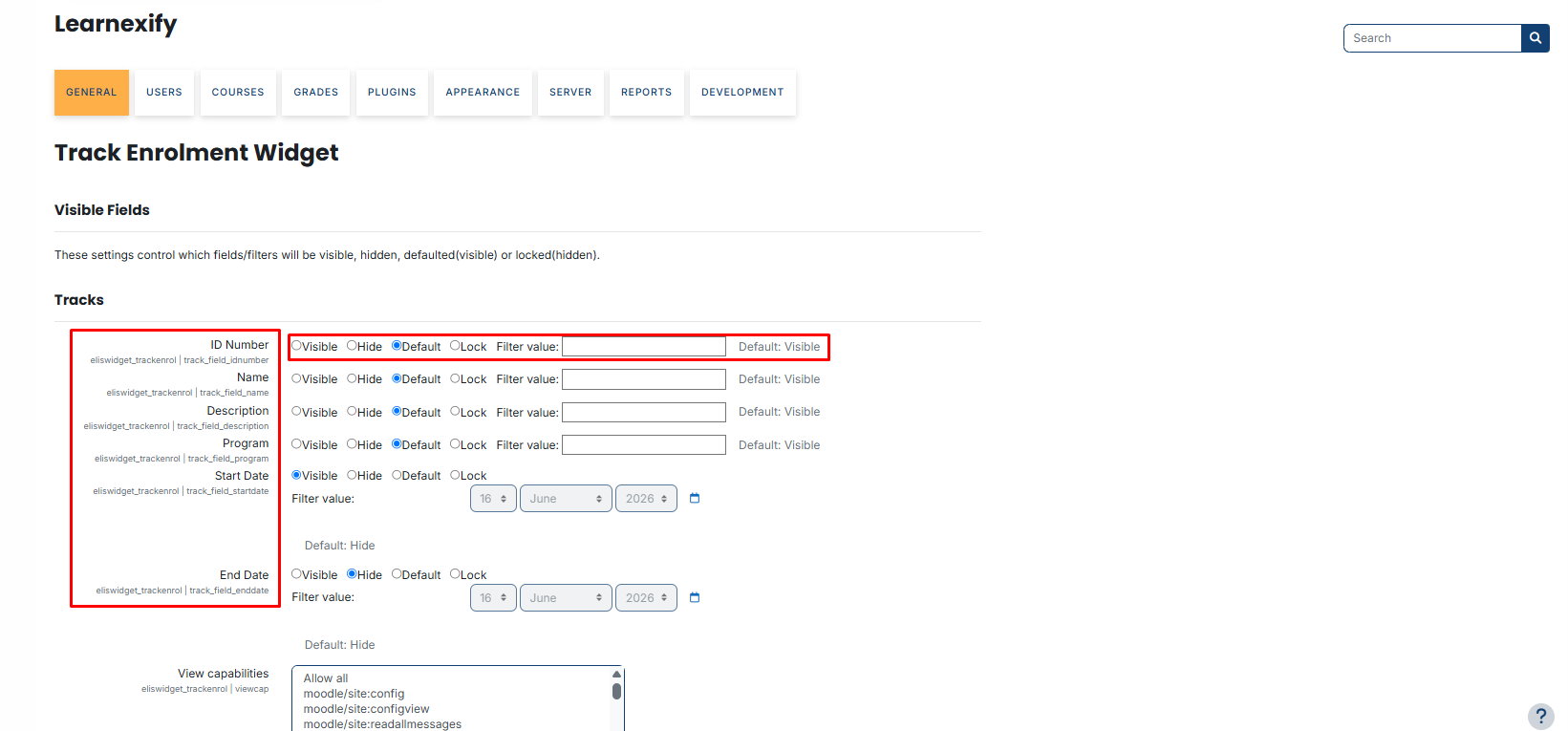
For fields like ID Number, Name, Description, and Program, you have four primary control states:
- Visible: The field and its data are always shown. The user cannot use a search filter for this field.
- Hide: The field is completely removed from the user’s dashboard view.
- Default: The field follows the system’s original backend settings. A search filter box will be available for the user.
- Lock: The field is visible but the search filter is frozen. Users cannot change the results you have pre-defined.
Using Filter Values:
The Filter Value box allows you to pre-fill the search criteria:
- With "Default" setting: If you enter a value (e.g., batch ID '11111'), the dashboard will show that result by default, but the user can delete or change it to search for something else.
- With "Lock" setting: If you enter a value, the user is forced to see only that specific result. They cannot edit or clear the filter box.
No comments to display
No comments to display