
How to Edit a Course Description:
To edit a course description, follow the steps below:
- Start by accessing the Dashboard and opening the side drawer menu. From there, navigate to Programs and select Manage Course Descriptions. A list of all available course descriptions will be displayed on the screen.
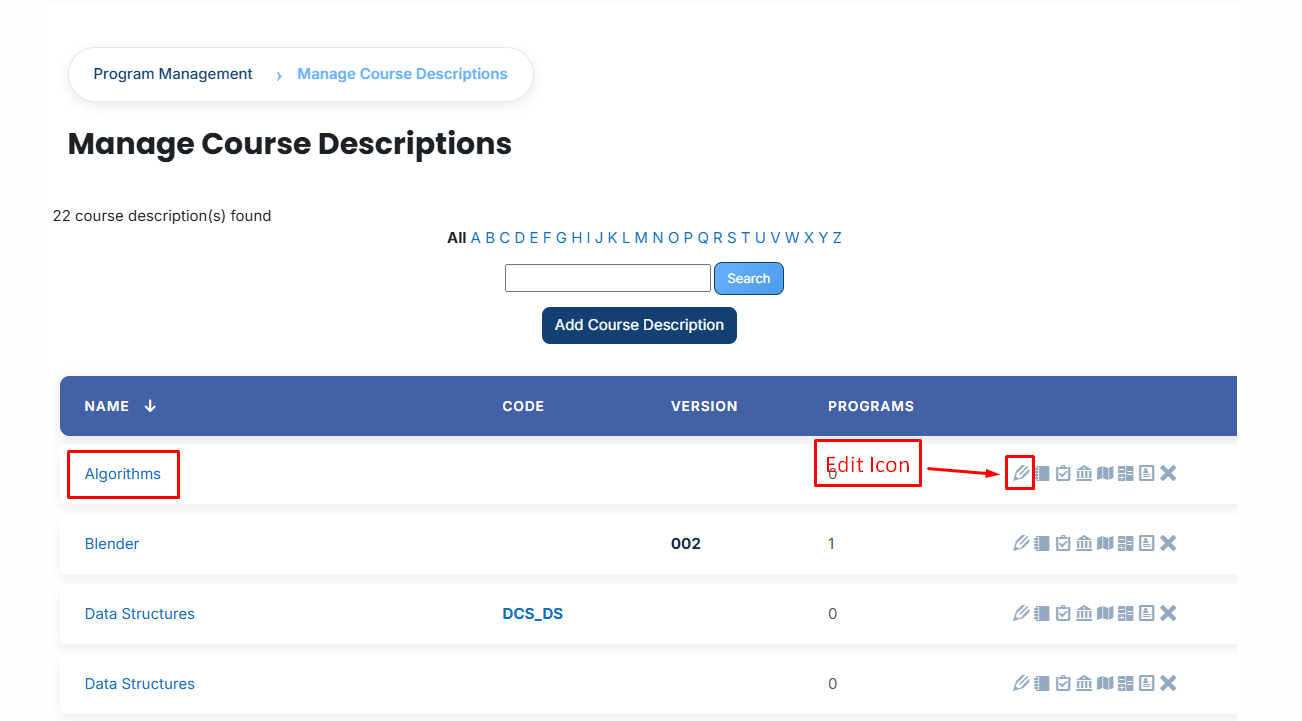
- Identify the course description you wish to modify and click on the Edit icon next to it. This action will open the course description details page in edit mode.
-
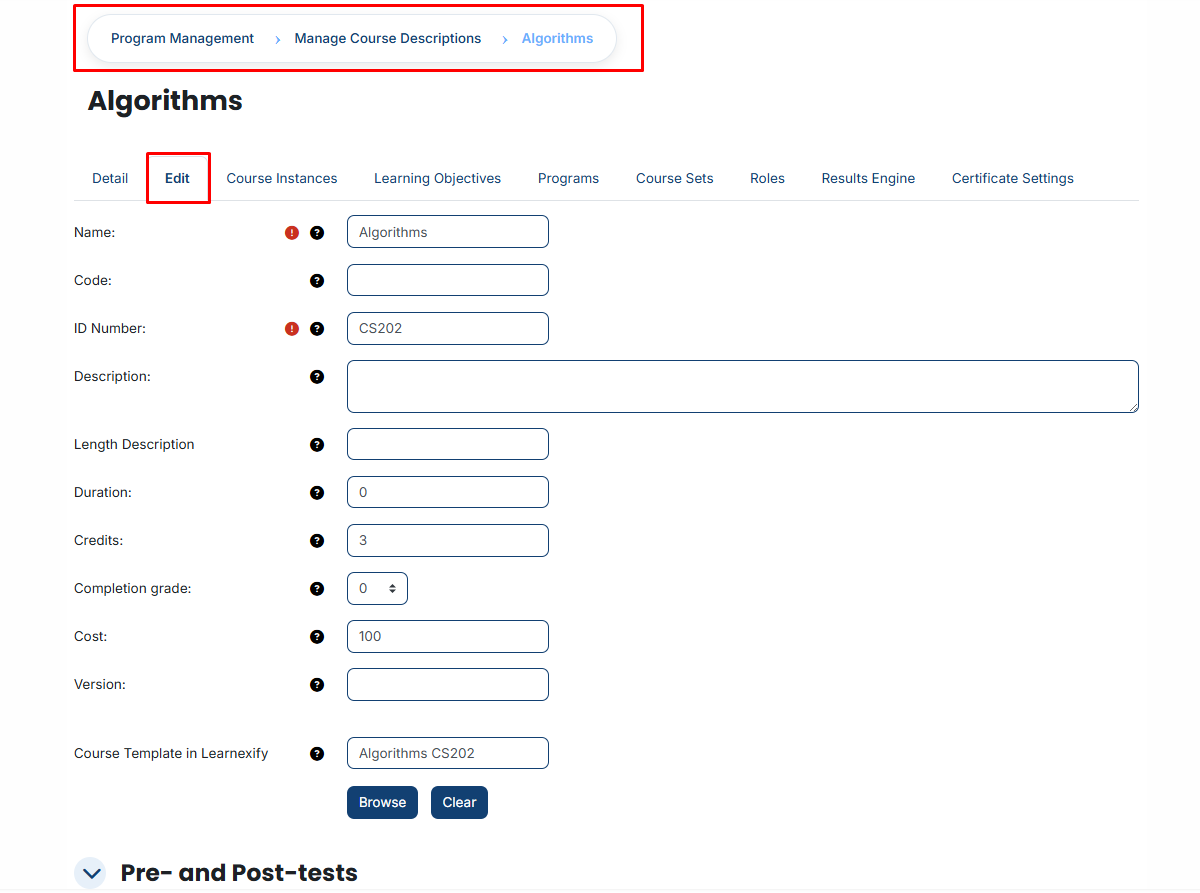
Make the necessary updates to the course description details as required.
-
After reviewing your changes, scroll down and click on the Save Changes button to apply and save the updated information.
No comments to display
No comments to display