
How to Edit a Course set:
To edit a course set, follow the steps below:
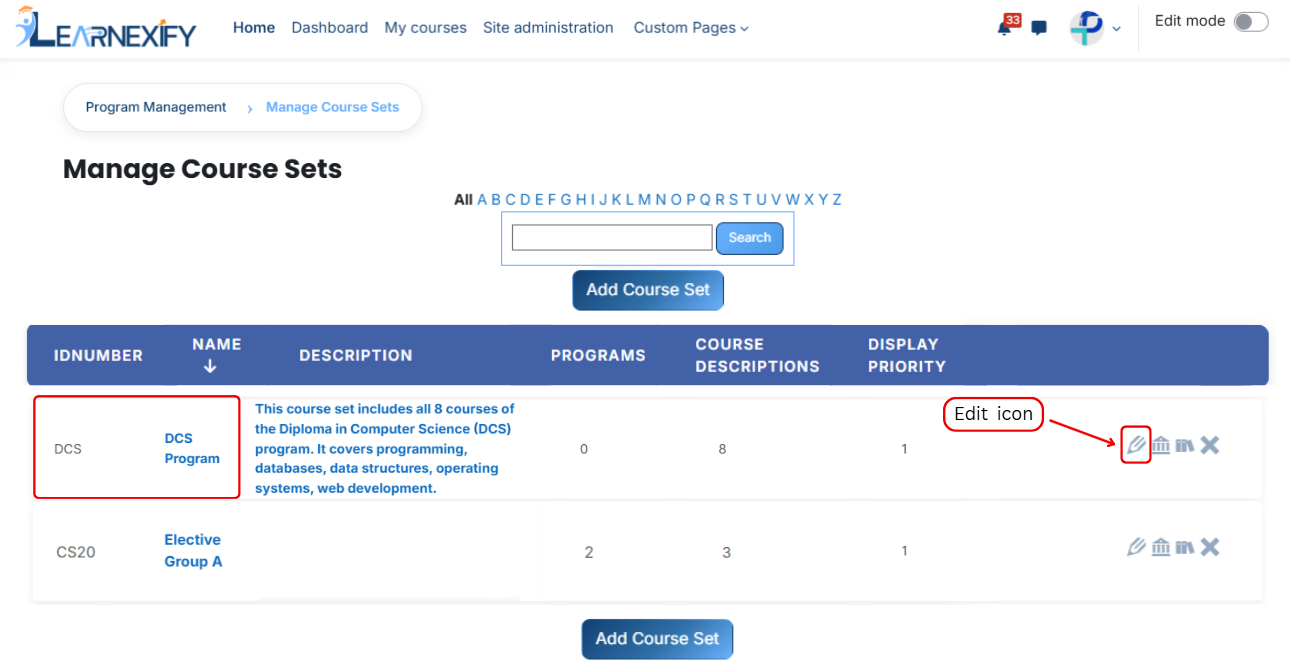
- Start from the Dashboard and open the side drawer menu. From there, go to Programs and select Manage Course Sets. A list of available course sets will appear on the screen.
- Locate the course set you want to modify and click on the edit icon next to it. The course set details page will open in edit mode.
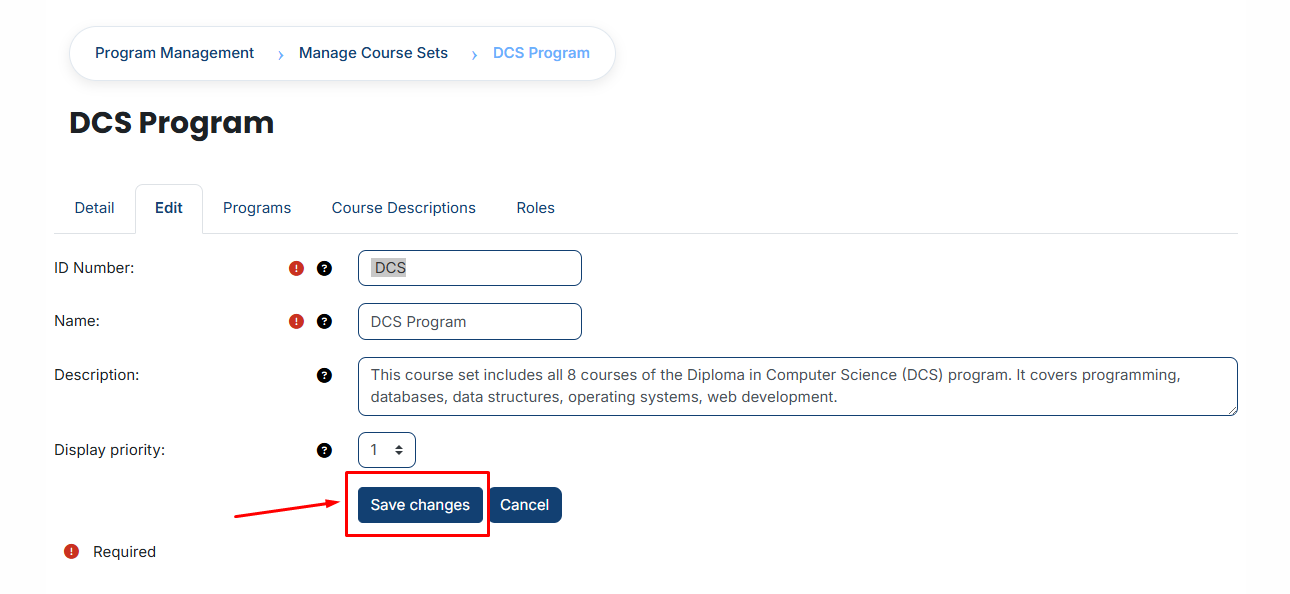
- Make the necessary updates to the course set information. After reviewing your changes, scroll down and click the Save Changes button to apply and save the updates.
No comments to display
No comments to display