
How to Assign Program in a Course set:
Program:
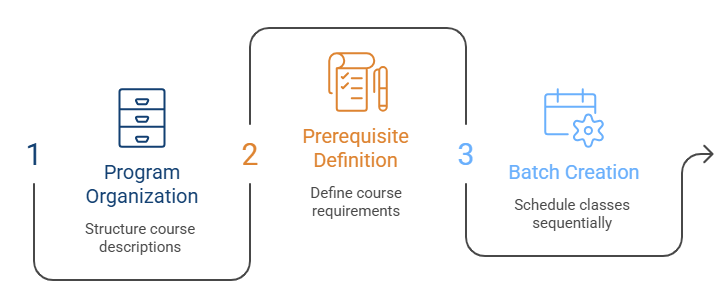
Programs in Learnexify organize Course Descriptions and can lead to certificates or other validations showing learner mastery. They also define pre-requisites and co-requisites and create structured class batches based on a set schedule or sequence.
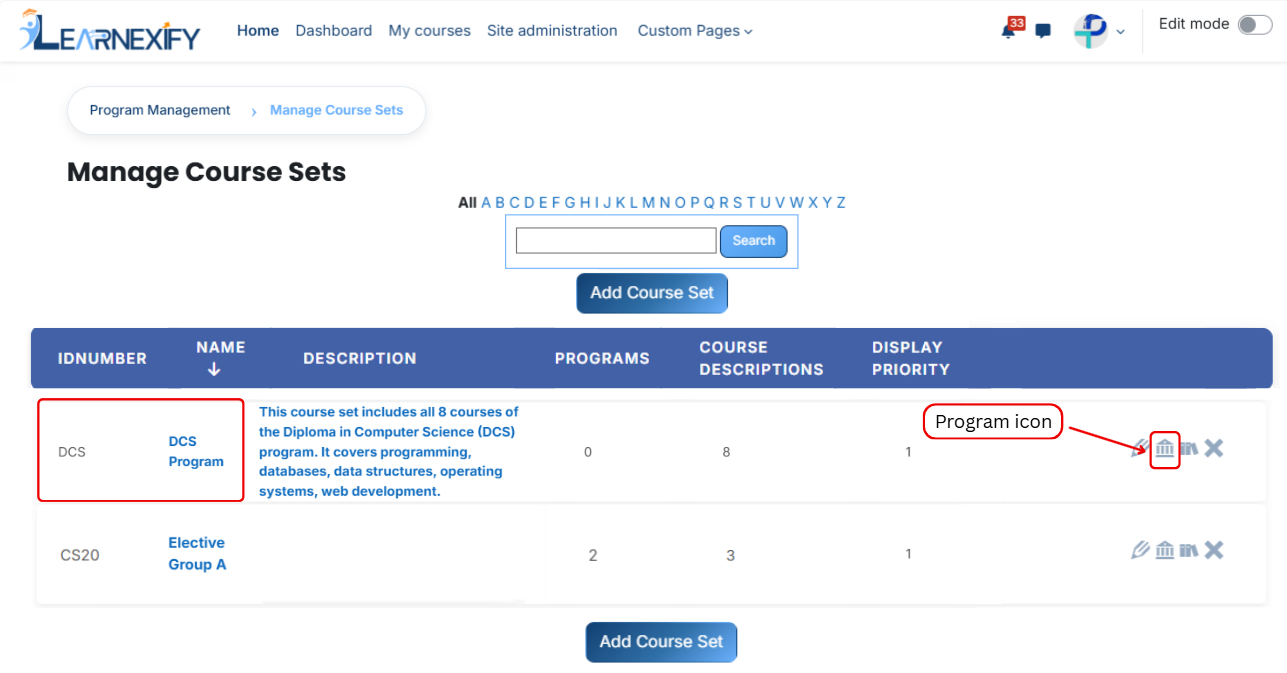
From the list of all course sets, click on the Program icon of the course set to which you want to assign a program.
-
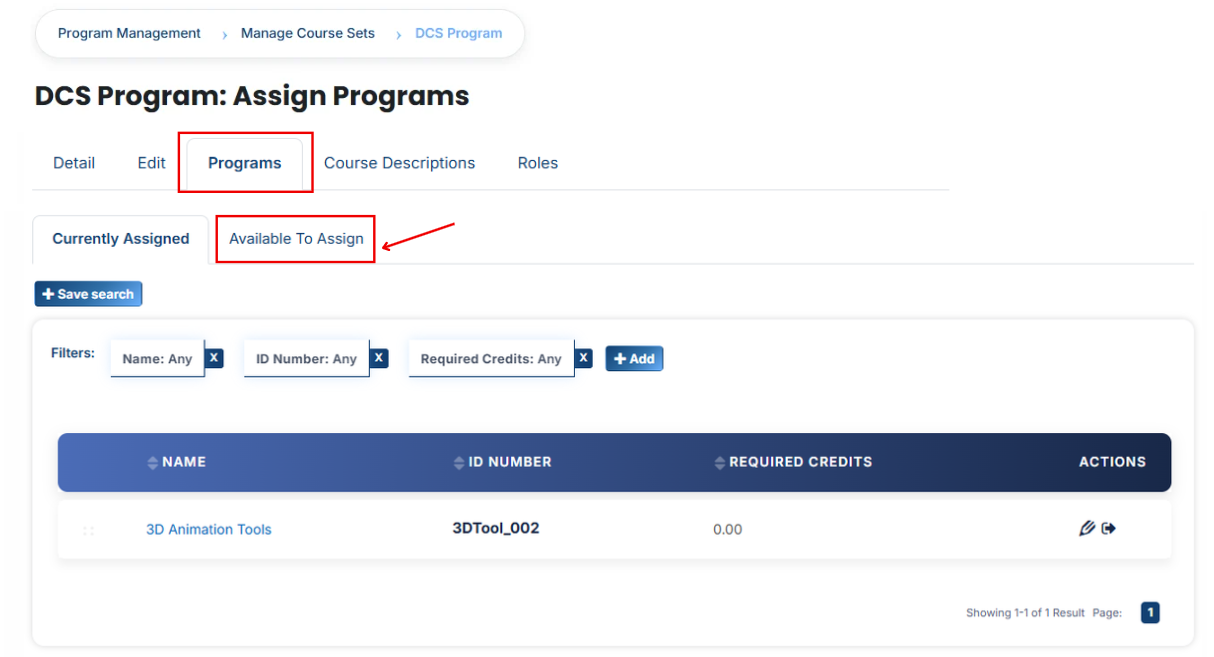
Once the program tab opens, you will see the programs already assigned to that course set. To assign additional programs, click on the Available to Assign button.
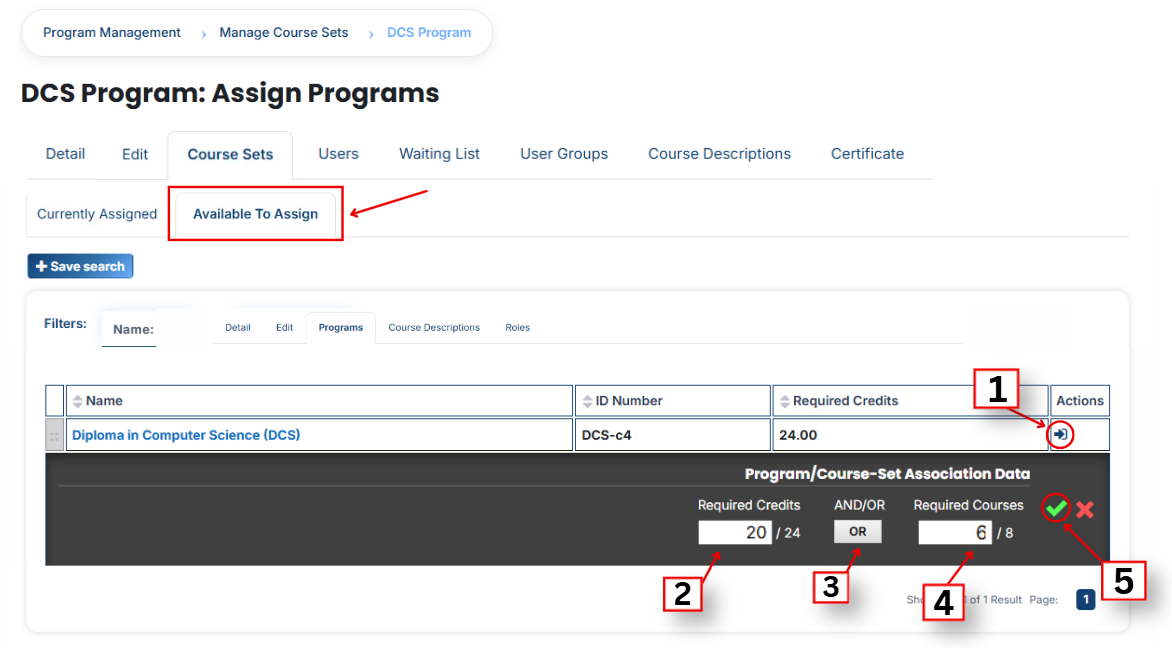
A list of available programs will be displayed. Select the program you want to assign.
When you click the arrow icon in the program list, the Program/Course-Set Association panel will open. This panel is used to assign the program and define its requirements.
Program Requirements
Required Credits:
Specify the number of credits a learner must complete out of the total required (e.g., 18/18).
AND/OR Condition:
Defines how the requirements are evaluated:
- AND = All conditions must be completed
- OR = Any one condition can be completed
Required Courses:
Define the number of courses that must be completed within the course set (e.g., 6/6).
-
After filling in all required fields, click the green tick (✔) to confirm and save the assignment.
-
Next, click on the Currently Assigned button. Here, you can view all programs that have been successfully assigned to the course set.
No comments to display
No comments to display