
How to Edit a Course instance
To edit a course instance, follow the steps below:
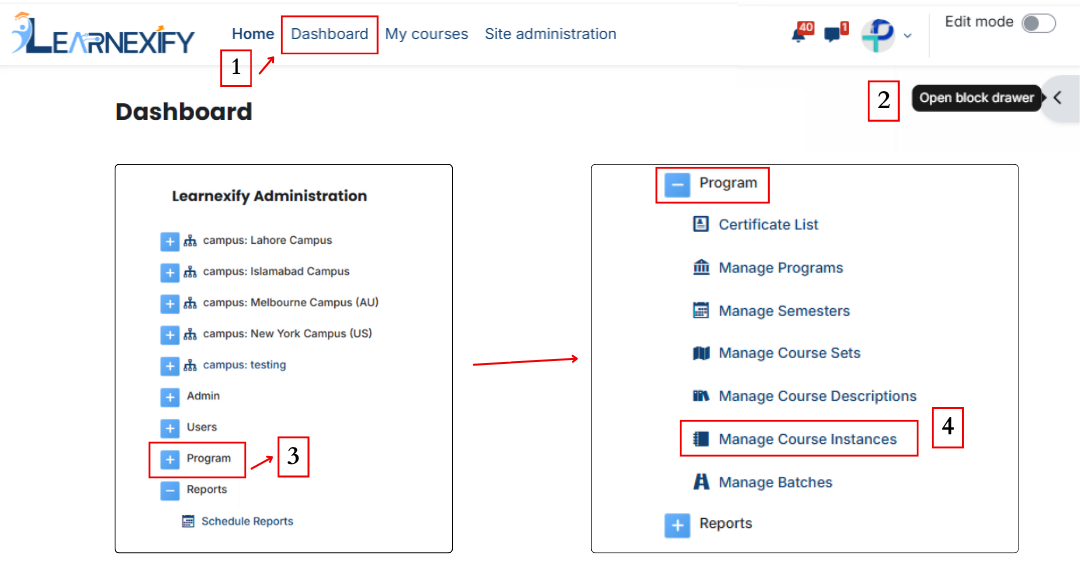
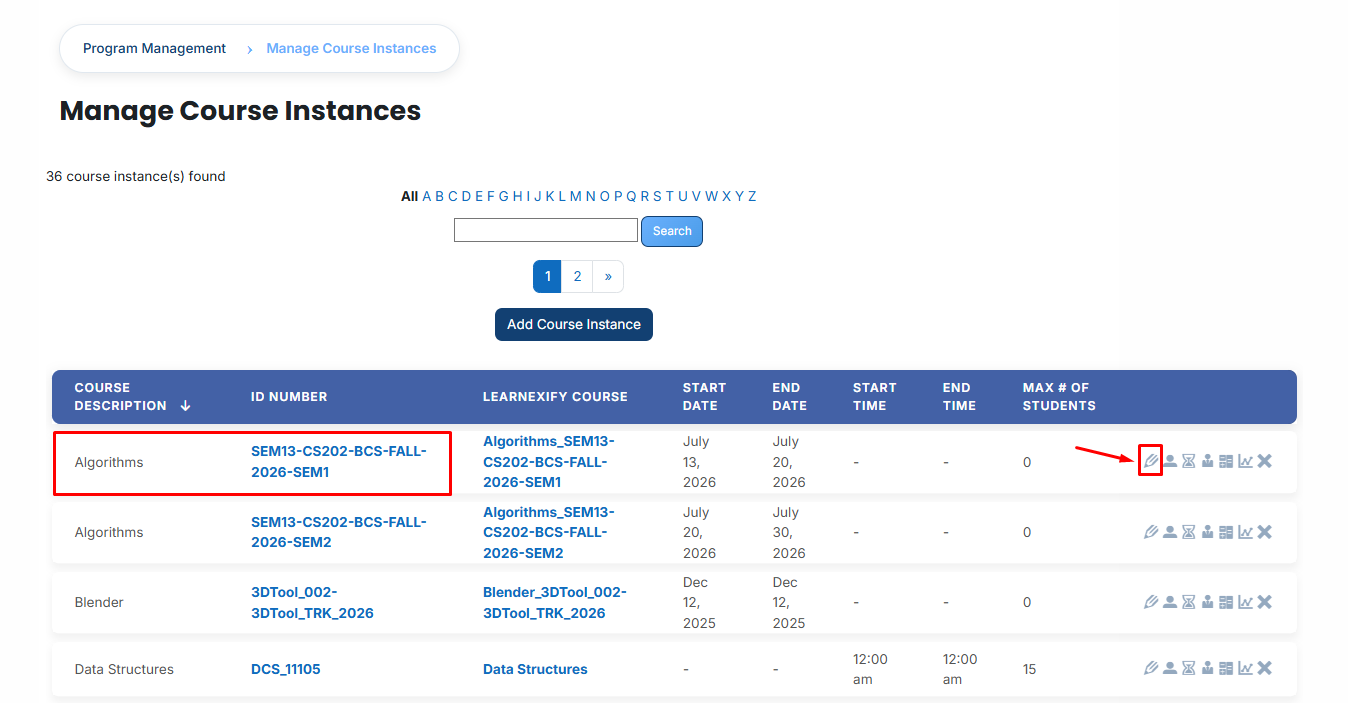
- A comprehensive list of all active and past course instances will be displayed. Browse through the list to identify the specific session you wish to modify.
- Click on the Edit icon located next to the relevant course instance. This action will open the configuration form in edit mode, displaying all currently saved details.
-
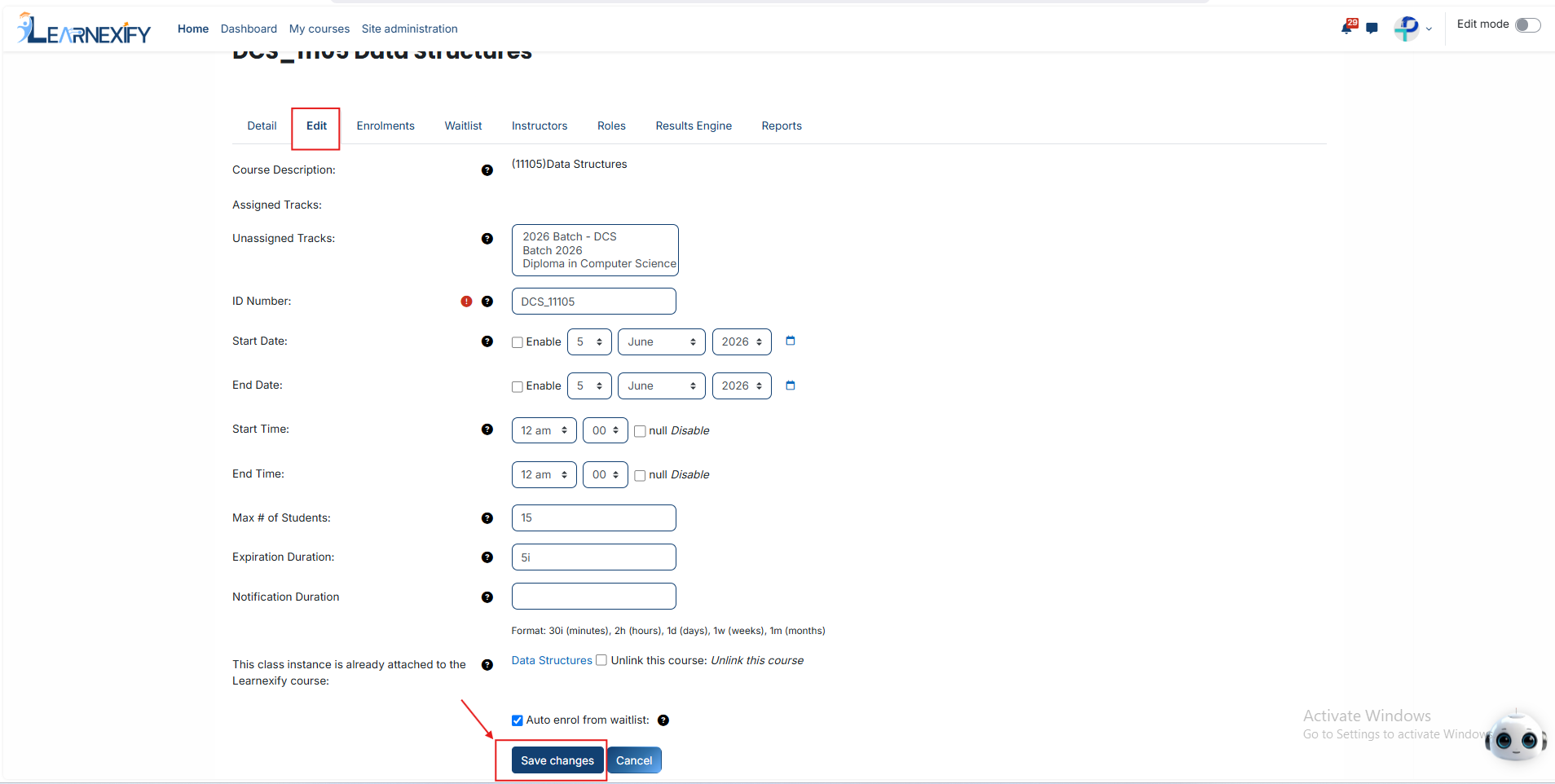
Make the necessary adjustments to the fields, such as updating the Start/End Dates, modifying the Student Capacity, or re-configuring the Notification Durations.
-
After reviewing your updates for accuracy, scroll to the bottom of the page and click the Save Changes button. The system will immediately apply the updates, and the modified course instance will reflect the new information in the management list.
No comments to display
No comments to display